1
G Operating instructions
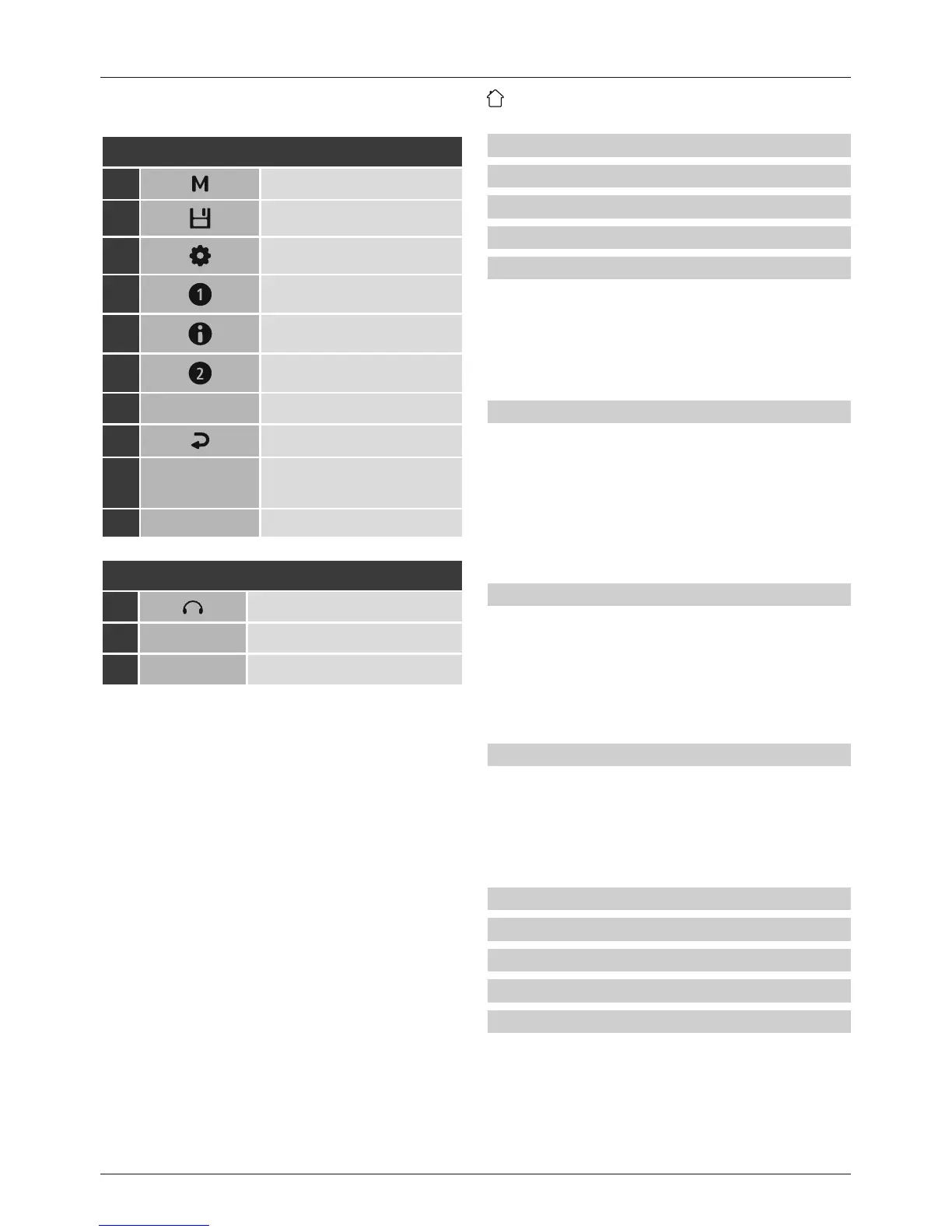
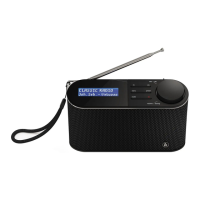
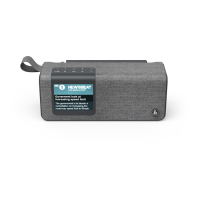
Controls and Displays
A: Radio Front
1 [MODE]-Button
2
[PRESET]-Button
3
[SETTINGS]-Button
4 [PRESET 1]-Button
5 [INFO]-Button
6 [PRESET 2]-Button
7 Display
8
[BACK]-Button
9
[VOLUME/SELECT/
NAVIGATE]
10 Antenna
B: Back
11
Headphone socket
12
DC IN
Mains power supply
13
Battery case
1. Explanation of Warning Symbols and Notes ..4
2. Package Contents .......................4
3. Safety notes ...........................4
4. Information and notes beforegetting started 5
5. Getting started ........................5
5.1 Battery operation ........................5
5.2 Mains oper
ation .
...
...
...
...
...
...
...
...5
5.3 General notes on use ......................5
5.4 Initial setup .............................6
5.5 Language ..............................6
6. DAB ..................................6
6.1 Search /Automatic search ..................6
6.2 Station list ..............................7
6.3 Edit station list ..........................7
6.4 Favourites ..............................7
6.4.1 Save favourites .......................7
6.4.2 Access favourites ......................7
6.5 DRC (Dynamic Range Control) ...............7
7. FM ...................................8
7.1 Scan setting ............................8
7.2 Automatic station search ...................8
7.3 Favourites ..............................8
7.3.1 Save favourites .......................8
7.3.2 Access favourites ......................8
7.4 Audio setting ...........................8
8. Additional settings ......................8
8.1 Sleep ..................................8
8.2 Alarm clock .............................9
8.3 Lighting ................................9
8.4 Factory Reset ...........................9
8.5 Info /Softwareversion .....................9
9. Careand Maintenance ..................10
10. Warranty Disclaimer ...................10
11. Service and Support....................10
12. Recycling Information .................10
13. Declaration of Conformity...............10
Content


 To Next Page