4
Notes on use
• Beforeyou can use the streaming radio, you need
to set it up (see Chapter 6) by smartphone using the
UNDOK app.
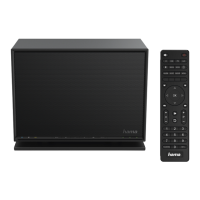
Getting started with the remote control
Open the battery compartment cover.Itis located on the
rear of the remote control and can be opened by sliding it
in the direction indicated.
TwoAAA batteries areincluded in the delivery,they should
be inserted in the battery compartment of the remote
control. Observe the correct polarity when inserting
batteries. The polarity (+ /-)is indicated in the battery
compartment.
5. Getting started
Note
• Optional, switchable light sources or brightness
sensors result in higher power consumption in the
switched-on state.
5.1 Turning on the product
• Connect the power cable to aproperly installed socket.
Warning
• Only connect the product to asocket that has been
approved for the device. The electrical socket must
always be easily accessible.
• Disconnect the product from the power supply using
the on/off switch –ifthis is not available, unplug the
power cordfromthe socket.
• Wait until the speaker initialisation procedurehas
nished.
• Press the [PLAY/PAUSE] button
►II to turn on the
speaker.
Note –Turningonfor the rst time
• When you turn on the device for the rst time, the
speaker starts in SETUP mode.
• The LEDs (6-8) begin to ash, the LEDs (9) are
constantly lit and the speaker can be connected to
your smartphone using the UNDOK app.
6. UNDOK –everything in the palm of your hand
The UNDOK app, developed by Frontier Silicon, gives you
full control of radios and speakers from your smartphone.
Whether you aresetting up the device for the rst time,
specifying settings for the equaliser and multi-room, or
managing your favourite stations –the UNDOK app lets
you access all the features from your smartphone or tablet,
thereby offering you greater convenience.


 To Next Page
 Loading...