6
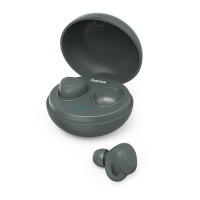
• Remove the earphones from the charging box at the same time. A
voice says, ‘Power on –Connected’.
• After the headset and terminal device have been paired, a
connection is established automatically.
• Youcan now use the earphones.
Note
• If pairing was successful, the status LEDs of the earphones (5)
slowly ash blue. Avoice says, ‘Connected’.
• It may be necessary to change the settings on your terminal
device to enable it to automatically connect to the paired
earphones.
Note -Connection impaired
After the headset and terminal device have been paired, a
connection is established automatically.Ifthe
Bluetooth
®
connection is not established automatically,check the following:
• Go to the
Bluetooth
®
settings on your terminal device and check
whether the Hama Style earphones areconnected. If not, repeat
the steps listed under 5.1 Bluetooth
®
pairing.
• Check whether obstacles areimpairing the range. If so, move the
devices closer together.
• The performance can also be affected by aweak battery.
5.3. Hands-free function
Note
• Note that support for certain key functions may vary depending
on your terminal device.
• Formoreinformation, please refer to the operating instructions of
your terminal device.
Youcan use the earphones as ahands-free set for your mobile phone.
Making acall
• Dial the number directly on your terminal device to make acall.
Accepting calls
• Tapthe Multifunction touch sensor (3) on the left or right
earphone twice to accept an incoming call. Alternatively,you can
use your telephone to accept acall.


 To Next Page