5
5.1. Bluetooth
®
pairing
Note –Pairing
• Make surethat your
Bluetooth
®
-capable terminal device is on
and
Bluetooth
®
is activated.
• Formoreinformation, please refer to the operating instructions of
your terminal device.
• The earphones and the terminal device should be no further than 1
metreapart. The smaller the distance, the better.
• Make surethat the earphones areswitched off.
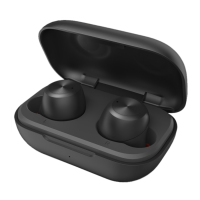
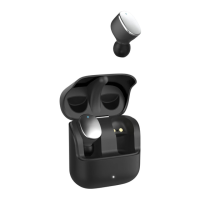
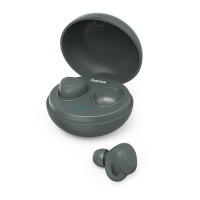
• Device off: To activate the earphones, remove them from the
charging box at the same time and place them back in the charging
box. The status LEDs of the earphones (5) arelit red. Remove
the earphones once again. They now switch on automatically,a
voice says, ‘Power on’ and the status LEDs (5) ash blue. After
about 5seconds, pairing begins and the two earphones connect to
one another.Assoon as one of the two status LEDs (5) begins to
emit ashes of alternating redand blue light, your earphones are
ready to be connected to your smartphone. Avoice says, ‘Pairing’.
The earphones aresearching for a
Bluetooth
®
connection.
• Open the
Bluetooth
®
settings on your terminal device and wait
until Hama Style appears in the list of
Bluetooth
®
devices found.
•
Bluetooth
®
devices found.
• Select Hama Style and wait until the earphones arelisted as
connected in the
Bluetooth
®
settings on your terminal device. A
voice says, ‘Connected’.
Note –
Bluetooth
®
password
If your terminal device requests apasswordtoestablish the
connection, enter 0000.
Note
If pairing was successful, the status LEDs of the earphones (5)
slowly ash blue. Avoice says, ‘Connected’.
• Youcan now use the earphones.
5.2. Automatic
Bluetooth
®
connection
(after successful pairing)
Note
• Make surethat your
Bluetooth
®
-capable terminal device is on
and
Bluetooth
®
is activated.
• Formoreinformation, please refer to the operating instructions of
your terminal device.


 To Next Page