EasyManua.ls Logo

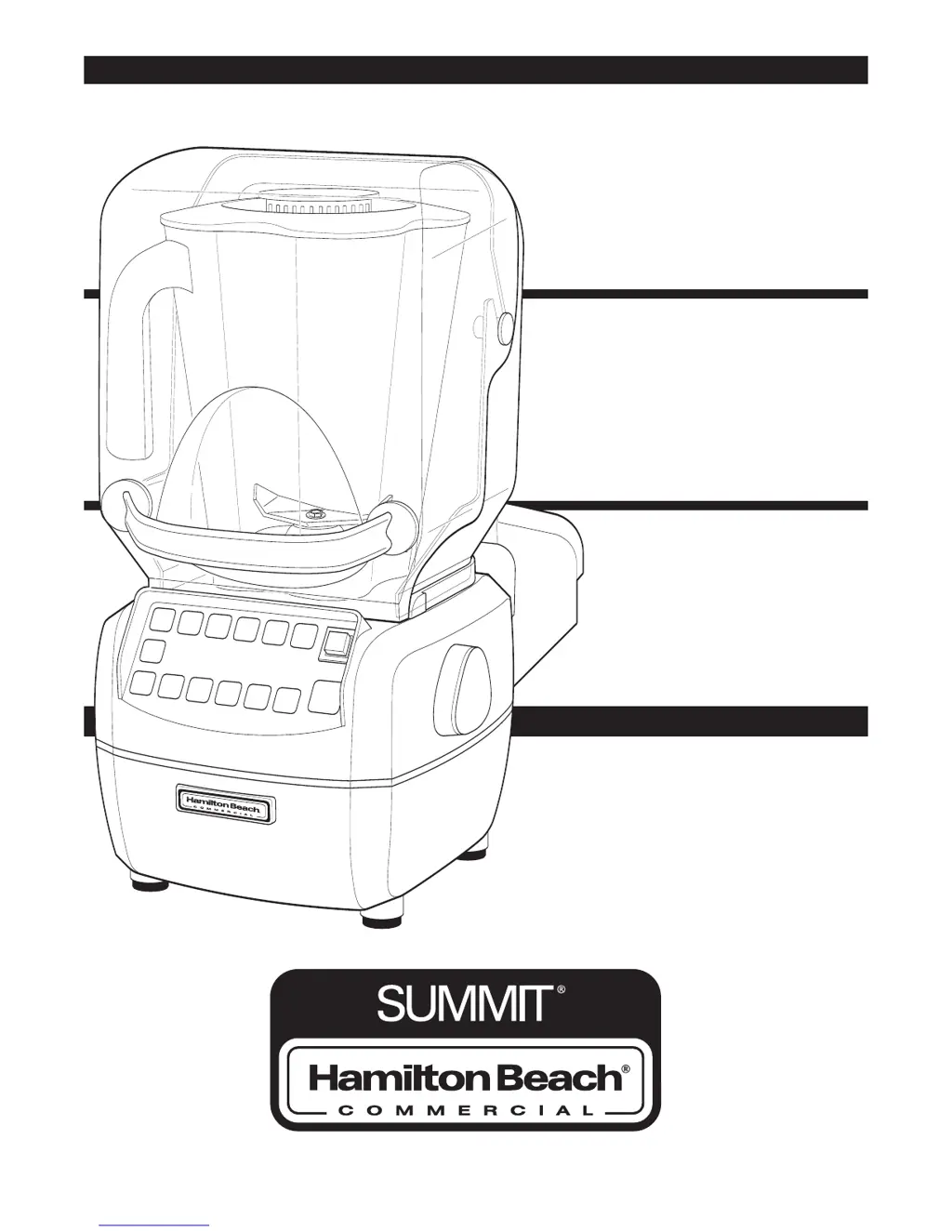
Hamilton Beach Summit HBH850 - User Manual

Hamilton Beach Summit HBH850
19 pages
Print Icon
To Next Page IconTo Next Page
Loading...
www.commercial.hamiltonbeach.com
840167600
11/07
www.commercial.hamiltonbeach.com
Modèle HBH850
Mélangeur de bar
Manuel d’utilisation
Page 20
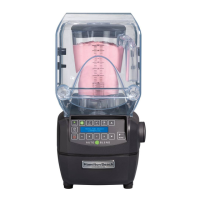
Model HBH850
Bar blender
Operation Manual
Page 2
Modelo HBH850
Licuadora para bar
Manual de uso
Página 38
READ BEFORE USE.
LIRE AVANT D’UTILISER.
LEA ANTES DE USAR.

Questions and Answers

  • L
    Lisa PetersonJul 26, 2025
    Why my Hamilton Beach Summit HBH850 fails to start and display is blank?
    • D
      Dr. Jeffrey OrrJul 26, 2025
      If your Hamilton Beach Blender fails to start or stops and the display is blank, ensure the main power button is ON. Check that the unit is securely plugged into a working electrical outlet with the correct voltage and frequency. Also, verify that the outlet's fuse hasn't blown or the circuit breaker hasn't tripped. Inspect the integrated circuit breaker on the left side of the blender base; if it trips repeatedly, contact Technical Service. If the motor overheats, unplug the blender and let it cool for 15 minutes before resuming operation.
  • X
    Xavier GoodAug 1, 2025
    What to do if Hamilton Beach Summit HBH850 Blender fails to start and a message appears in display?
    • J
      Julie SalasAug 1, 2025
      If your Hamilton Beach Blender fails to start or stops while running and a message appears on the display, make sure that the jar is correctly seated on the blender base. The blender will not operate if the jar is not properly seated.
  • J
    Jamie MurphyAug 7, 2025
    Why my Hamilton Beach Summit HBH850 fails to start or stops while it is running?
    • N
      Nathan FitzgeraldAug 7, 2025
      If your Hamilton Beach Blender fails to start or stops while it is running, it might be due to thermal overload protection being tripped. Try running the cool down cycle as instructed on the display. This blender also has motor overload protection; if the motor overheats, unplug it and allow it to cool for 15 minutes before plugging it back in to resume normal operation.
  • G
    gerald60Aug 14, 2025
    How to fix Hamilton Beach Summit HBH850 Blender if ingredients will not mix properly?
    • T
      Tiffany LawsonAug 14, 2025
      If ingredients aren't mixing properly in your Hamilton Beach Blender, ensure enough liquid has been added to create a fluid mixture. Check that solid pieces aren't too large and that the container isn't overfilled beyond the highest marking. Inspect the cutter assembly for sharpness and damage, replacing it if necessary (at least yearly). Verify the cutter assembly is properly installed and select an appropriate speed to achieve a fluid blend.
  • C
    cperryAug 19, 2025
    What to do if Hamilton Beach Summit HBH850 does not respond to button commands?
    • M
      Ms. Amy WatsonAug 19, 2025
      If your Hamilton Beach Blender doesn't respond to button commands or an error message appears, try turning the power off and then back on using the power switch to reset the controls. If the error message persists after the reset, the unit requires servicing.

Summary

Blender Safety

Important Safety Instructions

Provides essential safety precautions for operating the blender to prevent injury and damage.

Safety Alert Symbols

Electrical Shock Hazard

Details electrical shock hazards and necessary precautions to prevent death or injury.

Cut Hazard

Warns about hazards related to sharp blades and the need for caution when handling.

Burn Hazard

Advises caution when blending hot contents to prevent potential burns.

Sanitizing

Sanitizing Procedure

Instructions on how to sanitize the blender container, lid, and filler cap using a bleach solution.

Parts and Features

Blender Components Identification

Identifies key parts of the blender, including the jar, base, control panel, and Quiet Shield.

Power Requirements

Electrical Plug Types

Illustrates different plug types for 120 VAC and 230 VAC power requirements.

Control Panel Overview

Button Functions Explained

Explains the function of each button on the blender's control panel for operation.

Quick Start Guide

Basic Blender Operation Steps

Provides a step-by-step guide for starting and operating the blender for basic use.

Above Counter Installation

In-Counter Installation Conversion

In-Counter Installation Guide

Using the Controls

Blending Cycles and Settings

Details how to use AUTOBLEND, JUMP, HIGH, LOW, PULSE, and custom cycle buttons for blending.

Stopping and Additional Functions

Explains how to stop the blender cycle and access additional information using the MORE button.

Special Control Functions

Special Functions Access

Accesses customer service info, cooldown cycle, preset editing, and factory reset options.

Cycle Count Management

Allows viewing and clearing of blender cycle counts for warranty, yearly, monthly, weekly, or daily periods.

Using the Blender

Basic Blender Setup and Operation

Illustrates the initial steps for using the blender, including filling, placing the jar, and selecting a function.

Advanced Blending Techniques

Pulse and Autoblend Usage

Demonstrates using the PULSE function for short bursts and AUTOBLEND for efficient blending jobs.

Storing and Using Custom Cycles

Explains how to store favorite settings in custom cycles (A-D) and recall them for later use.

Preprogrammed Cycle Selection

JUMP, LOW, and HIGH Cycle Adjustment

Details how to select JUMP, LOW, or HIGH cycles and adjust their operational time.

Final Blending and Pouring

Shows how to complete the blending process, remove the jar, and pour the contents.

Blender Cleaning Procedures

Container Cleaning

Illustrates the steps for cleaning the blender container, lid, and cutter assembly after use.

Blender Base Cleaning and Safety

Base Cleaning and Electrical Safety

Details how to clean the blender base while emphasizing electrical safety precautions.

Replacing the Cutter Assembly

Troubleshooting Guide

Common Blender Issues and Solutions

Provides solutions for common problems like the blender not starting, stopping, or mixing issues.

Maintenance Schedule

Daily, Weekly, and Yearly Checks

Outlines daily, weekly, and yearly maintenance tasks for the blender and its parts.

Product Warranty Information

Limited Warranty Details

Details the two-year limited warranty, exclusions, and claims process.

Express Care Service Program

Program Overview and Steps

Explains the Express Care Service Program for quick and convenient repairs under warranty.

Hamilton Beach Summit HBH850 Specifications

General IconGeneral
BrandHamilton Beach
ModelSummit HBH850
CategoryBlender
LanguageEnglish

Related product manuals