4 © 24.06.2013 – HAMILTON INSTRUCTION MANUAL 5
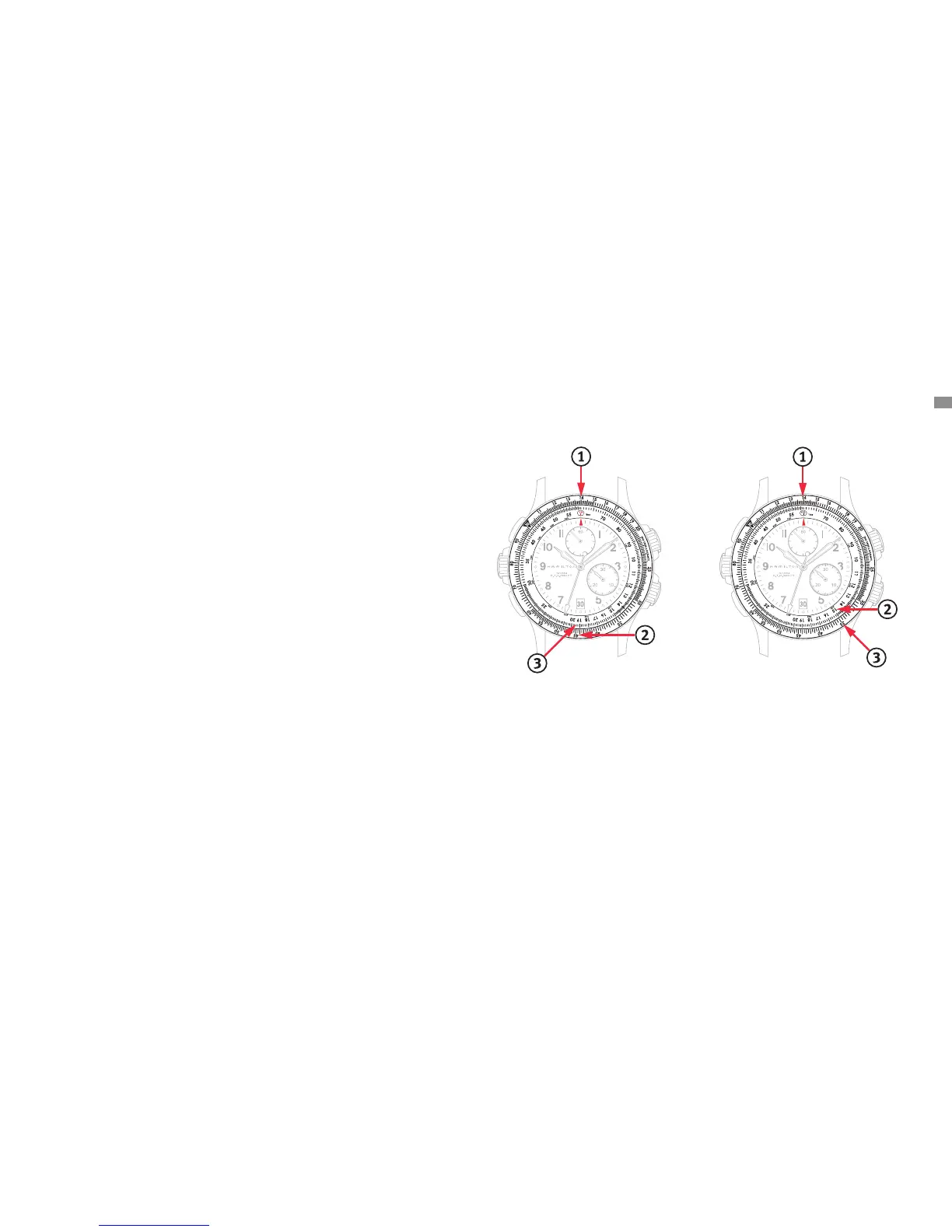
Calculation of time (E.T.O.)
Ex. Speed: mph
Distance to cover: miles
. Turn the exterior rotating bezel () so that the value
(a tenth of mph) is facing the red arrow.
. Read on the same bezel ().
. Read the time value (E.T.O.) on the interior xed bezel
() = . minutes. For memorization, indicate the
E.T.O. value in the window () by using the crown (E).
Calculation of distance to cover
Ex. Speed : mph
Time available: minutes
. Turn the exterior rotating bezel () so that the value
(a tenth of mph) is facing the red arrow.
. Read on the interior xed bezel ().
. Read the value of the distance to be covered on the
exterior rotating bezel () = miles.
Calculation functions
The bezels of the E.T.O. allow you to calculate three values: time, distance and speed, for any units of measurement.
Split-seconds function
(intermediate times)
This function allows the display and reading of multiple
successive times measured from the same starting point.
The time taken to read the amounts can be caught up
on without disturbing the measurement of total elapsed
time.
. Press button (A): the chronograph starts.
. Press button (C) to read the rst intermediate time.
. Press button (C) again. The chronograph hands catch
up with the time elapsed since the beginning of the
measurement.
. Similarly, press button (C) again to read a further inter-
mediate time, and once again to cause the hands to
catch up.
. At the end of the whole measurement, press button
(A) to read the total time.
. Press button (B) to reset to zero.
NB: The maximum catch-up time is minutes.
Memorization of the last
intermediate time
. Press button (A): the chronograph starts.
. Press button (C) to read the rst intermediate time.
. Press button (C) again. The chronograph hands catch
up with the time elapsed since the beginning of the
measurement.
. Press button (C) to read the second intermediate time.
. Press button (A) to read the nal total time.
. Press button (C) to read the memorized last interme-
diate time.
. Press button (C) to return to the nal time display.
. Press button (B) to reset to zero.
Flyback function
The yback function (also known as retour-en-vol or
instant restart) allows resetting of the counter hands to
zero by pressing button (B) without rst stopping the
timing. When the button is released, the large sweep sec-
onds-hand starts a new time measurement. This function
allows the user to gain some seconds in the manipulation
of the chronograph, which facilitates directional calcula-
tions for pilots, for instance.
. Press button (A): the chronograph starts.
. Press button (B): the chronograph returns to zero and
restarts.




 To Next Page