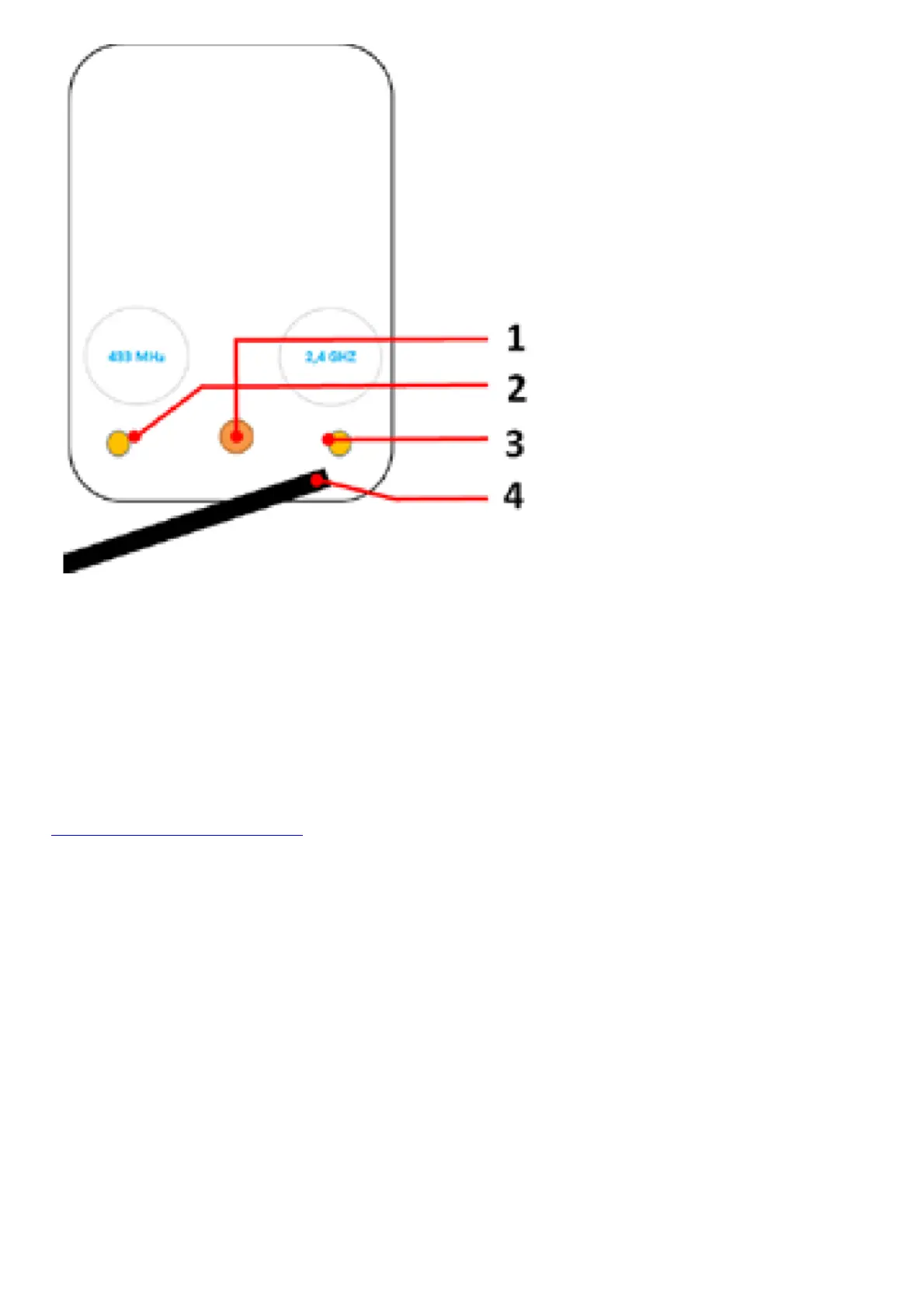
1. Mounting stand thread
To connect the mounting stand
2. 433 MHz RFID Antenna thread
To connect the external 433MHz RFID antenna
3. 2.4 GHz WiFi Antenna thread
To connect the external 2.4GHz WiFi antenna
4. Cable harness
To connect power, network and all external components
Videos
Need help with the installation? Be sure to watch our installation videos which can be found on
http://www.doorbird.com/support
Each individual step of the installation is clearly documented in the videos.
Installation
All the steps below should be carried out carefully by a competent adult, taking into consideration any applicable
safety regulations. Should you have any questions, please contact us or a competent specialist directly. Please
ensure that all wires used for the installation are undamaged along their entire length and approved for this type of
use.
Network speed and network components
Please ensure that the upload speed of your Internet connection is at least 0.5 Mbps. You can also carry out a speed
test at any time via the DoorBird app. The user experience is only as good as your network speed, network stability
and quality of your network components, such as your Internet router and WiFi access points or WiFi repeaters.
Please also make sure that your network components are no older than two years old, have been manufactured by a
well-known manufacturer, and have the latest firmware installed.
Should these requirements not be fulfilled, it may happen, for example that the performance of audio and video is
poor or push notifications are delayed or do not arrive on your smartphone or tablet at all.
High-speed Internet (via landline): DSL, cable or optical fibre



 To Next Page