6
Operation
1. Set fan base on a dry, level, stable surface.
2. Plug cord into any standard 120 volt AC outlet.
HIGH
MID
LOW
POWER
OFF
ON / SPEED
NOTICE: This fan is equipped with a SPEED memory function. The fan will start on the last speed setting if the fan
was previously turned OFF by pressing the OFF button without unplugging the fan from the outlet.
1
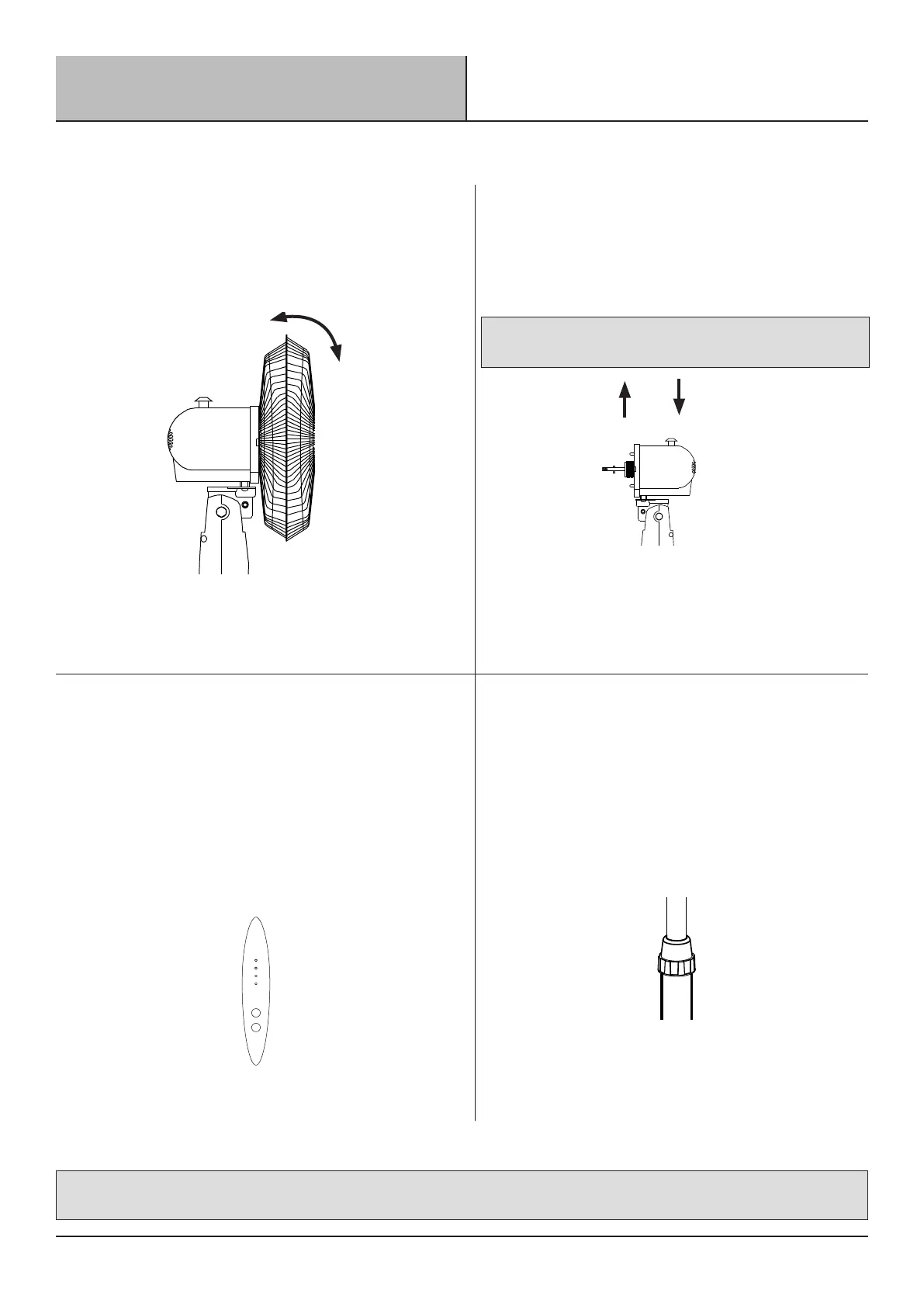
Tilt Adjustment
□ Gently move the fan head up or down manually to
the desired angle.
2
Oscillation
□ To start oscillation, press the Oscillation Knob (I) down.
To stop oscillation, pull Oscillation Knob (I) up.
3
Speed Control Panel
□ To turn the fan on, press the ON/SPEED button located on
the control panel. The fan will start running in the medium
setting “MED”.
□ Press the speed button to cycle through the below 3 speed
settings in sequence. The corresponding indicator light will
illuminate to conrm the selection: MED / HIGH / LOW
4
Height Adjustment
□ Turn the Height Adjustment Collar (M)
counterclockwise to loosen pole.
□ Adjust the Extension Pole (L) to the desired height,
and rmly tighten the height adjustment collar in a
clockwise direction.



 To Next Page