14
Operation (continued)
NOTE: Wait for the fan to stop before reversing the direction
of the blade rotation.
REVERSE SWITCH OPERATING INSTRUCTIONS
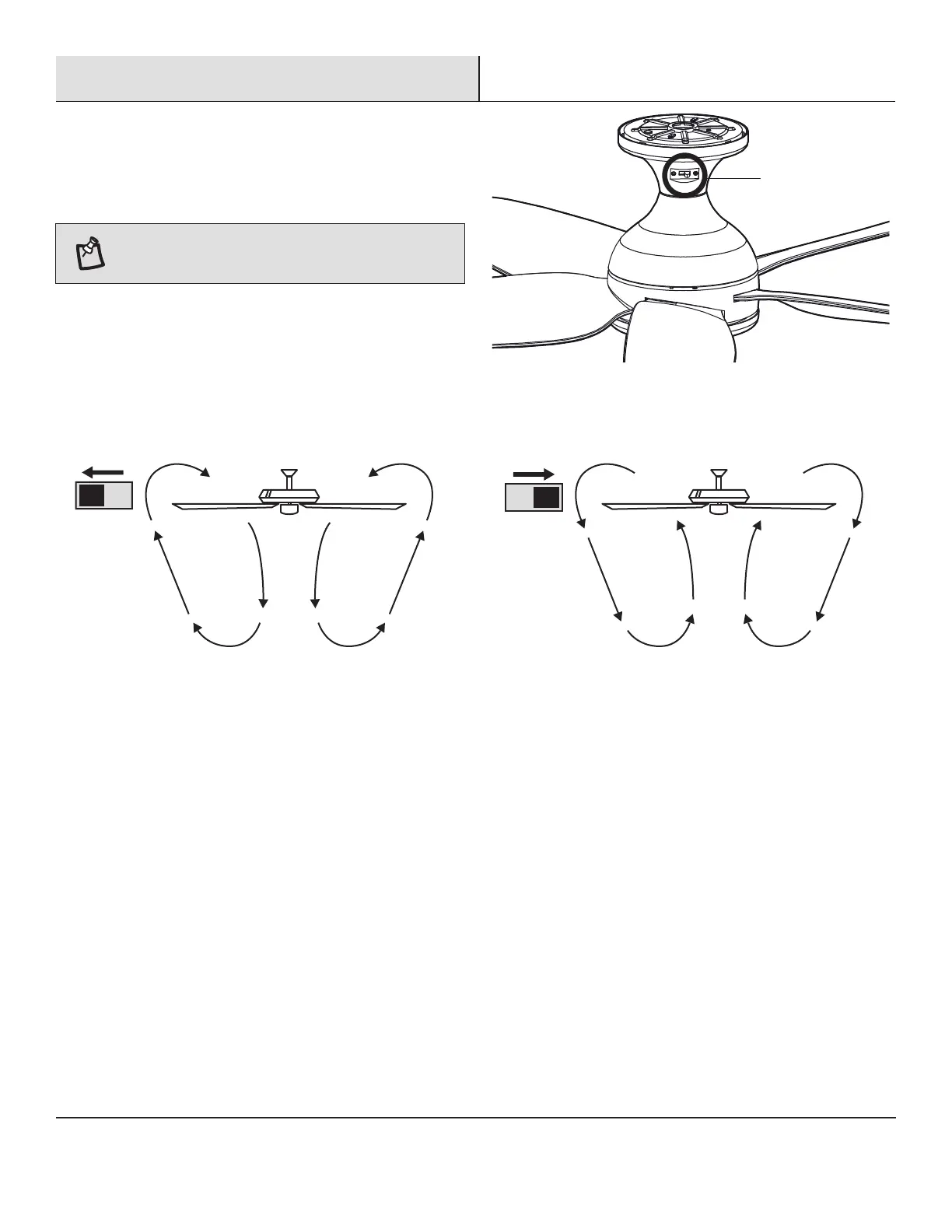
The reverse switch is located on the surface of the motor housing.
Slide the switch to the left for warm weather operation. Slide the
switch to the right for cool weather operation.
Warm weather - (Counterclockwise Direction) A downward air flow
creates a cooling effect. This allows you to set your air conditioner
on a warmer setting without affecting your comfort.
Cool weather - (Clockwise Direction) An upward air flow moves
warm air off the ceiling. This allows you to set your heating unit on
a cooler setting without affecting your comfort.
Reverse switch



 To Next Page