EasyManua.ls Logo

HAMPTON BAY DANETREE N243B-BN - User Manual

HAMPTON BAY DANETREE N243B-BN
17 pages
Print Icon
To Next Page IconTo Next Page
Loading...
THANK YOU
USE AND CARE GUIDE
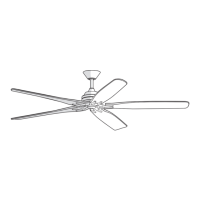
72 IN. DANETREE
INDOOR/COVERED OUTDOOR CEILING FAN
We appreciate the trust and condence you have placed in Hampton Bay through the purchase of this ceiling fan. We strive to
continually create quality products designed to enhance your home. Visit us online to see our full line of products available for
your home improvement needs. Thank you for choosing Hampton Bay!
1-855-HD-HAMPTON
HAMPTONBAY.COM
Questions, problems, missing parts? Before returning to the store,
8 a.m. - 7 p.m., EST, Monday-Friday, 9 a.m. - 6 p.m., EST Saturday
call Hampton Bay Customer Service
Visual instruction of how to install this fan:
Visit www.homedepot.com and enter either the Item or Model number to nd
this fan and click the link of visual instruction in the product overview section.
Item #1008 698 231
1008 697 659
Model #N243B-BN
N243B-NI

Questions and Answers

  • C
    clintonkaneAug 11, 2025
    What to do if my HAMPTON BAY DANETREE N243B-BN Fan remote control is not working?
    • A
      Andre FlynnAug 11, 2025
      First, ensure that you have not connected the fan to any wall-mounted variable speed controls. Then, verify that the frequency switches are correctly set. If issues persist, reset the transmitter by following the “LEARNING PROCESS”.
  • H
    hsaundersAug 16, 2025
    How to fix a noisy HAMPTON BAY DANETREE N243B-BN Fan?
    • J
      jerry42Aug 17, 2025
      To reduce fan noise, ensure all motor housing screws are snug and the screws attaching the blades to the motor hub are tight. Check that wire nut connections aren't rattling inside the switch housing. Allow a 24-hour "breaking-in" period for new fans, as most noises disappear during this time. If using a ceiling light kit, make sure the glassware is secured tightly and that the canopy doesn't touch the ceiling. Also, confirm that the ceiling box is secure and uses rubber isolator pads between the mounting bracket and outlet box.
  • P
    Peter BrandtAug 22, 2025
    What to do if my HAMPTON BAY DANETREE N243B-BN Fan will not start?
    • Q
      qshepardAug 22, 2025
      If your fan doesn't start, check the main and branch circuit fuses or breakers. Then, inspect the line wire connections to the fan and switch wire connections in the switch housing. Ensure the frequency switches on both the remote control and receiver are set to the same frequency. As a next step, turn the AC power off, wait 10 seconds, and then turn it back on. Finally, reset the transmitter by going through the transmitter’s “LEARNING PROCESS”.
  • M
    Meredith WadeAug 29, 2025
    Why does my HAMPTON BAY DANETREE N243B-BN move backwards and forwards when turned on?
    • I
      Isaac FitzgeraldAug 29, 2025
      This start-up behavior is normal for DC motor fans. The partial movement is due to the DC motor aligning its internal magnetic poles for correct operation. This design helps save electricity and allows the fan to operate more quietly compared to standard AC motor fans.
  • J
    Jamie MullinsSep 4, 2025
    Why does my HAMPTON BAY DANETREE N243B-BN wobble?
    • L
      Laura MartinezSep 4, 2025
      Fan wobble is often due to loose parts. First, make sure all blade and blade bracket screws are tightened properly. After installation, let the fan run for 10 minutes to self-adjust. If wobbling continues, check the blade level: measure the distance from each blade tip to a point on the ceiling, ensuring deviations are within 1/8 inch. If deviations exceed 1/8 inch, contact Customer Service (1-855-HD-HAMPTON) to order complimentary replacements of your brackets. If deviations are less than 1/8 inch, contact Customer Service to order a complimentary blade balancing kit.

HAMPTON BAY DANETREE N243B-BN Specifications

General IconGeneral
TypeCeiling Fan
FinishBlack Nickel
Remote ControlYes
Motor TypeAC
Color FamilyBrown
Indoor/OutdoorIndoor
Reversible MotorYes
WarrantyLimited Lifetime
Mounting TypeDownrod

Related product manuals