EasyManua.ls Logo

HAMPTON BAY HB-4190 series - User Manual

HAMPTON BAY HB-4190 series
24 pages
Print Icon
To Next Page IconTo Next Page
Loading...
Motion Sensing
Diecast Lantern
HB-4190 Series
Features
• Lightcomesonwhenmotionisdetected.
• Automaticallyturnslightoff.
• DuskAccentlighting.
• Photocellkeepsthelightoffduringdaylight
hours.
Requirements
• Thelightcontrolrequires120voltsAC.
• IfyouwanttouseManualMode,thecontrol
mustbewiredthroughaswitch.
• Some codes require installation by a
qualified electrician.
©2009 595-5770-06
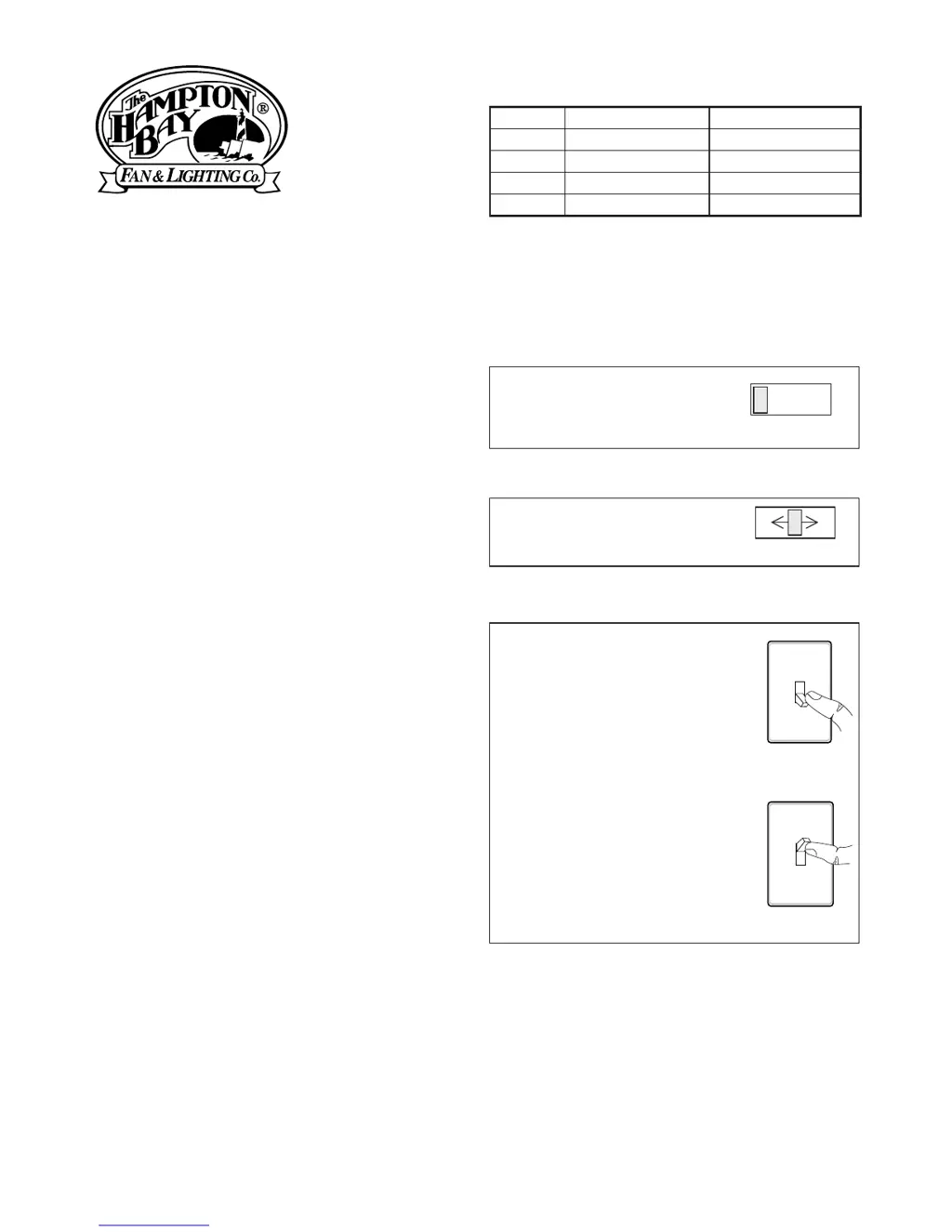
OPERATION
*resetstoAutoModeatdawn.
SettheON-TIMEswitch
on the bottom of the
coverplatetoTEST.
TEST 1 510 MIN
SetON-TIMEswitchto
1,5,or10minutes.
1Second
OFFthen...
Manualmodeonlyworksat
nightbecausedaylightre-
turnsthesensortoAUTO.
Flipthelightswitchofffor
onesecondthenbackonto
togglebetweenAUTOand
MANUALMODE.
Manual mode works only
withtheON-TIMEswitchin
the1,5,or10position.
...backon.
Thispackageincludes:
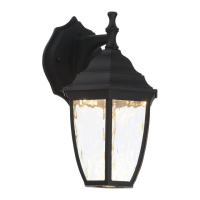
• Lantern
• Easy to use universal mounting bracket
(X-Bar)
• Mountinghardware
• Wirenuts
Note:Whenrstturnedonwaitabout1
1
/
2
minutesforthecircuitrytocalibrate.
TEST
AUTO
MANUAL MODE
TEST 1 5 10 MIN
Mode: On-Time Works: Day Night
Test 5Seconds x x
Auto 1,5,or10Min x
Manual ToDawn* x
Accent 3,6Hr,toDawn x

Other manuals for HAMPTON BAY HB-4190 series

Questions and Answers

  • S
    Sheri ChaseAug 15, 2025
    What to do if HAMPTON BAY HB-4190 Lantern light will not come on?
    • D
      dana26Aug 15, 2025
      If your HAMPTON BAY Lantern light won't turn on, there are several potential causes: * The light switch might be off. If so, turn it on. * The bulb could be loose or burned out. Check the bulb and replace it if necessary. * A fuse might be blown, or the circuit breaker could be off. Inspect the fuse or circuit breaker. * The daylight turn-off feature may be active. Recheck after dark. * If this is a new installation, there might be incorrect circuit wiring. Ensure that the wiring is correct.
  • K
    Kelly GuzmanAug 18, 2025
    Why does my HAMPTON BAY HB-4190 Lantern light come on for no reason?
    • K
      Kendra CraigAug 18, 2025
      If your HAMPTON BAY Lantern light is activating unexpectedly, it might be due to the light control sensing small animals or automobile traffic. Try reducing the sensitivity to resolve this issue.
  • R
    Robert PrinceAug 21, 2025
    How to fix HAMPTON BAY Lantern light that stays on continuously?
    • T
      tjensenAug 21, 2025
      If your HAMPTON BAY Lantern light remains on constantly, the sensor might be directed towards a heat source such as an air vent, dryer vent, or a brightly painted, heat-reflective surface. In this case, try reducing the sensitivity.
  • K
    Kara FaulknerAug 25, 2025
    What to do if HAMPTON BAY HB-4190 light comes on in daylight?
    • C
      Craig RodriguezAug 25, 2025
      If your HAMPTON BAY Lantern light is activating during the day, it could be because the light control is installed in a relatively dark location. Consider adjusting the installation location. Alternatively, the light control might be in Test mode. Set the control switch to an ON-TIME position.
  • C
    Christina MyersAug 28, 2025
    Why does my HAMPTON BAY HB-4190 light stay on continuously?
    • B
      Benjamin WeissAug 28, 2025
      Your HAMPTON BAY Lantern might stay on continuously for several reasons: * The sensor could be pointed toward a heat source, such as an air vent, dryer vent, or a brightly painted heat-reflective surface. Try reducing the sensitivity. * The light control might be in Manual Mode. Switch it to Auto. * The light control could be in DualBrite® mode. Try switching to a different mode. * The sensitivity might be set too high. In this case, try reducing the sensitivity.
  • J
    James KirkAug 31, 2025
    What to do if my HAMPTON BAY HB-4190 Lantern light will not come on?
    • C
      Calvin ThompsonAug 31, 2025
      If your HAMPTON BAY Lantern light won't turn on, consider these possible causes: * The light switch might be turned off. Ensure the light switch is turned on. * The bulb could be loose or burned out. Check and secure the bulb, or replace it if necessary. * A fuse might be blown, or the circuit breaker could be turned off. Check the fuse and circuit breaker. * The daylight turn-off feature might be in effect. Recheck the light after dark. * If this is a new installation, there could be incorrect circuit wiring. Verify the circuit wiring.
  • C
    Christine GilbertSep 3, 2025
    Why does my HAMPTON BAY Lantern light come on for no apparent reason?
    • I
      ihallSep 3, 2025
      If your HAMPTON BAY Lantern comes on for no apparent reason, it could be due to the following causes: * The light control may be sensing small animals or automobile traffic. Try reducing the sensitivity. * The sensitivity might be set too high. Reduce the sensitivity in this case.
  • B
    Brandon EllisSep 7, 2025
    How to fix HAMPTON BAY HB-4190 light that comes on in daylight?
    • P
      Patricia SandovalSep 7, 2025
      If your HAMPTON BAY Lantern light comes on during the day, here are a couple of reasons why: * The light control may be installed in a relatively dark location. Relocate the light control to a brighter area. * The light control might be in Test mode. Set the control switch to an ON-TIME position.
  • E
    Eileen RhodesSep 12, 2025
    What to do if HAMPTON BAY HB-4190 Lantern light flashes on and off?
    • A
      Amanda RogersSep 12, 2025
      If your HAMPTON BAY Lantern light flashes on and off, consider these potential causes: * The light control may be in the Test mode and warming up. Allow the light control to complete the warming up process. * Heat being reflected from other objects may be affecting the sensor. Reduce sensitivity.

Summary

Operation

Installation Guide

Installation Steps

Details removing nuts, X-Bar, tightening screws, setting sensitivity, and attaching X-Bar.

Wiring Instructions

Standard Wiring Diagrams

Provides diagrams for wiring one or two motion-activated light fixtures.

Testing the Motion Sensor

Test Mode Activation

Covers turning on breaker and setting test mode.

Troubleshooting Guide

Light Not Coming On

Addresses issues like switch status, bulb, circuit breaker, and wiring.

Light On for No Apparent Reason

Explains causes like sensing animals, traffic, or high sensitivity.

Light Stays On Continuously

Covers issues with sensor direction, manual mode, or high sensitivity.

Light Flashes On and Off

Identifies causes like test mode warm-up or reflected heat affecting the sensor.

HAMPTON BAY HB-4190 series Specifications

General IconGeneral
BrandHAMPTON BAY
ModelHB-4190 series
CategoryLantern
LanguageEnglish

Related product manuals