12
Operating Your Fan
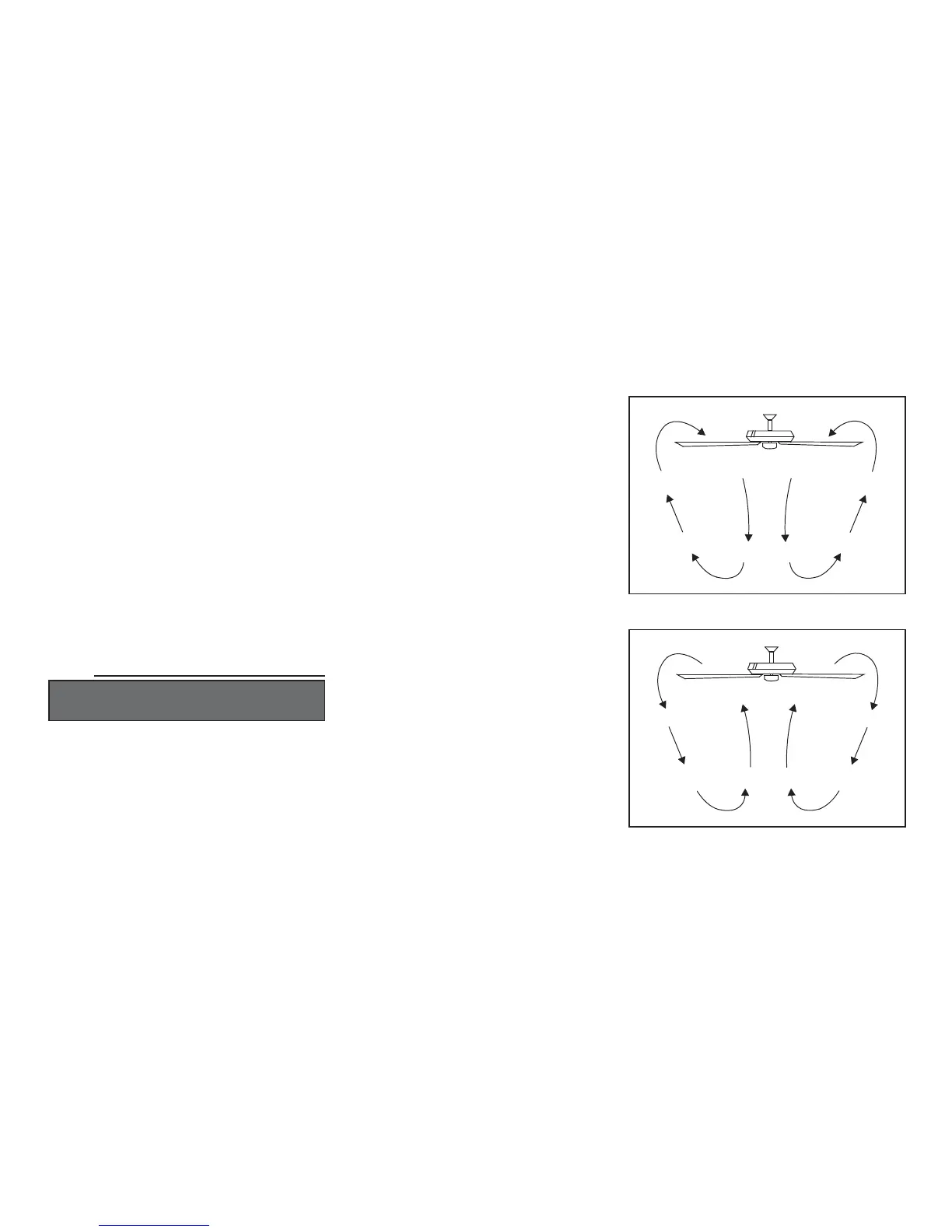
Warm weather - (Counter-Clockwise direction)
A downward air flow creates a cooling effect as
shown in Figure 18. This allows you to set your air
conditioner on a higher setting without affecting
your comfort.
Cool weather - (Clockwise direction) An upward
air flow moves warm air off the ceiling are as
shown in Figure 19. This allows you to set your
heating unit on a lower setting without affecting
your comfort.
Turn on the power and check the operation of the
fan. The pull chain controls the fan speed as
follows:
1 pull - High
2 pulls - Medium
3 pulls - Low
4 pulls - Off.
Light kit pull chain- it controls the light kit in
"ON" or "OFF".
Speed settings for warm or cool weather depend
on factors such as the room size, ceiling height,
number of fans, and so on.
The slide switch controls directions: forward
(switch down) or reverse (switch up).
NOTE
WAIT FOR FAN TO STOP BEFORE REVERSING
THE DIRECTION OF THE BLADE ROTATION.
Figure 18
Figure 19




 To Next Page