USER MANUAL For MULTISCAN P2
Chapter 7 - 2
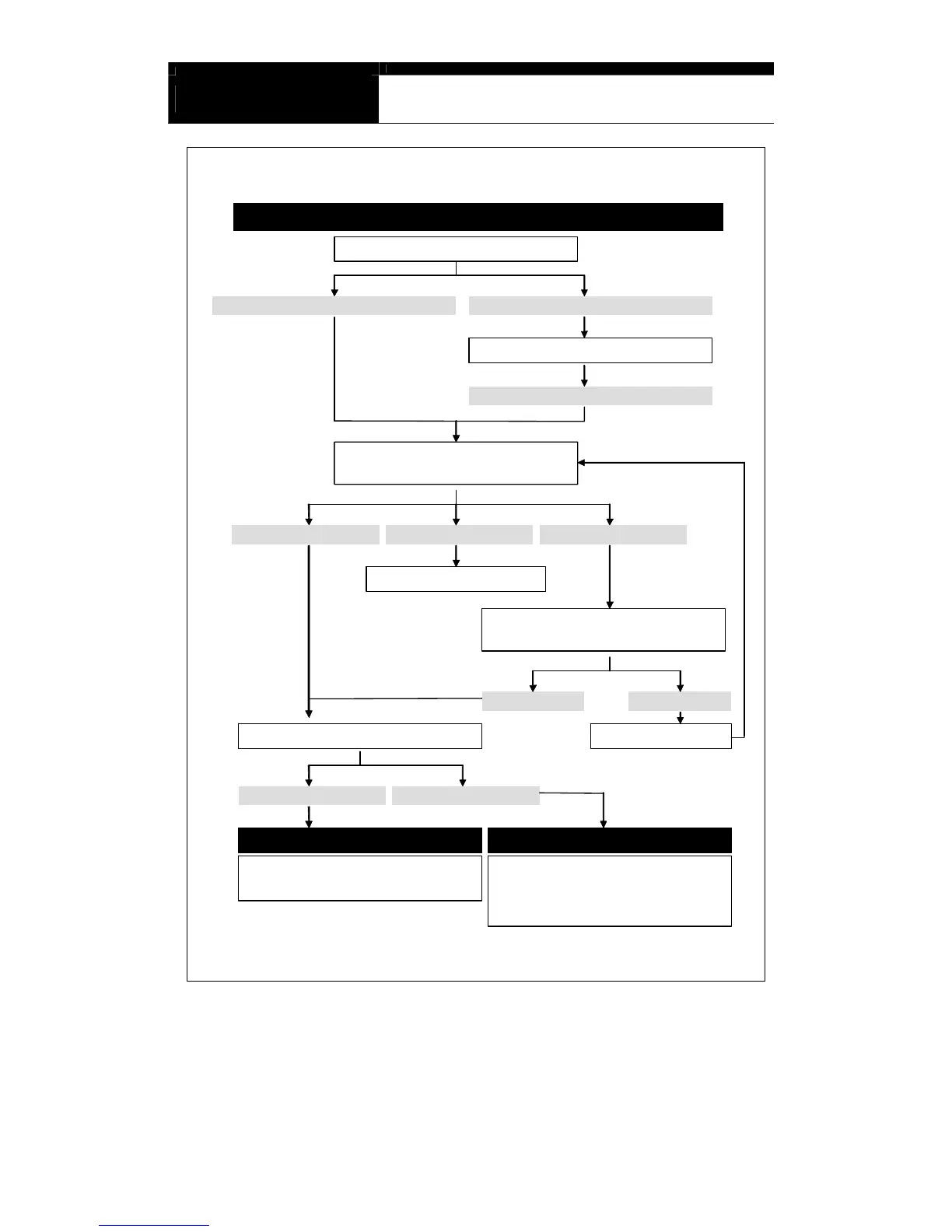
Scanner would not turn on when the Power key is pressed
Check the power cable connection
NO. It was not properly connectedYES. The cable is firmly connected
Reconnect the power cable firmly
NO. It still does not work
Check if the red LED’s on both
ends of the power cable are ON
Both LED’s are ON Only one LED is ON Both LED’s are OFF
Replace the power Cable
Open the cigarette lighter socket,
and check if the fuse is blown
It is O.K. It is Blown
Replace the fuseCheck the battery voltage
It is less than 8~10V It is more than 8V
Vehicle Battery Voltage is too LOW Contact local distributor
Scanner itself is not defective
Try again with the other vehicle
Scanner may not respond to the key input due to
internal keypad connection failure. The distributor
may have to open the head unit to check the
connection. Report the symptoms to your local
distributor and wait for the instruction.


 To Next Page