ALGIZ 8X User’s Manual
Adjust the Volume Level
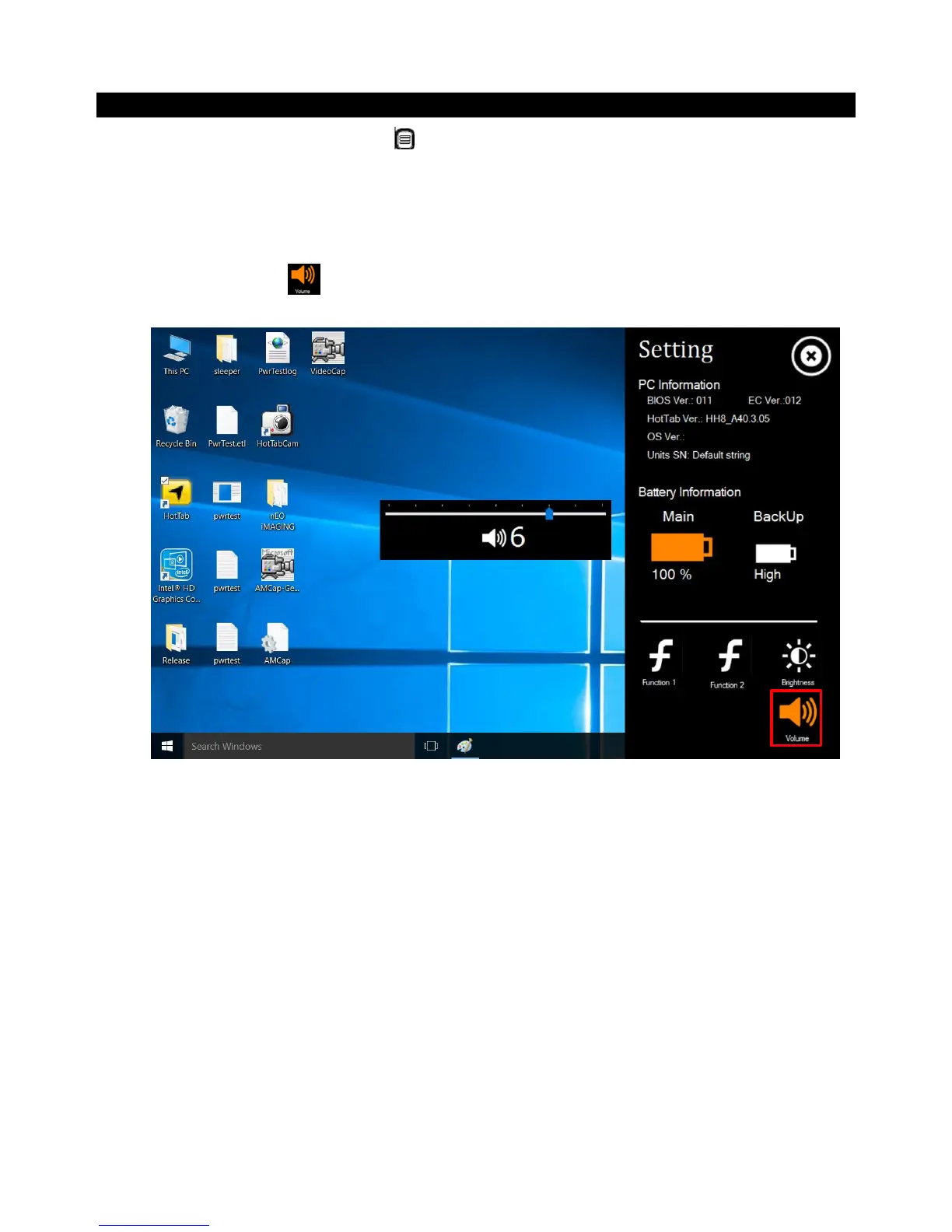
The volume level can be adjusted from Hottab menu. To perform volume adjustment. The
adjustment slide bar will appear on screen transparently. Tap on the right side of the bar to increase the
volume and Tap on the left side of the bar to decrease the volume .Open the Hottab utility by press the
(Menu) Button located on the front panel, or launching the Hottab Utility application.
1. Tap on the Settingbutton.
2. Tap on the Volume icon:



 To Next Page