ALGIZ 8X User’s Manual
6. COM Port Definition
ALGIZ 8X tablet computer uses Hottab utility for built-in peripherals control. All the COM port numbers
have been defined in the OS image coming with the package.
For some special applications, user might re-install OS and lose the COM port settings. To make sure the
features works properly with Hottab utility, please follow the procedure below to re-define the COM port
numbers:
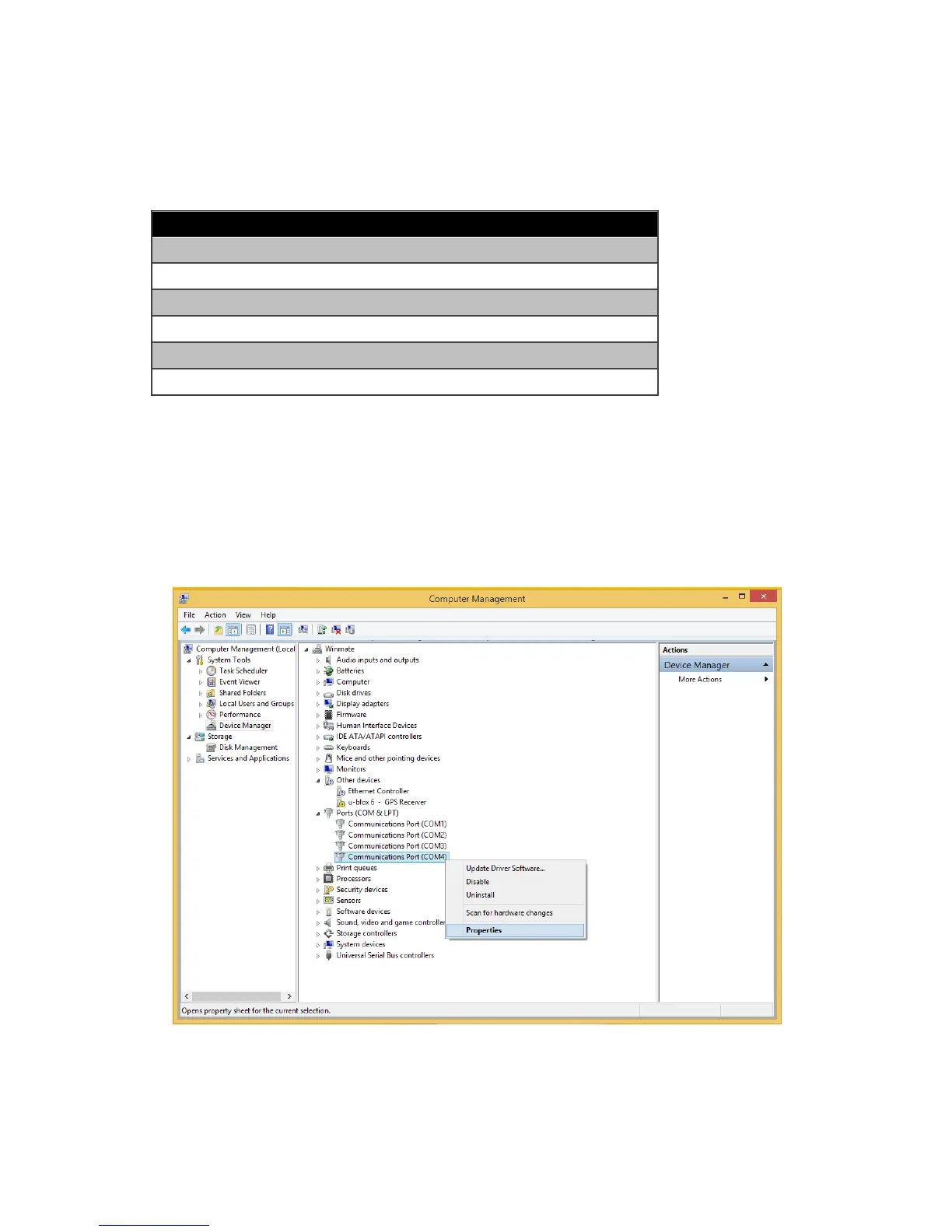
1. Go to "Device Manager", right click on the COM number need to be changed, and tap on"Properties"
to open the setting page.



 To Next Page