EasyManua.ls Logo

HandHeld Algiz 8X - Hardware Interfaces; Docking Connector Pinout; Expansion Port Pinout

HandHeld Algiz 8X
57 pages
Print Icon
To Next Page IconTo Next Page
To Previous Page IconTo Previous Page
Loading...
ALGIZ 8X User’s Manual
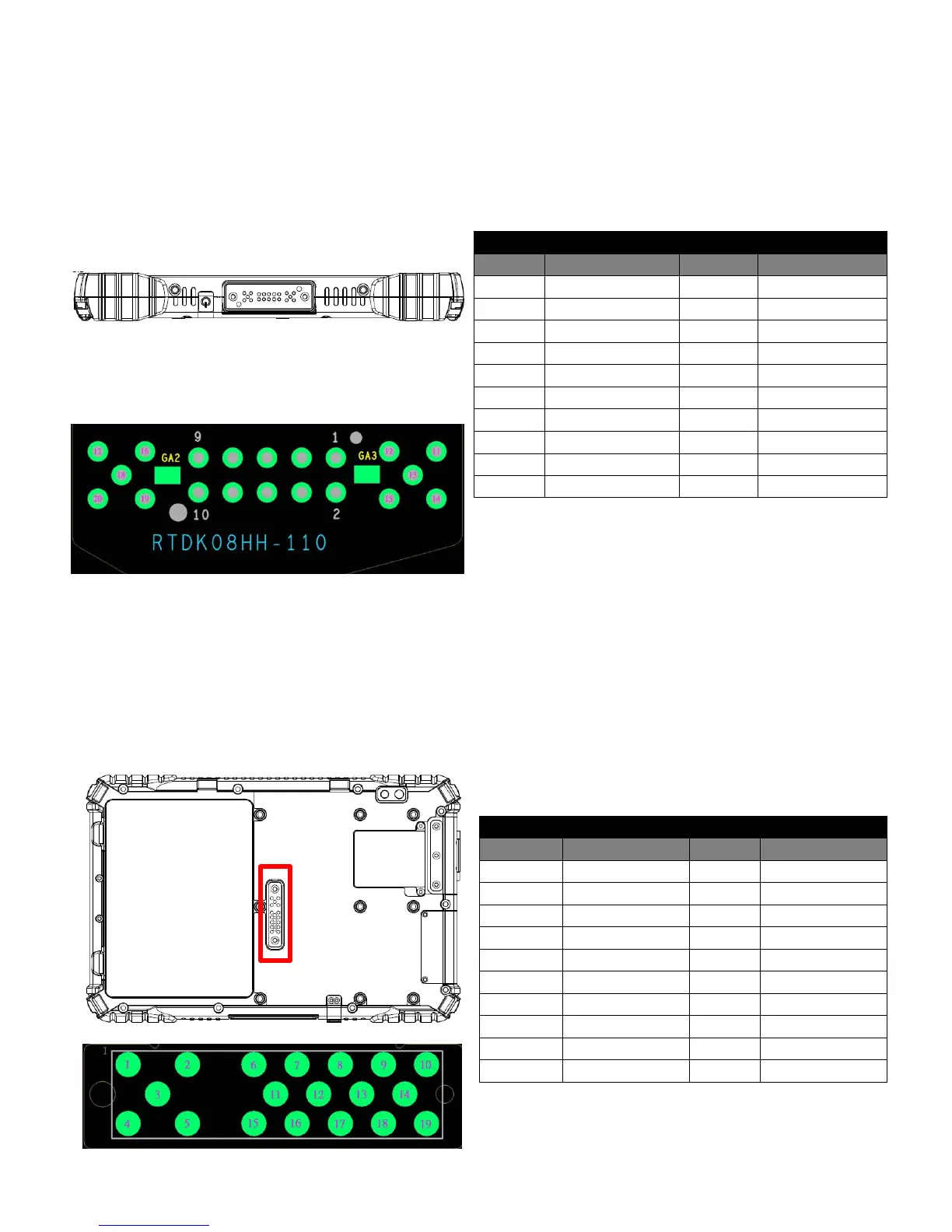
4. Docking Connector Pin Definition
ALGIZ 8X tablet computer supports one 20-pin docking connector at the bottom side. The pin definition is
listed as the following table.
20 Pin Docking Connector
Pin No.
Description
Pin No.
Description
1
DOCK1_USB_P
11
GND
2
DOCK_DET#
12
GND
3
DOCK1_USB_M
13
N/A
4
DOCK_USB_P
14
GND
5
GND
15
N/A
6
DOCK_USB_N
16
N/A
7
DOCK_PWR
17
N/A
8
GND
18
N/A
9
DOCK_PWR
19
DETECT-
10
DOCK_PWR
GND
5. Expansion Port Pin Definition
ALGIZ 8X tablet computer supports one optional 19-pin expansion port at the rear side. The pin definition
is listed as the following table
19 Pin Expansion Port
Pin No.
Description
Pin No.
Description
1
POGO_PWR
11
GND
2
USB3V_POGO
12
USB_D4-
3
POGO_PWR
13
USB_D4+
4
POGO_PWR
14
GND
5
USB5V_POGO
15
FK_CTS2
6
DET
16
DETECT_POGO
7
FK_SOUT2
17
GND
8
GND
18
FK_RTS2
9
FK_SIN2
19
DET
10
GND

Other manuals for HandHeld Algiz 8X

Related product manuals