1-888-628-1730 • Mini Maxx Installation Manual 15
SECTION 2: INSTALL DOWNLOAD
The Install Download option is used to install tuning onto a vehicle, or return a vehicle to stock.
1. Press Menu: To get into the Mini Maxx main menu.
2. Select Install Download: You may have to “Arrow Down” or “Arrow Up” to nd this option.
3.
Install a download onto a stock vehicle: If the vehicle is stock and you enter the install download
menu, simply follow the screen prompts to install a download on the vehicle. This is the point in which you
may come across the tire size calibration menu, and the vehicle speed limiter menu
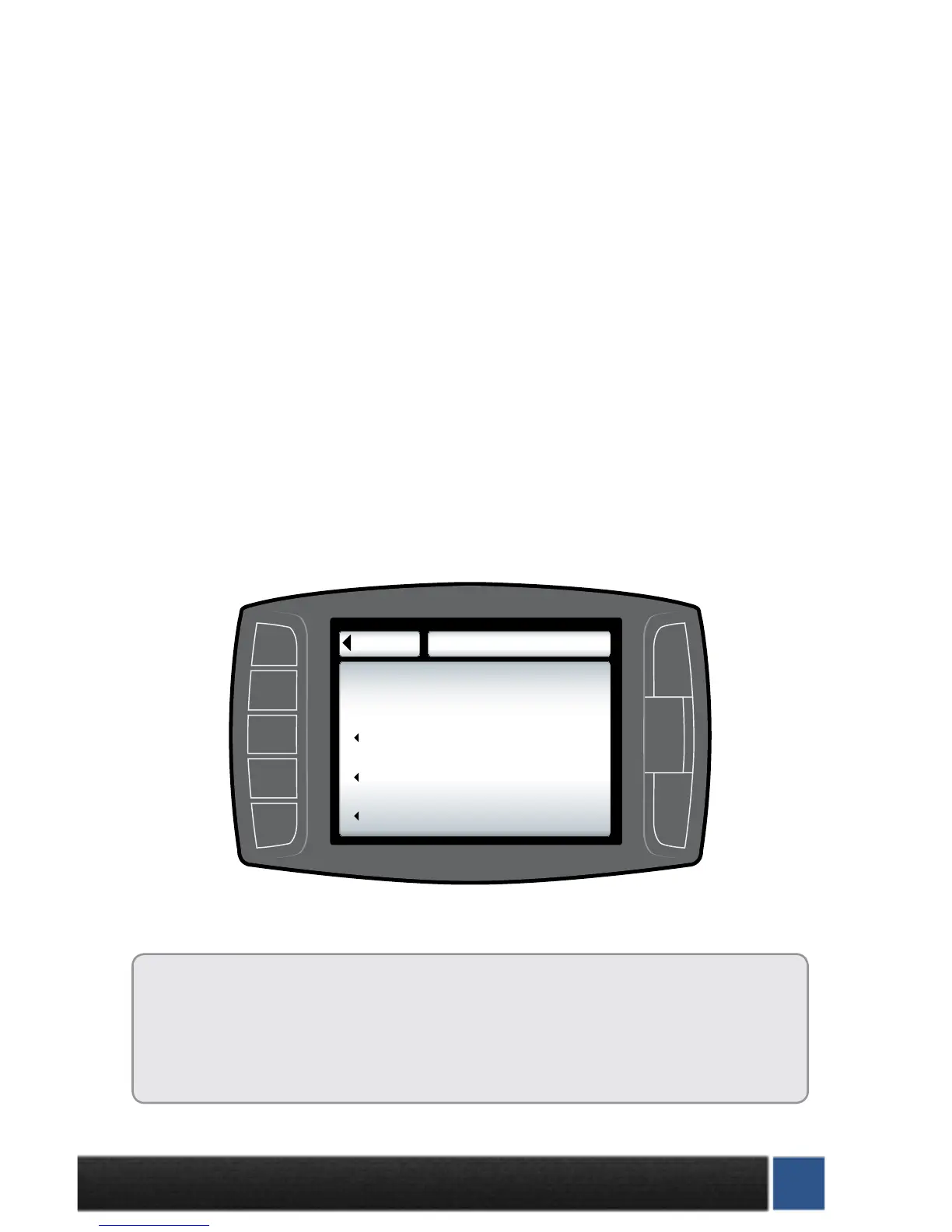
Download H&S Tuning: This option will install the H&S Performance tuning to your truck. Custom
tuning options can be downloaded from H&S or may be available as options during the installation
process.
Import/Export MCC Tuning: This option will allow import or export of MCC software tuning les.
Some vehicle may not have this option. See www.hsperformance.com/mcc for more info.
Return to stock (OEM tune): This option will return the vehicle to its factory software level and un-
lock the H&S device. This is highly recommended if taking the vehicle in for service or maintenance..
NOTE: Returning to stock is required in order to install your tuner on another vehicle.
This Mini Maxx screen shot shows what you will see if a download has already been entered into a vehicle.
Before installing the download:
•MakesurethattheMiniMaxxisproperlypluggedin.
•Makesurethattheharnessisproperlyinstalled.
•Thevehiclebatteryisfullycharged.
•Thevehicleiswarmeduptooperatingtemperature.
THE MICRO SD CARD MUST BE INSERTED IN THE SIDE OF THE MINI
MAXX TO DOWNLOAD TO A VEHICLE.
Go Back
DOWNLOAD MENU
Import/Export MCC Tuning
Return to Stock (OEM Tune)
Download H&S Tuning
(RESET)


 To Next Page