Page 158 Communicating Using Your Handheld
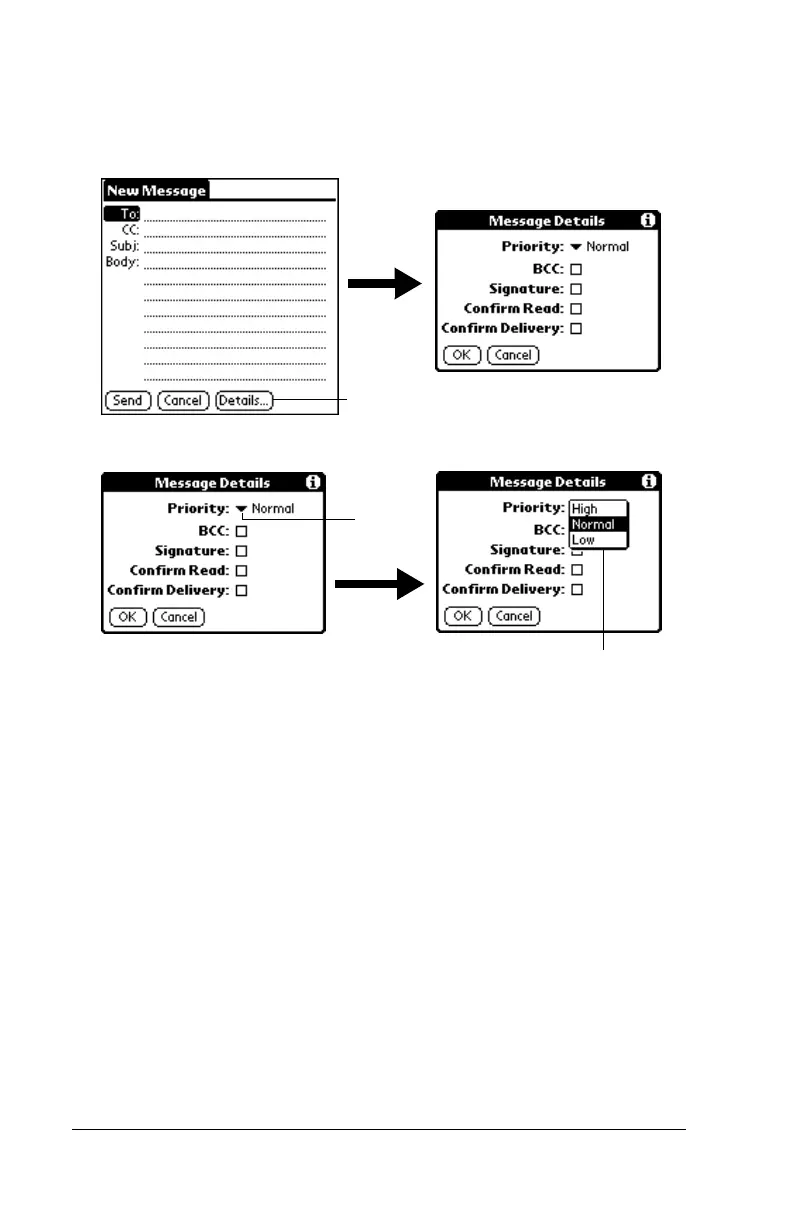
Setting a priority
To set a priority for your e-mail item:
1. In the New Message screen, tap Details.
2. Tap the Priority pick list and select the priority you want.
3. Tap OK.
Tip: Your handheld can flag e-mail items with a specific priority
only if your desktop E-Mail application supports this feature.
Sending a blind carbon copy
To add a BCC field to your e-mail item:
1. In the New Message screen, tap Details.
2. Tap the BCC check box to select it.
3. Tap OK.
Tap here
Tap here
Tap to select priority



 To Next Page