
 Need help?
Do you have a question about the HANNspree HL205HPB and is the answer not in the manual?
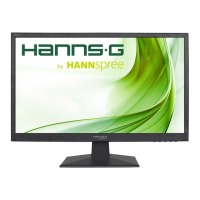
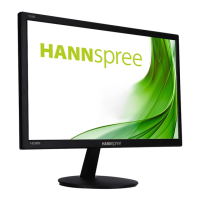
This document is the User's Manual for the HANNspree HL205HPB (HSG1433) LCD Monitor, providing comprehensive instructions for its operation, installation, and maintenance.
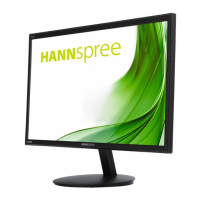
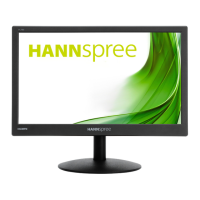
The HANNspree HL205HPB is a 49.53cm / 19.5" Wide Screen TFT Color LCD Monitor designed to offer a crisp and clear display, particularly for Windows environments. Its ergonomic design and compact case contribute to its space-saving appeal. The monitor is equipped with VESA DDC2B capabilities, allowing it to communicate its identity and display capabilities to the host system. This Plug & Play feature ensures easy setup, though it's crucial to note that the monitor requires a video input signal to function properly.
For installation, the manual provides clear steps for both installing and removing the monitor's base. The base can be attached or detached by aligning the tabs and securing or releasing them. For wall mounting, the monitor supports a VESA 75x75 compatible bracket with M4, 10mm screws. Users are advised to consult their specific wall bracket instructions and note that wall mounting requires special skill and should ideally be performed by qualified service personnel. HANNspree disclaims responsibility for improper mounting.
Connecting the monitor to a PC involves several steps. Users can connect via HDMI or VGA ports, with optional HDMI to DVI cables also supported. An audio cable connects the monitor's audio input to the PC's audio output. Power is supplied via a 12V DC adapter, with the AC power cord connecting to a wall outlet. After connections are made, the monitor and computer can be turned on.
The monitor's viewing angle can be adjusted from 0° to 15° for optimal viewing. Users are cautioned not to touch the LCD screen during adjustment to prevent damage and to be careful of hinges to avoid pinching.
Operating the monitor is straightforward, with control buttons located on the front panel. These include an AUTO button for input source selection and auto adjustment (especially for VGA input), a MENU button to access the On-Screen Display (OSD), UP and DOWN buttons for navigation and adjustment of brightness and volume, and a Power Button to turn the monitor on or off. The power indicator light shows blue for power-on mode and red for power-saving mode.
The OSD menu offers a wide range of settings for customization. Under BRIGHTNESS/CONTRAST, users can adjust brightness, contrast, and select preset modes (PC/MOVIE/GAME/ECO, depending on the model). The ACTIVE CONTRAST feature enhances image clarity by optimizing dark and light areas. IMAGE SETTING allows for adjustments to H-POSITION, V-POSITION, CLOCK, and PHASE, primarily for VGA input, to fine-tune screen alignment and reduce flicker. The IMAGE RATIO function helps correct distorted aspect ratios, offering "WIDE" for full screen or "4:3" for original proportions. SHARPNESS can also be adjusted from 0 to 100.
COLOR SETTING provides options to adjust color temperature (RED/GREEN/BLUE) and allows for user-defined color adjustments. LOW BLUE MODE is available to reduce blue light emission. OSD SETTING includes options for LANGUAGE, OSD H-POSITION, V-POSITION, TIME OUT (for OSD display duration), and TRANSPARENCY. The RESET section offers AUTO CONFIG and AUTO COLOR for automatic adjustments, and a general RESET option to revert all settings to default.
Under EXTRA settings, INPUT SELECT allows switching between analog (VGA) and digital (HDMI) sources. AUDIO INPUT can be set to PC or HDMI, with recommendations to ensure proper audio output, especially when using HDMI. MUTE and VOLUME controls are also available, with a warning about the risk of hearing damage at high volumes. DDC/CI (Dual input mode optional) can be switched on or off.
Maintenance features include advice on proper placement to avoid heat sources, direct sunlight, excessive dust, or mechanical vibration. Users are encouraged to save the original shipping box and packing materials for future transport. For cleaning, a soft cloth is recommended, possibly lightly dampened with a mild detergent solution for stubborn stains. Strong solvents or abrasive cleaners should be avoided, and the monitor should always be unplugged before cleaning.
The manual also includes a comprehensive troubleshooting section (FAQ) for common problems such as the power LED not being on, no Plug & Play functionality, display issues (dark/bright, bouncing, wave patterns, missing colors), screen alignment, color defects, resolution adjustment, and no sound from built-in speakers. Solutions range from checking cable connections and power supply to adjusting OSD settings and updating video drivers. An addendum specifically addresses display problems under Windows 7, 8, and 10, recommending driver updates and trying supported display resolutions. The manual concludes with a detailed list of factory preset timing tables for various resolutions and refresh rates, as well as video modes, to assist in resolving "INPUT NOT SUPPORT" errors.
 General
| Screen Size | 20 Inches |
|---|---|
| Resolution | 1600 x 900 |
| Panel Type | TN |
| Brightness | 250 cd/m² |
| Contrast Ratio | 1000:1 |
| Response Time | 5 ms |
| Refresh Rate | 60 Hz |
| Aspect Ratio | 16:9 |
| Weight | 3.5 kg |
| Connectivity | VGA |
| Viewing Angle | 170° (H) / 160° (V) |




 To Next Page