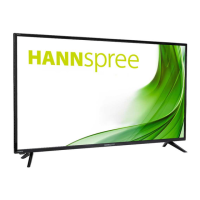
This document is a user manual for the HANNspree HL400UPB (HSG1467) LCD Monitor, providing comprehensive instructions for its setup, operation, and maintenance. The monitor is a 100.33cm / 39.5" Wide Screen TFT Color LCD Monitor designed to deliver crisp, clear display quality with an ergonomic and compact case design.
Function Description
The HANNspree HL400UPB LCD Monitor serves as a display unit for various devices, including personal computers and A/V equipment. It supports multiple input sources, allowing users to connect different devices simultaneously. The monitor is equipped with an internal universal power supply, enabling operation in both 100/120V AC and 220/240V AC voltage areas without requiring manual adjustment.
A key feature of this monitor is its Media Center Menu, which allows users to view photos, listen to music, or watch videos directly from a USB storage device. This functionality transforms the monitor into a versatile entertainment hub, eliminating the need for an external computer for basic media consumption.
The monitor incorporates High-Definition Multimedia Interface (HDMITM) technology, ensuring high-quality audio and video transmission from compatible devices. It also complies with EMC directive 2014/30/EU, 2014/35/EU, and 93/68/EEC, indicating its adherence to electromagnetic compatibility and low voltage directives.
Usage Features
The monitor offers a range of features to enhance the user experience:
- Picture Adjustments: Users can customize the display's visual output through various picture modes (Standard, Dynamic, Movie, User). Adjustments for contrast, brightness, color depth, sharpness, and tint are available to suit personal preferences and different viewing environments. The aspect ratio can also be adjusted to 4:3, 16:9, Zoom1, Zoom 2, Just Scan, and Point To Point. A noise reduction feature (Middle, High, Off, Low) helps improve image quality.
- Color Temperature: The monitor allows users to select their preferred color temperature (WARM, NATURE, COOL) for optimal viewing comfort.
- Sound Adjustments: The monitor includes built-in speakers and offers sound mode selections (Standard, Sports, Movie, User). Users can adjust treble and bass levels, as well as the balance between right and left sound channels. An auto volume feature helps maintain consistent audio levels, and surround sound can be enabled or disabled.
- Connectivity: The monitor provides multiple input options, including HDMI 1, HDMI 2, VGA, and AUDIO IN, allowing connection to a wide array of devices such as PCs, laptops, gaming consoles, and media players. A USB port facilitates direct media playback from flash drives. An earphone jack is also available for private listening.
- Remote Control: A comprehensive remote control is provided for convenient operation. It includes buttons for power ON/OFF, mute, numerical input (0-9), channel switching, picture mode selection, volume adjustment, display information, screen freeze, and OSD menu navigation. Dedicated buttons for media playback (play, pause, stop, repeat, previous/next chapter, fast forward/backward) are also present for seamless media center use.
- On-Screen Display (OSD) Menu: The OSD menu provides intuitive access to all monitor settings. Users can navigate through various categories like Picture, Sound, Time, and Option to configure the display according to their needs.
- Plug & Play DDC2B Feature: This feature allows the monitor to communicate its identity and display capabilities to the host system, simplifying setup and ensuring optimal display settings.
- Timer Functions: Sleep Timer and Auto Sleep functions are available to automatically turn off the monitor after a set period, conserving energy.
- OSD Language: Users can select their preferred language for the OSD menu.
- ECO Mode: This mode helps reduce power consumption by adjusting display settings.
- Blue Screen: An option to enable or disable the blue screen when no signal is detected.
- Backlight Adjustment: The backlight intensity can be adjusted from 0 to 100.
- Auto Play Type: This feature allows users to select the default media type (Photo, Music, Movie, Text, Off) for automatic playback when a USB device is connected.
- Photo Show Time: Users can set the duration for which each photo is displayed during a slideshow.
- Reset Function: A reset option allows users to restore the monitor to its default factory settings.
- Lock System: A lock system feature is available to prevent unauthorized changes to the monitor settings.
Maintenance Features
The manual emphasizes several maintenance guidelines to ensure the longevity and optimal performance of the monitor:
- Safety Precautions: Users are advised to avoid exposing the monitor to rain or moisture, not to open the cabinet due to high voltages, and to refer all servicing to qualified personnel. The monitor should not be placed near water sources, on unstable surfaces, or in areas with blocked ventilation. It should also be protected from power surges by unplugging it during lightning storms or prolonged periods of disuse.
- Cleaning: To maintain the monitor's appearance, it should be periodically cleaned with a soft cloth. Stubborn stains can be removed with a cloth lightly dampened with a mild detergent solution. Strong solvents, thinners, benzene, or abrasive cleaners should be avoided as they can damage the cabinet. The monitor should always be unplugged before cleaning.
- Packaging Retention: Users are encouraged to save the original shipping box and packing materials, as they will be useful if the monitor ever needs to be shipped.
- Troubleshooting: The manual includes a comprehensive troubleshooting section (FAQ) to address common problems such as the power LED not being on, no Plug & Play functionality, display issues (too dark/bright, bouncing picture, color defects), and no sound output. Possible solutions are provided for each issue, guiding users through basic diagnostic steps.
- Error Messages: Instructions are given on how to respond to error messages like "CABLE NOT CONNECTED" and "INPUT NOT SUPPORT," including checking cable connections and adjusting display modes.
- Windows Compatibility: Specific addendum information is provided for users encountering display problems with Windows 7, 8, or 10, advising on checking PC hardware requirements, video card compatibility, and driver installation. Recommended display resolutions are also listed to help users optimize their viewing experience.
- Recycling Information: HANNspree promotes environmental protection by encouraging users to recycle the product at the end of its life. Information on how to access recycling resources is provided through their website.
By following these guidelines and utilizing the monitor's features, users can ensure a safe, efficient, and enjoyable experience with their HANNspree HL400UPB LCD Monitor.

 Need help?
 General


 To Next Page