17
2
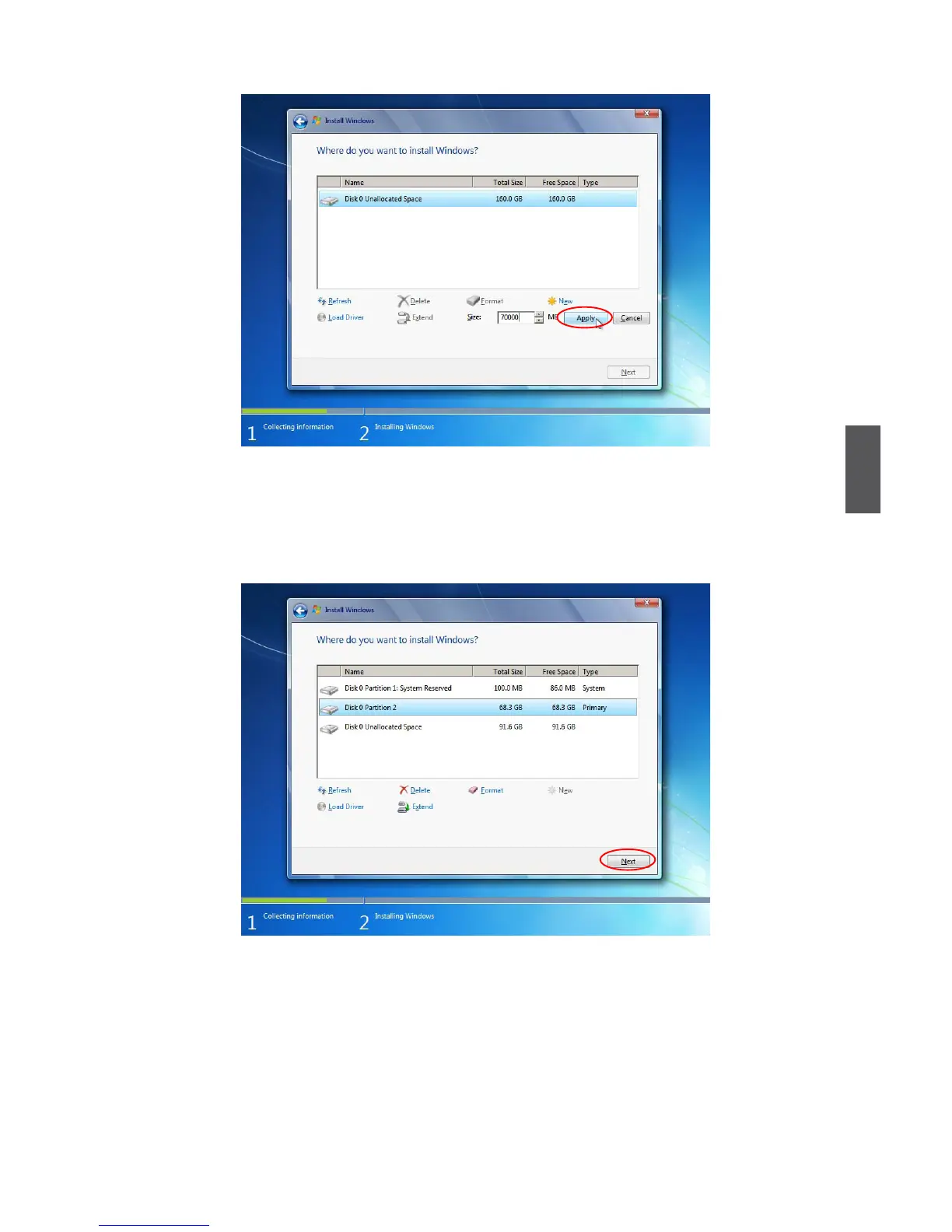
To ensure that all Windows features work correctly, Windows might create additional
partitions for system les. So you will see a 100MB partition reserved by system after
you create a partition. Select the 70GB partition and click “Next” to continue.
9. From this step we start to install windows 7 into your hard disk. During the process,
your computer will restart several times.


 To Next Page