25
4
4-2 Recovery of Linux system
● From DVD to recover system
1 Boot from DVD
Power on the computer, insert the system Installation DVD into the DVD drive, press
"F11" to select booting system from the DVD drive.
2 Select the way of Installation
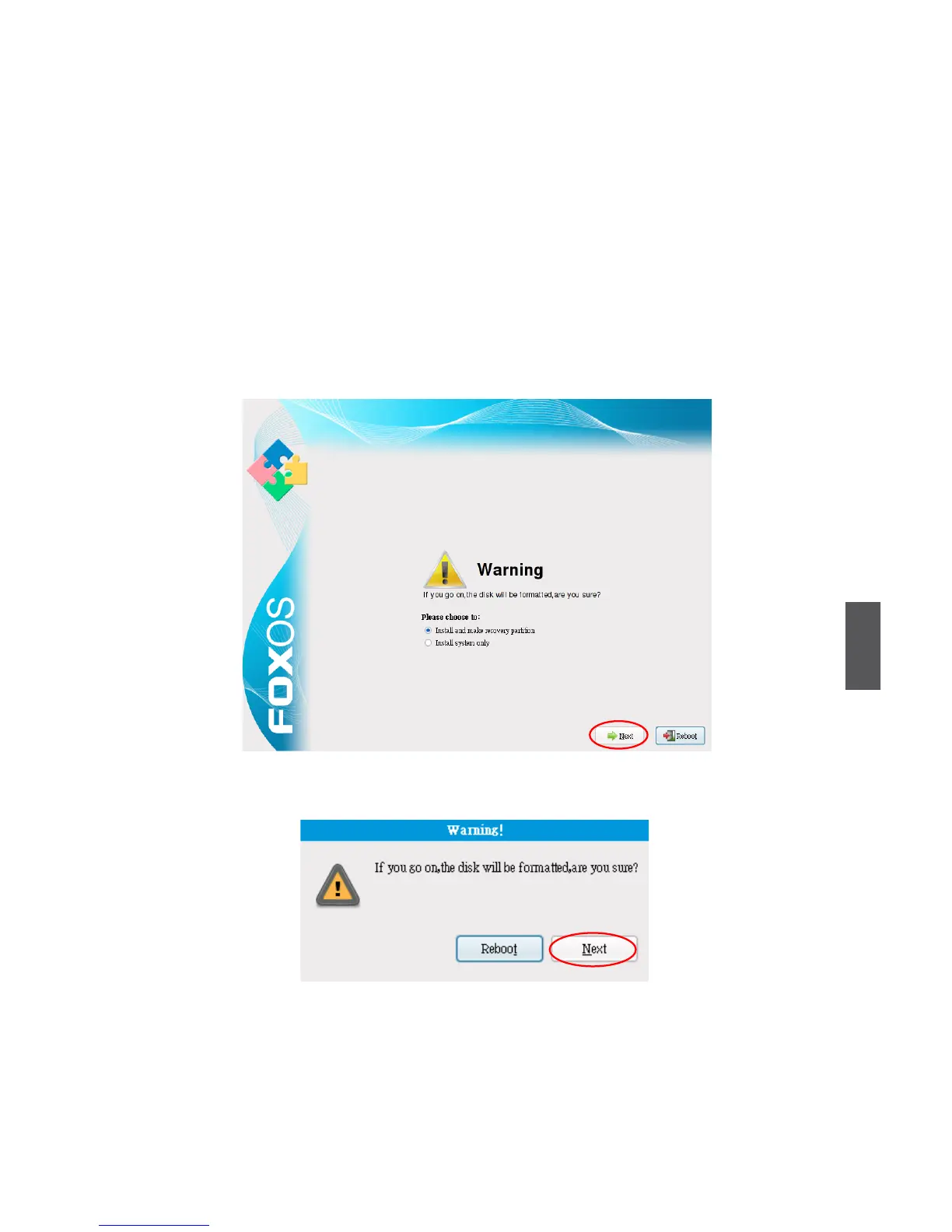
When the gure as below shows, select "Install and make recovery partition",
the system will be installed and a recovery partition will be made. Or select "Install
system only", the system will be installed without recovery partition, so recover
system from hard disk is impossible.
3 Click "Next", the warning box is shown as below:
4 Installing system
Click "Next" to format hard disk and install system. The gure is shown as below:


 To Next Page