EasyManua.ls Logo

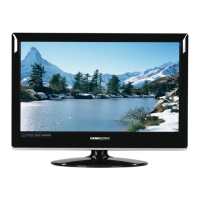
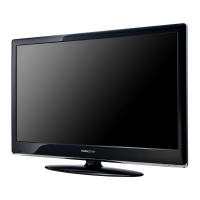
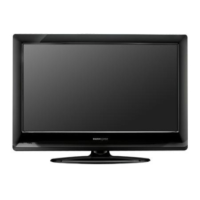
HANNspree ST19AMBB - User Manual

HANNspree ST19AMBB
40 pages
Print Icon
To Next Page IconTo Next Page
Loading...
19”
Liquid Crystal Display Television
Fernsehers mit Flüssigkristallanzeige
TV LCD
TV de Pantalla de Cristal Líquido
Questo televisore LCD
LCD (vloeibaar-kristalscherm) TV
Televisor com Ecrã de Cristais Líquidos
Question and Answer IconNeed help?

Do you have a question about the HANNspree ST19AMBB and is the answer not in the manual?

Summary

Explanation of WARNING Symbols

Dangerous Voltage Symbol

Symbol indicating hazardous voltage within the product.

Instruction Symbol

Symbol alerting users to important operating and servicing instructions.

General Safety Instructions

Key Safety Guidelines

Lists essential safety guidelines for safe operation, handling, and maintenance.

Additional Safety Warnings

Moisture and Shock Hazard Warning

Warning against exposing the TV to rain or moisture to prevent fire/shock.

Front Panel Control Overview

Back Panel Connectivity

Remote Control Button Functions

Detailed Button Descriptions

Explains the specific purpose of each button on the remote control.

Installation: Connecting Antenna and Cable TV

Basic Operation: Power, Input, and Volume

Power On;Off and Input Source Selection

How to turn the TV on/off and select the input source.

Advanced Operation: Picture Menu Settings

Picture Quality Adjustments

Adjusting contrast, brightness, color, tint, and sharpness for picture quality.

Advanced Operation: Picture Menu (VGA Source)

Advanced Operation: Picture Menu Fine-Tuning

Sound Menu Operations

Audio Quality and Status Settings

Adjusting sound mode, balance, bass, treble, AVC, and audio-only mode.

Time Menu Operations

Time and Timer Configuration

Setting clock, on/off timers, sleep timer, auto sleep, and time zone.

Option Menu Operations (DTV)

Lock Menu Operations: Parental Control

Parental Control Setup

Setting up parental controls including lock system and password.

Lock Menu Operations: Security Features

Lock System and Password Management

Enabling lock system and changing the parental control password.

Program Blocking Feature

How to block specific TV programs using the parental control system.

Lock Menu Operations: Guidance Settings

Parental Guidance Settings

Setting rating levels for programs to enable parental guidance.

Channel Menu Operations: TV Setup

Channel Menu Operations: Tuning

Automatic and Manual Channel Tuning

Instructions for performing automatic and manual channel scanning.

Channel Menu Operations: Manual Tuning Details

Channel Menu Operations: Program Edit

Channel Menu Operations: Authorizations

Safety Precautions

Critical Safety Warnings Summary

Essential warnings about power sources, repairs, cabinet integrity, and environmental factors.

Care and Maintenance

Safety Tips for Usage and Handling

Important safety advice for handling smoke, odor, or damaged units.

Troubleshooting Common Issues

Resolving Power and Screen Image Problems

Steps to resolve no power, no image, or cable connection issues.

Summary

Explanation of WARNING Symbols

Dangerous Voltage Symbol

Symbol indicating hazardous voltage within the product.

Instruction Symbol

Symbol alerting users to important operating and servicing instructions.

General Safety Instructions

Key Safety Guidelines

Lists essential safety guidelines for safe operation, handling, and maintenance.

Additional Safety Warnings

Moisture and Shock Hazard Warning

Warning against exposing the TV to rain or moisture to prevent fire/shock.

Front Panel Control Overview

Back Panel Connectivity

Remote Control Button Functions

Detailed Button Descriptions

Explains the specific purpose of each button on the remote control.

Installation: Connecting Antenna and Cable TV

Basic Operation: Power, Input, and Volume

Power On;Off and Input Source Selection

How to turn the TV on/off and select the input source.

Advanced Operation: Picture Menu Settings

Picture Quality Adjustments

Adjusting contrast, brightness, color, tint, and sharpness for picture quality.

Advanced Operation: Picture Menu (VGA Source)

Advanced Operation: Picture Menu Fine-Tuning

Sound Menu Operations

Audio Quality and Status Settings

Adjusting sound mode, balance, bass, treble, AVC, and audio-only mode.

Time Menu Operations

Time and Timer Configuration

Setting clock, on/off timers, sleep timer, auto sleep, and time zone.

Option Menu Operations (DTV)

Lock Menu Operations: Parental Control

Parental Control Setup

Setting up parental controls including lock system and password.

Lock Menu Operations: Security Features

Lock System and Password Management

Enabling lock system and changing the parental control password.

Program Blocking Feature

How to block specific TV programs using the parental control system.

Lock Menu Operations: Guidance Settings

Parental Guidance Settings

Setting rating levels for programs to enable parental guidance.

Channel Menu Operations: TV Setup

Channel Menu Operations: Tuning

Automatic and Manual Channel Tuning

Instructions for performing automatic and manual channel scanning.

Channel Menu Operations: Manual Tuning Details

Channel Menu Operations: Program Edit

Channel Menu Operations: Authorizations

Safety Precautions

Critical Safety Warnings Summary

Essential warnings about power sources, repairs, cabinet integrity, and environmental factors.

Care and Maintenance

Safety Tips for Usage and Handling

Important safety advice for handling smoke, odor, or damaged units.

Troubleshooting Common Issues

Resolving Power and Screen Image Problems

Steps to resolve no power, no image, or cable connection issues.

HANNspree ST19AMBB Specifications

General IconGeneral
Resolution1366 x 768
Display TypeLCD
Aspect Ratio16:9
Brightness250 cd/m²
Contrast Ratio1000:1
Response Time5 ms
Viewing Angle170° (H) / 160° (V)
HDMI Ports1
VGA Ports1
Built-in SpeakersYes
Screen Size18.5 inches
Input PortsComposite Video

Related product manuals