EasyManua.ls Logo

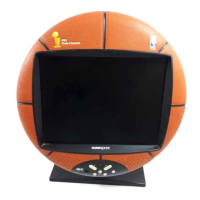
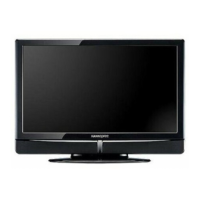
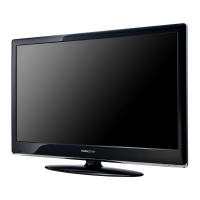
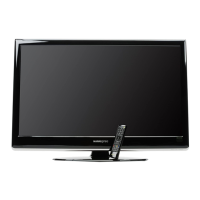
HANNspree LCD TV - User Manual

HANNspree LCD TV
34 pages
Print Icon
To Next Page IconTo Next Page
Loading...
MAK-000076
9.6”/15”
Liquid Crystal Display
Television
Enfocus Software - Customer Support

Other manuals for HANNspree LCD TV

Questions and Answers

Summary

Regulatory Information

CE Conformity Statement

Device complies with EU directives for electromagnetic compatibility and low voltage.

Safety Notices

Installation Safety Notes

Servicing instructions for qualified personnel to reduce electric shock risk.

Location Safety

Guidance on TV placement to avoid heat and ensure ventilation.

Preface

Warranty and Service

Copyright Information

Getting Started

Package Contents

Lists components included in the box; contact customer service for missing items.

Control Panel

Description of buttons and their functions on the TV's control panel.

Input and Output Jacks

Details the various connectors for external devices and antennas.

Remote Control

Explains the functions of buttons on the remote control.

Setting Up Your TV

Basic Connections

Covers connecting power, antenna, and cable TV to the TV.

Connecting External Devices

Instructions for connecting audio/video sources like earphones, speakers, AV devices, and PCs.

Using the TV

Basic TV operations: power, source selection, channel tuning, and volume adjustments.

Adjusting OSD Settings

OSD Menu Overview

Explains OSD menu structure, current menu, and adjustable items.

Video and Audio Settings

Adjusts video parameters (brightness, contrast) and audio parameters (bass, treble).

PC, TV, and Custom Settings

Configures PC input, TV channels, and miscellaneous custom options.

Troubleshooting

Specifications

PC Mode Support Timing

Lists supported pixel formats and scan types for PC input on 15-inch models.

Summary

Regulatory Information

CE Conformity Statement

Device complies with EU directives for electromagnetic compatibility and low voltage.

Safety Notices

Installation Safety Notes

Servicing instructions for qualified personnel to reduce electric shock risk.

Location Safety

Guidance on TV placement to avoid heat and ensure ventilation.

Preface

Warranty and Service

Copyright Information

Getting Started

Package Contents

Lists components included in the box; contact customer service for missing items.

Control Panel

Description of buttons and their functions on the TV's control panel.

Input and Output Jacks

Details the various connectors for external devices and antennas.

Remote Control

Explains the functions of buttons on the remote control.

Setting Up Your TV

Basic Connections

Covers connecting power, antenna, and cable TV to the TV.

Connecting External Devices

Instructions for connecting audio/video sources like earphones, speakers, AV devices, and PCs.

Using the TV

Basic TV operations: power, source selection, channel tuning, and volume adjustments.

Adjusting OSD Settings

OSD Menu Overview

Explains OSD menu structure, current menu, and adjustable items.

Video and Audio Settings

Adjusts video parameters (brightness, contrast) and audio parameters (bass, treble).

PC, TV, and Custom Settings

Configures PC input, TV channels, and miscellaneous custom options.

Troubleshooting

Specifications

PC Mode Support Timing

Lists supported pixel formats and scan types for PC input on 15-inch models.

HANNspree LCD TV Specifications

General IconGeneral
Display TechnologyLCD
Aspect Ratio16:9
Screen SizeVaries by model
ResolutionVaries by model (e.g., 1366x768, 1920x1080)
Contrast RatioVaries by model
BrightnessVaries by model (e.g., 250 cd/m², 300 cd/m²)
Response TimeVaries by model (e.g., 5ms, 8ms)
Viewing AngleVaries by model (e.g., 178°/178°)
Input PortsVaries by model (e.g., HDMI, VGA, Component, Composite, USB, RF)
Power ConsumptionVaries by model
Dimensions (W x H x D)Varies by model
WeightVaries by model

Related product manuals