EasyManua.ls Logo

HANNspree LCD TV - Default Chapter; Remote Control

HANNspree LCD TV
34 pages
Print Icon
To Next Page IconTo Next Page
To Previous Page IconTo Previous Page
Loading...
Remote Control
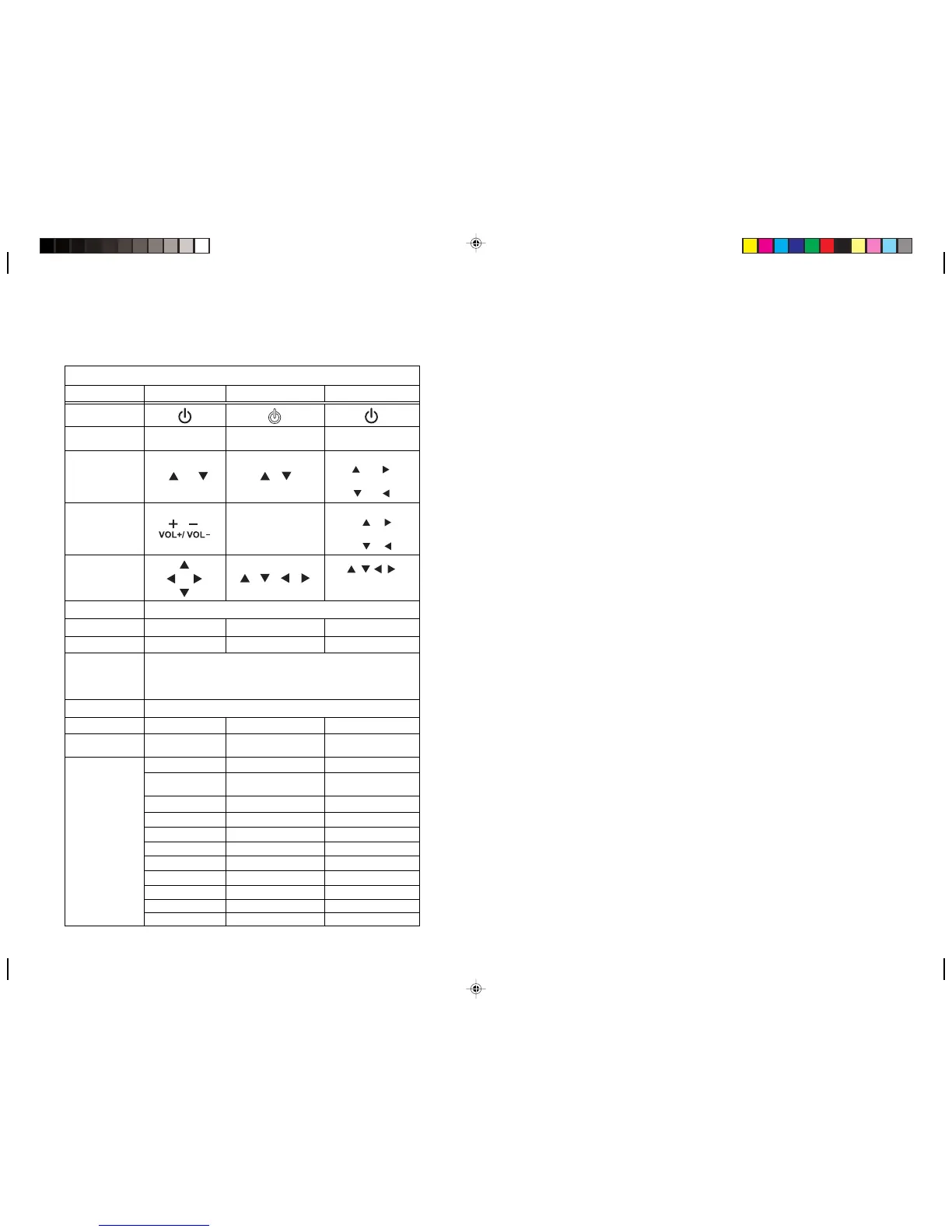
Remote control buttons may vary according to the package you purchase. The "Type
1" buttons are used for instructions through this manual. See the following table for
the complete information of remote control buttons.)
TV Remote Control Buttons
Type 1 Type 2 Type 3
Power
Menu
Menu MENU
MENU /
ENTER / M
Channel select
P / P P
CH UP
(
/
+
/
^
)
CH DOWN
( /
-
/v )
Volume adjust
- VOL +
VOL UP
(+/ /
>
)
VOL DOWN
(-/
/
<
Arrow
/ / /
/ / /
</>
Source
SOURCE
Display
DISPLAY
Mute
MUTE
Number
Bilingual
I/II (MTS)
123
456
789
Sleep
SLEEP
Last
RECALL /
LAST
- - CC / Caption
Parental /
V-CHIP
- - AUTO
TTX
-
-
LAST
Reset
Last
0
SLEEPSleep
MUTEMute
DisplayDisplay
/
/
)
/
/
Function
No Function
- -
- -
INDEX
HOLD
ZOOM
REVEAL
MIX
Red/Green/Yellow/Biue
-
-
-
-
-
-
-
-
-
-
-
-
Enfocus Software - Customer Support

Other manuals for HANNspree LCD TV

Related product manuals