EasyManua.ls Logo

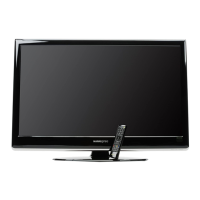
HANNspree ST42DMSB - User Manual

HANNspree ST42DMSB
53 pages
Print Icon
To Next Page IconTo Next Page
Loading...
S_ST42D_UM_US_V02_H
42”
Liquid Crystal Display Television
Téléviseur à Écran à Cristaux Liquides
TV de Pantalla de Cristal Líquido

Table of Contents

Other manuals for HANNspree ST42DMSB

Questions and Answers

  • G
    Gregory NguyenAug 18, 2025
    Why is my HANNspree LCD TV remote control not working?
    • M
      Morgan OneillAug 18, 2025
      If your HANNspree LCD TV remote control isn’t working, ensure the batteries are correctly inserted or replace them with new ones. Also, make sure the TV power cord is securely plugged in and that there's a clear path between the remote and the sensor. Try operating the remote closer to the TV.
  • D
    Dr. Kayla JohnsonAug 21, 2025
    What to do if my HANNspree ST42DMSB has no picture, but sound is OK?
    • M
      mathisdustinAug 21, 2025
      If you are getting no picture but the sound is OK on your HANNspree LCD TV, check the antenna and cable connections. You may also need to adjust the brightness in the OSD menus.
  • R
    Robert NicholsonAug 23, 2025
    How to fix a HANNspree LCD TV with no picture and sound?
    • M
      Marcus WebbAug 23, 2025
      If your HANNspree LCD TV has no picture and no sound, ensure the power cord is properly connected and check if the power LED is on.
  • R
    Ryan SloanAug 26, 2025
    What to do if my HANNspree ST42DMSB has picture but no sound?
    • L
      Leslie NavarroAug 26, 2025
      If your HANNspree LCD TV has picture but no sound, ensure the source device is functioning properly and the audio cable is securely connected. Also, make sure the mute is off and the volume is turned up on both the control panel and the remote.
  • T
    Thomas SmithAug 28, 2025
    Why does the screen image turn over on my HANNspree ST42DMSB LCD TV?
    • J
      Jeffrey ChapmanAug 28, 2025
      If the screen image on your HANNspree LCD TV turns over, make sure the video signal cable is connected properly.
  • M
    Miguel LarsonAug 31, 2025
    How to fix snow on the screen of HANNspree ST42DMSB LCD TV?
    • E
      Elizabeth WalterAug 31, 2025
      If you see snow on the screen of your HANNspree LCD TV, adjust the antenna's location, moving it away from roads or interference sources. Also, check the antenna and video signal line connections.
  • J
    Joseph CrawfordSep 2, 2025
    How to fix one speaker with no sound on HANNspree ST42DMSB?
    • A
      Alexandra HuffSep 2, 2025
      If one of the speakers on your HANNspree LCD TV has no sound, adjust the balance in the OSD Audio menu.
  • E
    Emma KeySep 4, 2025
    How to fix a HANNspree ST42DMSB LCD TV picture that is not in color?
    • A
      annette62Sep 4, 2025
      If the picture on your HANNspree LCD TV is not in color, adjust the saturation in the OSD menus.
  • D
    Danny QuinnSep 7, 2025
    How to reset settings on HANNspree LCD TV?
    • S
      Stacey BriggsSep 7, 2025
      To reset the settings on your HANNspree LCD TV, use the Setup Wizard function located in the OSD Setup menu.
  • M
    Mr. William BarnesSep 10, 2025
    How to resolve blurred or overlapped images on HANNspree ST42DMSB LCD TV?
    • E
      Elizabeth HuntSep 10, 2025
      If you are experiencing blurred or overlapped images on your HANNspree LCD TV, try adjusting the sharpness setting. You might also want to select programs broadcasted with high quality signals or adjust the antenna direction, or change the video signal cable.

Summary

Regulatory Information

Description of Warning Symbols

CAUTION (Risk of Electric Shock)

Explains the CAUTION symbol for risk of electric shock and not opening the device.

WARNING (Important Information)

Explains the WARNING symbol for important usage and maintenance information.

CAUTION (Dangerous Components)

Explains the CAUTION symbol related to dangerous components and electric shock risk.

Safety Notices

WARNING

Warning against exposing the apparatus to rain or moisture to prevent fire or shock.

CAUTION

Caution that servicing should only be done by qualified personnel.

Important Safety Instructions

Personal safety

Installation

Getting Started

Introducing the TV

Control Panel

Input and Output Jacks

Remote Control

Inserting the Remote Control Batteries

Setting up your TV

Basic Connections

Covers essential connections like power, antenna, and cable TV setup.

Using the TV

Adjusting On-Screen Display (OSD) Settings

Adjusting Audio Settings

Adjusting Channel Settings

Adjusting V-CHIP Settings

Adjusting Setup Settings

Troubleshooting

Specifications

Appendix: Remote Control Guide

Searching Codes

Setting Volume Lock

Setting Channel Lock

Factory Setting Mode

Setting the TV on the Wall

Wall Mounting the TV

Steps and guidelines for securely mounting the TV to a wall bracket.

HANNspree ST42DMSB Specifications

General IconGeneral
Resolution1920 x 1080 pixels
Display TypeLCD
Screen shapeFlat
Aspect Ratio16:9
USB Ports1
Component video (YPbPr/YCbCr) in1
Digital audio optical out1
Headphone outputs1
Common interface (CI)Yes
Common interface Plus (CI+)Yes
Teletext functionYes
Teletext1000 pages
On Screen Display (OSD)Yes
VESA mountingYes
VESA mounting interfaces200 x 200 mm
Product colourBlack
Built-in speaker(s)Yes
Number of speakers2
Screen Size42"
Display diagonal42 inches
Viewing Angle178°
Tuner typeAnalog, Digital
Digital signal format systemDVB-T
Weight14 kg
Input PortsHDMI

Related product manuals