DG3 Controller – Installation and Operation
Manual
540846-3 page 19 of 64 25/09/2015
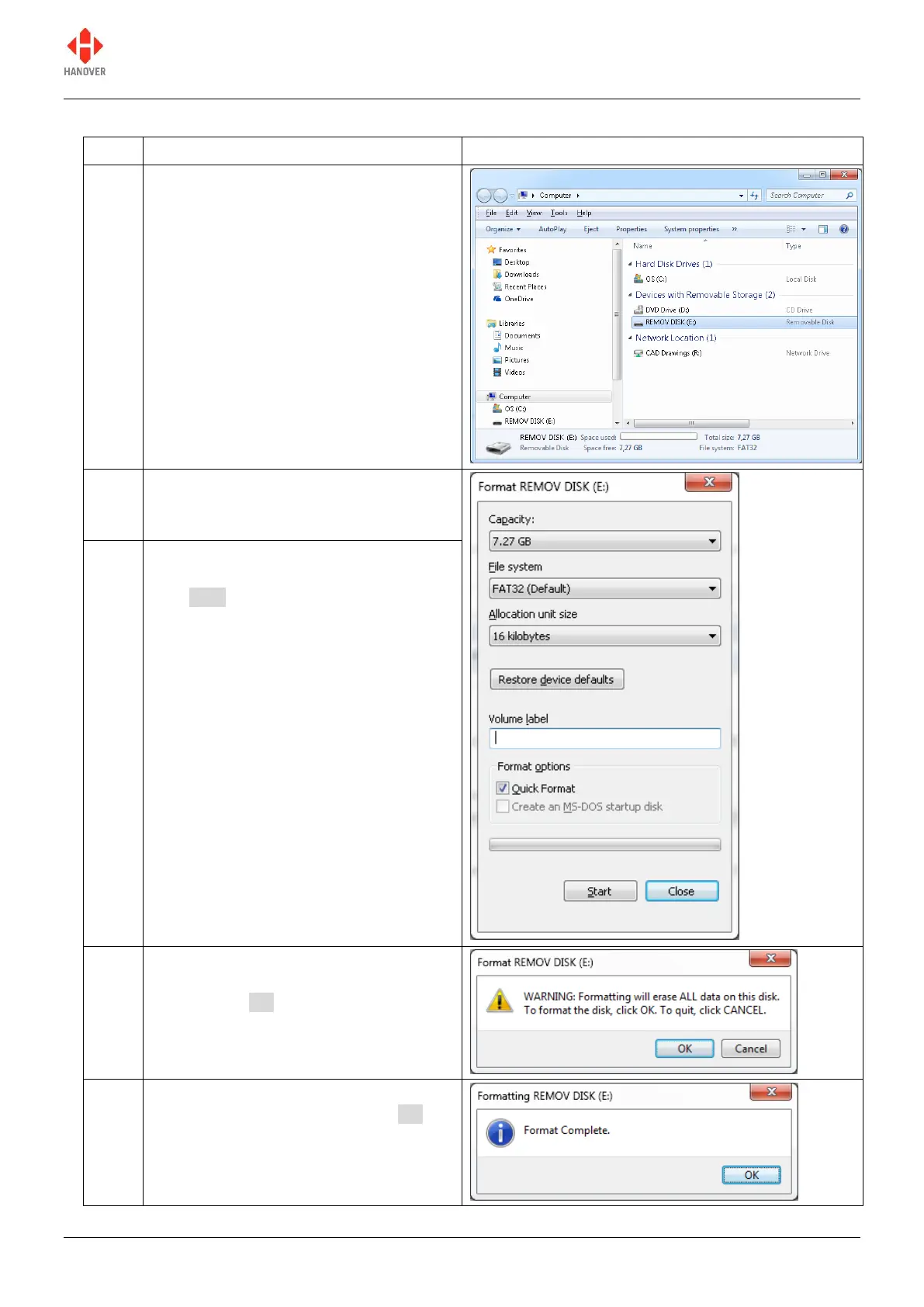
The table below shows how to format your USB stick:
Insert the USB stick into the PC and
locate it. It appears as REMOV DISK
(E:) in our case.
Note: The name and drive letter are
variable and in this case, the drive letter
allocated to the USB stick by the PC is
'E:'.
Right-click on the drive E and select
'Format…'. The following window
appears.
Under 'File system', use the dropdown
arrow to select 'FAT32 (Default)' and
click Start.
A warning will appear as shown. Ensure
the stick is empty before formatting
starts. Click OK.
A window will then appear indicating that
the formatting is complete. Click OK.


 To Next Page
 Loading...