09
PO OL H E A T P U M P
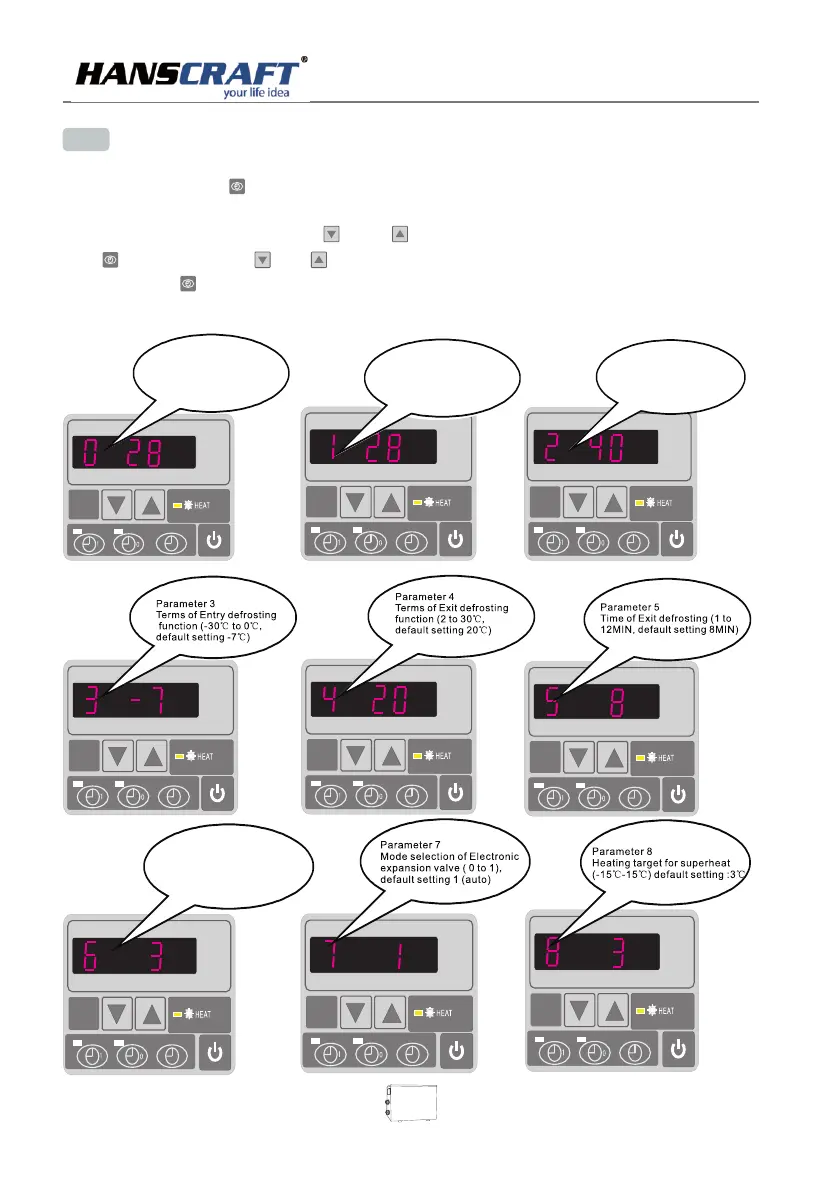
Parameter 2
Total working time of
compressor after frosting
(30-90MIN ,default
setting : 40MIN)
Parameter 0
To set the entering water temp.
under cooling mode (15-35℃,
default setting:28℃)
Parameter 1
To set the entering water
temp. under heating mode
(15-40℃, default
setting:28℃)
7. 2 How to set operation parameter
(LED display wil show real time if HP unit is switched off.)
(1) Press and hold in for 5 seconds to enter operating parameter setting interface.
(2) Under parameter setting, press and to choose parameter below from “0” to “A”, press
again then press or to start setting parameters(see operation parameter table)
and press to confirm; Leave it 8 seconds,,LED will display water in temperature(under
running) or current time(until stops).
Parameter 6
Mode:0 Heat, 1 Heat and Cool
Default setting:0


 To Next Page