Using the hob
Page EN-17
Before getting started
• Read the “Safety notices” chapter at the
beginning of this manual.
• Connect the appliance as described in
chapter “Installation“ from page EN-35 .
• Thoroughly clean the oven before first
use (see “Cleaning before use” on page
EN-39).
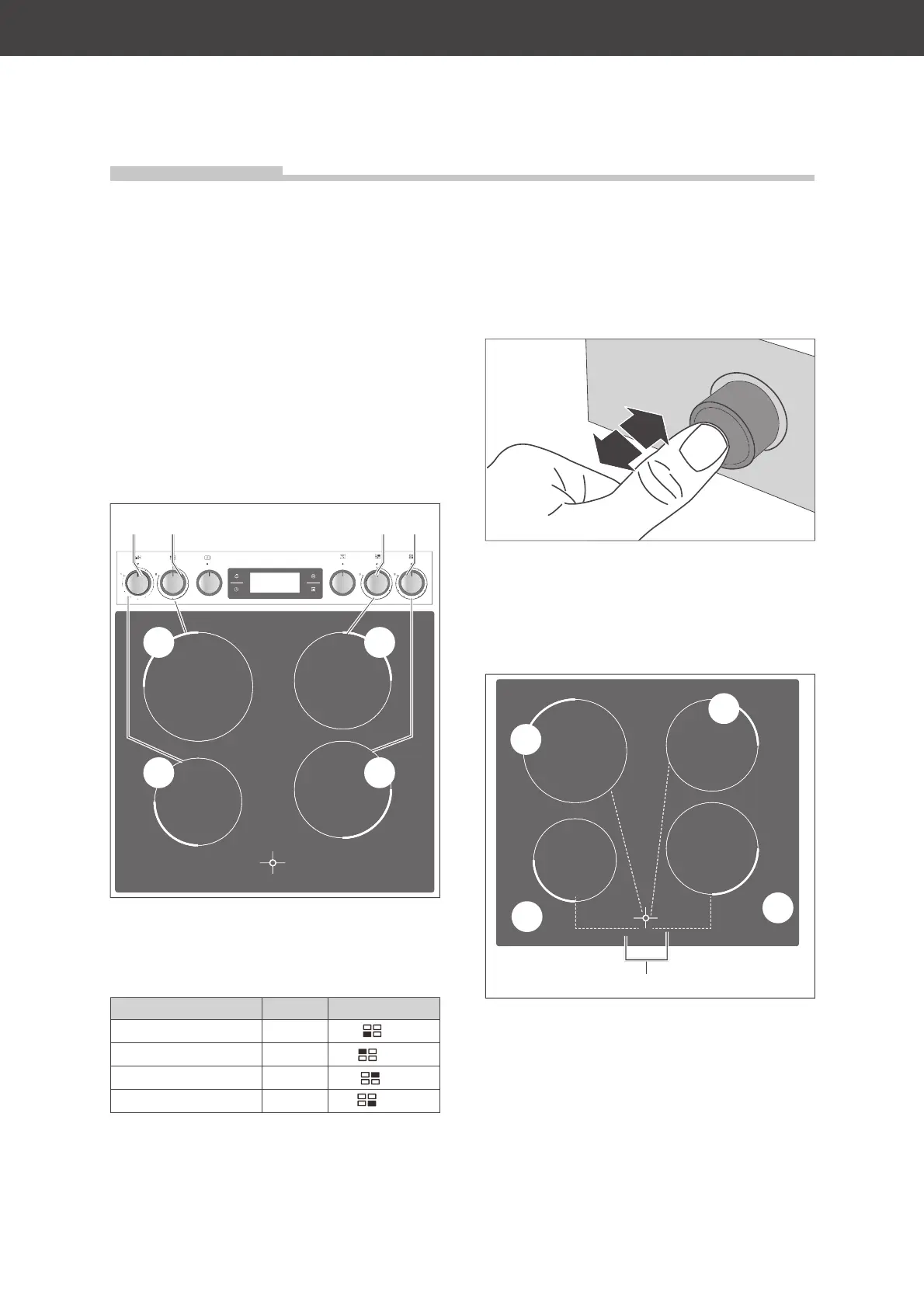
Cooking zones and dials
(21)
(20) (23)
(22)
(9) (10) (11) (12)
The hob has four cooking zones. Each cook-
ing zone corresponds with a dial on the con-
trol panel.
Cooking zone Ø Dial
(20) Front left 16 cm
(9)
(21) Back left 21 cm
(10)
(22) Back right 18 cm
(11)
(23) Front right 18 cm
(12)
• Turn the dial to the desired level of heat
as needed. See “Tips for saving energy
and for cooking” on page EN-18.
• Turn the dial back to “0” to switch off the
cooking zone.
Retractable dials
The function selectors can be pushed in to
protect them from hot steam and contamina-
tion during operation.
• Lightly press on the dial to it push in/out.
Residual heat indicators
(21)
(20)
(23)
(22)
(24)
The residual heat indicators (24) indicate that
surfaces are hot to prevent you from burning
yourself. The
H
symbol indicates which of the
cooking zones are hot.
You can use this residual heat to heat pans,
for example. This saves energy.
Using the hob


 To Next Page