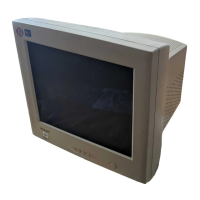
Color Monitor
9
Power
Management
Feature
The monitor is equipped with a power saving circuit that confirms to the world-standard Display Power Manager
Signalling (DPMS) mode of Video Electronics Standard Association(VESA).
The power management feature requires that the video card of the computer should support DPMS function.
Standard Signal
Table
Status LED Sign Power Consumption
Normal mode Green ON Normal Power
DPMS mode Green Blinking Less than 3 W
Resolution
Horizontal
Frequency(kHz)
Vertical
Frequency(Hz)
Clock Frequency
(MHz)
Sync Polarity
(H/V)
VGA (720 x 400) 31.469 70.087 28.322 - / +
VGA (640 x 480) 31.469 59.940 25.175 - / -
VGA (640 x 480) 37.500 75.000 31.500 - / -
VGA (640 x 480) 43.269 85.008 36.000 - / -
SVGA (800 x 600) 46.875 75.000 49.500 + / +
SVGA (800 x 600) 53.674 85.061 56.250 + / +
XGA (1024 x 768) 60.023 75.029 78.750 + / +
XGA (1024 x 768) 68.677 84.997 94.500 + / +
No image is displayed with Green blinking
Monitor is in power saving mode.
Use mouse or keyboard to release power saving mode.
No image is displayed without LED on.
Power cable plug must be pulled out.
Check the power plug on monitor and on the wall.
"Out of range" displayed on the screen.
This message is displayed when the signal from video card exceeds the maximum
frequency of the monitor. Readjust resolution and frequency in accordance with the monitor
capacity.(Refer to Standard Signal Table).


 To Next Page