EasyManua.ls Logo

HANYOUNG NUX BR6 - User Manual

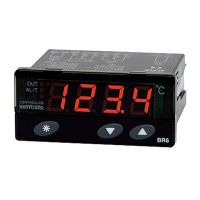
HANYOUNG NUX BR6
4 pages
Print Icon
To Next Page IconTo Next Page
Loading...
󻸛󼐘󼕳󼌿󾖴󼊷󼕳󼌿󾖴󺩯󽋋󾖴󼙫󼓇󻸛󽋜󼒳󾖴󼔇󾖴󼓬󼌣󾖴󼙫󼁋󺩏󾖴󼎛󻦃󻛣󺧻󾖴󻸛󼐘󽋇󼍛󾖴󼙫󼁜󼁋󼐃
󻺓󻟴󻺋󼌿󾖴󽇋󼁋󻆋󾖴󼙫󼓇󻸛󽋜󼒯󾖴󼚀󼐃󻄳󼌿󾖴󻊟󻓫󼑳󽍇󺨬󺩏󼙫󼓇󼁛󻧻󻗋󾖴󺫛󻫳󽋇󺩏󾖴󼓷󼀤󻀷󻁓
󼊷󼕳󻸰󾖴󼙫󼓇󻸛󽋜
󾖴󾖴󾖴
󼑳󾖴󽍇 󼜯󼸓󼜯󾖴󼊹󼒳󾖴󺨬󼐟󾖺󾖴󻸛󻝌󾖴󻍿󻀃󾖴󼚀󻸰󼌿󾖴󼓣󻛣󻀃󾖴󺨟󺩫󻛫󾖴󺸢󻀃󾖴󼕷󻦄󽋋󾖴󼑳󽍇󾖴󻸰󽏘󼒳󾖴󽇋󼁋󽋇󺩏󾖴󼓷󼀤󻀷󻁓󾖼
󾖴󾖴󾖴
󺨬󾖴󺩏 󼜯󼸓󼜯󾖴󼊹󼒳󾖴󺨬󼐟󾖺󾖴󻸛󻝌󾖴󻍿󻀃󾖴󼚀󻸰󼓣󾖴󻦋󻹌󽋏󾖴󺥯󻀔󻺠󼓣󾖴󼍷󻸰󻆇󻀃󾖴󺸣󼐘󼒳󾖴󽇋󼁋󽋇󺩏󾖴󼓷󼀤󻀷󻁓󾖼
󾖴󾖴󾖴
󼙫󾖴󼓇 󼜯󼸓󼜯󾖴󼊹󼒳󾖴󺨬󼐟󾖺󾖴󺨬󻥧󽋋󾖴󻸰󽋣󺸇󾖴󼔛󻸟󻸰󼓇󾖴󻻿󽋣󺥯󾖴󻦋󻹌󽋏󾖴󺥯󻀔󻺠󼓣󾖴󼍷󻸰󻆇󻀃󾖴󺸣󼐘󼒳󾖴󽇋󼁋󽋇󺩏󾖴󼓷󼀤󻀷󻁓󾖼
󼑳󾖴󽍇
󺨬󾖴󺩏
󼙫󾖴󼓇
󼭗󺭸󻺓󻟴󻺋󼓇󾖴󺸣󼐘󼒯󾖴󻸛󼕳󼼤󻩣󾖴󻍿󻀃󾖴󼍷󺩏󼌵󼓣󾖴󻨯󺨬󻆏󾖴󻾇󾖴󼓷󼀤󻀷󻁓󾖼
󼐣󻼐󾖴󼚀󾖴󽁻󻻿󾖴󻥾󾖴󼖋󽇷󼌿󾖴󼓣󻸰󼓣󾖴󼌵󻀃󼜯󽏄󼓧󾖴󽋇󼁜󼁋󼎓󾖼
󻩧󼨣󼌿󾖴󼜰󼖀󾖴󼜳󻅈󾖺󾖴󼬘󺨘󼓣󾖴󺥯󽋇󼍛󼜯󼜯󾖴󼊹󻀃󾖴󼔔󻻻󼌿󻺋󾖴󻸛󼐘󽋇󼁜󼁋󼎓󾖼
󻢫󾖺󾖴󾖴󺮟󻛳󾖺󾖴󼋬󽇷󾖺󾖴󼜌󺮟󾖺󾖴󻞫󼜯󾖺󾖴󼍫󻫳󾖺󾖴󼨏󻫳󾖴󻉠󼓣󾖴󼌵󻀃󾖴󼔔󻻻󼌿󻺋󾖴
󾖴󾖴󻸛󼐘󽋇󼍛󾖴󼙫󼁜󼁋󼎓󾖼
󼒏󻄳󼔔󼋏󺥯󾖴󼷛󺩏󾖴󼖄󼕳󺮟󾖺󾖴󼓿󺮟󾖴󺻧󼓣󼛷󺥯󾖴󻦋󻹌󽋇󻀃󾖴󼔔󻻻󻀃󾖴󽊫󽋇󼍛󾖴
󾖴󾖴󼙫󼁜󼁋󼎓󾖼
󼋫󼏧󼌿󻺋󼓇󾖴󼹋󼌀󺪀󼓣󺸇󾖴󻦌󼒯󾖴󼗟󻟴󼓇󾖴󼁓󺸣󾖴󽏇󺨬󼌿󻺋󻀃󾖴󻊃󼀓󽉻󻕷󼓣󼓇󾖴
󾖴󾖴󻢧󼓿󺥯󾖴󻩣󼓣󼜯󾖴󼊹󼒳󾖴󻾇󾖴󼓷󼀤󻀷󻁓󾖼
󼍣󼕳󻁯󾖴󼓴󻖔󼓇󾖴󺨬󼐟󻀃󾖴󻻻󼖄󼓇󾖴󻩣󻸰󻄳󻺏󼒳󾖴󻸛󼐘󽋇󼍛󾖴󼙫󼁜󼁋󼎓󾖼
󼓫󻦇󻄳󻺏󼒳󾖴󻸛󼐘󾖴󽋏󾖴󺨬󼐟󻀃󾖴󼎗󻄳󾖴󼎓󼦗󺥯󾖴󻦋󻹌󻆘󻀷󻁓󾖼󾖹
󼮐󼎗󾖴󼕯󽋜󼨣󾖴󼓴󻖔󼓇󾖴󺨬󼐟󻀃󾖴󻜛󻉋󻺏󾖴󼕯󽋜󼓣󾖴󼔀󺩏󾖺󾖴󾖴󻺏󺥳󼓇󾖴󼕯󽋜󼦗󺥯󾖴
󾖴󾖴󼌵󻀃󺧲󼒳󾖴󻸛󼐘󽋇󼍛󾖴󼙫󼁜󼁋󼎓󾖼
󼓴󻖔󾖴󼁏󽎧󻺏󺩫󾖴󼬋󻖔󾖴󼁏󽎧󻺏󼒯󾖴󻺋󻗋󾖴󻫳󻜛󽋇󺩏󾖺󾖴󾖴󻫳󻜛󺥯󾖴󻫷󺥯󻀔󾖴󽋏󾖴
󾖴󾖴󺨬󼐟󾖴󼓴󻖔󾖴󼁏󽎧󻺏󼒯󾖴󻿣󻉋󾖴󾖸󾖹󾖴󻺏󼒳󾖴󻸛󼐘󽋇󼍛󾖴󼙫󼁜󼁋󼎓󾖼
󼍣󼕳󻁯󻀃󾖴󻮳󼖀󼜯󾖴󻺫󻺋󻛫󾖴󻸛󼐘󽋇󼁜󼁋󼎓󾖼󾖴󾖸󼖀󼜯󻺫󻺋󻛫󾖴󻸛󼐘󾖴󽋏󾖴󺨬󼐟󾖴
󾖴󾖴󺽳󼕳󼒫󻗋󾖴󼓧󽋋󾖴󺮟󺮟󼓇󾖴󼎓󾖴󻅈󼔀󼓣󾖴󻦋󻹌󾖴󽋏󾖴󻾇󾖴󼓷󼀤󻀷󻁓󾖼󾖹
󼕳󼐿󼒫󻗋󻫯󼺟󾖴󺻧󼓣󼛷󺥯󾖴󻜽󼒳󾖴󺨬󼐟󼌿󻀃󾖴󼕷󼍟󽀧󻔋󼀓󾖴󻥾󾖴󺻧󼓣󼛷󾖴󽊳󼺟󻛫󾖴
󾖴󾖴󻸛󼐘󽋏󾖴󺧲󼒳󾖴󺫻󼔔󽋘󻀷󻁓󾖼󾖴󺻧󼓣󼛷󾖴󽊳󼺟󻀃󾖴󽊳󽓷󾖴󼖀󼜯󻆇󼌣󾖴󼓷󻀃󾖴
󾖴󾖴󽂗󺹿󻉠󼌿󾖴󻫯󼦘󽋇󺩏󾖴󺻧󼓣󼛷󾖴󽊳󼺟󾖴󼬋󻖔󼮐󺩫󾖴󺨳󺮟󾖴󼕳󼐿󻁗󼓿󺥳󼓇󾖴
󾖴󾖴󻦟󻺏󼒯󾖴󼝖󺧻󾖴󽋇󼍛󾖴󼙫󼁜󼁋󼎓󾖼
󻩧󾖴󺮟󺮟󻛫󾖴󽂗󺹿󼌿󾖴󼭗󻫯󼁋󼌿󻀃󾖴
󽘝
󾖴󻍿󻀃󾖴
󽘝
󾖴󼓇󾖴
󾖴󾖴󼀨󼓧󻆋󾖴󼀓󼑳󼯇󺸇󾖴󼦗󻁗󺮟󻛫󾖴󻸛󼐘󽋇󼁜󼁋󼎓󾖼
󻫯󻻼󽇷󼒳󾖴󽅛󽋗󽋋󾖴󻩧󾖴󺮟󺮟󼓇󾖴󻩣󼜌󺮟󺩯󼒯󾖴󼖄󻸰󼕰󼒫󻗋󾖴󻸛󼐘󽋋󾖴󺨬󼐟󼌿󾖴
󾖴󾖴󾖴󺺳󾖴󼓴󻀷󻁓󾖼
󼕳󼐿󾖴󼾛󼓴󼁋󼌿󾖴󼖀󼕿󾖴󼬋󻖔󼓇󾖴󼙯󻮳󺮟󺥳󼓣󾖴󽊳󼐃󽋘󻀷󻁓󾖼󾖴󼏧󻫯󼓇󾖴󼓧󼺟󻗌󾖴
󾖴󾖴󽏻󻗋󻉠󼌿󾖴󼁏󽎧󻗋󾖴󻸛󼐘󻆇󻀃󾖴󺨬󼐟󼌿󻀃󾖴󼜯󼍟󾖴󻜣󻕷󼓣󻛫󾖴󻩀󼐘󽋇󼍛󾖴
󾖴󾖴󼙫󼁜󼁋󼎓󾖼
󼎗󻄳󼗟󼕷󺨳󻛫󾖴󻸛󼐘󽋇󼁋󺮟󾖴󼕳󼌿󾖴󼎗󻄳󼗟󼕷󺨳󼓇󾖴󼮐󼖄󺦁󾖴󾖸󾖹󾖴󺩫󾖴󼁓󼖋󾖴
󾖴󾖴󼎗󻄳󼎯󾖴󽄧󼦗󺥯󾖴󼓷󼒳󾖴󻾇󾖴󼓷󼒫󻤯󻗋󾖴󼎗󻄳󾖴󽄧󼦗󻛫󾖴󻩣󼖄󽋋󾖴󽐳󾖴󻸛󼐘󽋣󾖴
󾖴󾖴󼙫󼁋󺮟󾖴󻦃󻓼󻀷󻁓󾖼
󻩧󾖴󼖋󽇷󼓇󾖴󺩏󼔔󼓣󺸇󾖴󼓣󻸰󼓣󾖴󼚀󻁯󽋋󾖴󻸛󺩏󻗋󾖴󼓣󼌣󼜷󾖴󼐟󻖓󺥯󾖴󼓷󻀃󾖴
󾖴󾖴󺨬󼐟󼌿󻀃󾖴󼏧󻫯󼌿󾖴󼕰󼕷󽋋󾖴󻩣󽎧󽏻󻗋󻛫󾖴󻺓󼯇󽋇󼍛󾖴󼙫󼁜󼁋󼎓󾖼
󼖋󼗟󼓿󺥯󾖴󼜯󼖄󽋋󾖴󻦘󻨄󾖴󼓣󼏧󻗋󾖴󻸛󼐘󾖴󼁋󼌿󻀃󾖴󻸰󽋣󻛫󾖴󼓴󺧟󺸇󾖴󼔛󻸟󻸰󼓇󾖴
󾖴󾖴󻻿󼁓󼓣󾖴󻦋󻹌󽋏󾖴󻾇󾖴󼓷󼀤󻀷󻁓󾖼
󻩧󾖴󺮟󺮟󼓇󾖴󽁻󻻿󻦘󼜯󾖴󻥾󾖴󺩏󼔔󻦘󼜯󻛫󾖴󼑳󽋇󼍛󾖴󼖄󺨘󼌿󾖴󾖴󻝍󻀃󾖴󼕳󼐿󼕳󼋄󼒳󾖴
󾖴󾖴󺩤󺭸󽋇󼍛󾖴󼙫󼁜󼁋󼎓󾖼
󺥿󼕳󻆏󾖴󼑳󽍇󼓣󾖴󼓷󼒫󻤯󻗋󾖴󼼤󼕳󾖴󼚀󾖴󻩧󾖴󺮟󺮟󻛫󾖴󽂗󺹿󼌿󾖴󻺓󼯇󻆋󾖴󻸰󼹋󻗋󾖴
󾖴󾖴󻸛󼐘󽋇󼍛󾖴󼙫󼁜󼁋󼎓󾖼
󼓴󼬋󻖔󾖴󻁗󼓿󻀃󾖴󺥿󼕳󼓇󾖴󼑳󽍇󼓣󾖴󼓷󼒫󻀷󾖴󼁏󼨣󾖴󻥾󾖴󼼤󼕳󻢫󼓣󾖴󼕷󻁯󻗋󾖴󼖀󼩸󾖴󻆇󼜯󾖴󼊹󻄳󻗌󾖴󽋇󼁜󼁋󼎓
󼓧󼨋󺪀󼍜󼁋󻥧󼬃󽎯󺫛󺮧󽁻󻗋󾖴󻧷󺮧󾖴
󺩏󺦌󼜯󼐿󻺫󼺟

󼙫󽋋󼍰󺹸󼀓
󻊃󼜯󼺧󾖴󼎗󻄳󼗟󼕷󺨳
BR6
󼙫󽋋󼍰󺹸󼀓󼓇󾖴󼖋󽇷󼒳󾖴󺫛󼓴󽋇󼍛󾖴󼙫󻻃󻺋󾖴󻁯󻁗󽓷󾖴󺥿󻸛󽋘󻀷󻁓
󻩧󾖴󼖋󽇷󼒳󾖴󻸛󼐘󽋇󼁋󺮟󾖴󼕳󼌿󾖴󻸛󼐘󻺓󻟴󻺋󻛫󾖴󼔇󾖴󼓬󼒯󾖴󽐳󼌿󾖴󼎛󻦃󻛣󺧻󾖴󻸛󼐘󽋣󾖴󼙫󼁜󼁋󼎓
󻍿󽋋󻸛󼐘󻺓󻟴󻺋󻀃󾖴󼌧󼖋󻓫󻄳󾖴󻩫󾖴󻾇󾖴󼓷󻀃󾖴󺩢󼌿󾖴󻦇󻉋󼁋󾖴󻩣󺩯󽋣󾖴󼙫󼁜󼁋󼎓

󼭗󺭸󻺓󻟴󻺋
󽎄󻟴󺫛󻺠
󻸛󾖴󼌀
󽎄󾖴󾖴󻟴 󼳃󾖴󾖴󻉋 󺸣󾖴󾖴󼐘

󽘝
󻊃󼜯󼺧󾖴󼎗󻄳󼗟󼕷󺨳󾖴󾖴󾖸󾖹󾖴󾖴󾖴󾖸󾖹
󼖋󼌣󻦘󻨄 󾖴󾖽󾖴󾖺󾖴󻮳󻖯󼖋󼌣󾖴󾖸󽁻󻓫󻥧󼺟󻗋󾖴󻺏󼹌󾖹
󼓴󾖴󻖔 󻁨󻸛󾖴󼕳󼐘󻺫󻺋󾖴󾖸
󽘝
󾖹󾖴󾖴󾖸󾖹
󼖋󼌣󼬋󻖔
󻜣󻕷󼓣󾖴󼬋󻖔󾖴󾖸󾖴󼬋󻖔󾖹
󼕳󼋄󾖴󽃳󼀓󾖴󼬋󻖔󾖴󾖸󾖴󺫛󻅈󼐘󾖴󼕳󼋄󾖴󽃳󼀓󾖴󼬋󻖔󾖴󾖹
󼕳󼐿󼕳󼋄
 󾖴
󽘝
󾖴󾖴󾖴󾖼󾖼
 󾖴
󽘝
󾖴󾖴󾖴󾖼󾖼󾖴󾖽󾖴
󻻻󻮳󼕳󻖔 󾖴󾖴󼓣󽋇󾖴󾖸󾖴󾖴󾖼󾖼󾖴󾖴󾖹
󼓴󻖔󻺫󻺋 󻁨󻸛󾖴󼕳󼐘󻺫󻺋󾖴󾖸󾖻󾖹󾖴
󼓴󻖔󻨃󼑳 󾖻󾖼󾖴󾗅󾖴󾖼󾖴
󽇋󼁋󼖄󻄳 󾖴󾖴󾖴󾖴󾖴󾖴󾖴󾖴
󼖋󼌣󼬋󻖔
󾖸󾖴󾖹
󻜣󻕷󼓣󼬋󻖔 󼖀󼕿󺫛󻺠󾖴󾖾󾖴󾖴󾖴󾖺󾖴󾖴󾖴󾖼󾖼󾖺󾖴󾖴󾖴󾖸󼕯󽋜󻫯󽋇󾖹
 󾖴󾖻󾖴󾖴󾖴󾖼󾖼󾖴󼓣󻸰󾖴󾖸󻫯󽋇󼕯󽋜󾖴󾖴󾖴󼓣󻸰󾖹
󼊻󻓻󾖽 󻜣󻕷󼓣 󼖀󼕿󺫛󻺠󾖴󾖾󾖴󾖴󾖺󾖴󾖴󾖴󾖼󾖼󾖺󾖴󾖴󾖴󾖸󼕯󽋜󻫯󽋇󾖹
󼖋󼌣󻅈󼔀 󼍜󻅈󼔀󾖴󾖸󺥯󼍣󾖹󾖴󻍿󻀃󾖴󼖄󻅈󼔀󾖴󾖸󺸸󺥰󾖹󾖴󽁻󻓫󻥧󼺟󻗋󾖴󻺏󼹌
󻺓󼖄󻦘󻨄 󻺓󼖄󾖺󾖴󼜌󺥯󾖺󾖴󺥿󻻻󾖴󼸓󼌿󾖴󼓇󽋋󾖴󻊃󼜯󼺧󾖴󻦘󼁌
󺮟󼸯󺮟󻀔 󼖋󻸰󼸯󼓣󻞧󾖺󾖴󼊻󻓻󺮟󻀔
󻸛󼐘󼙫󼑳󼎗󻄳 󾖴󾗅󾖴󾖴
󻺏󺥳󼕯󽋜 󻺏󻁨󾖴󾖴󾖴󼓣󽋇
󻸛󼐘󼙫󼑳󼀤󻄳 󾖴󾗅󾖴󾖴󾖴󾖴󾖸󻁗󾖺󾖴󺨟󻗋󻆇󼜯󾖴󼊹󼒳󺧲󾖹
󼚀󻔸 󾖴
󻺫󻺋󻟴 󼮐󼖄󻻻󼔛 󻕷󼓧󼜯󾖸
󾖹 󼖄󻄳 󻮳󺩏
 
󽘝󾖴
󾖼󾖴󾗅󾖴󾖼
󾖴󾖼󾖴
󻺫󻺋󼎓󼦗󾖸
󾖴󾖼󾖴󾖹󼎯󾖴󺨳󼮐󺮟󼎓󼦗󾖸󾖴󾖴󾖹󼓇󾖴󽋘󼒫󻗋󾖴
󼫋󻁯󾖴󾖴󾖼󾖴󺮻󼜯󾖴󼎗󻄳󼮐󼖄󾖴󼎓󼦗󺥯󾖴󻦋󻹌󾖴󽋏󾖴󻾇󾖴󼓷󼀤󻀷󻁓󾖼
󻀃󾖴󻩧󾖴󻺫󻺋󻜻󾖴󼕰󼐘󾖼
󼙫󼓇󾖴󾖾󾖴󼎓󻅈󼔀󼓇󾖴󼐿󼓧󼓣󾖴󻆏󾖴󻾇󾖴󼓷󼒫󻀷󾖴󻺫󻺋󻛫󾖴󼓳󼓇󻗋󾖴󼍟󼔔󽋇󺧟󺸇󾖴󺥯󺩤󽋇󼍛󾖴󻸛󼐘󽋇󼜯󾖴󻜷󼁋󼎓󾖼
Ø5.0
40 1,960 흑색
백색

󻺫󻺋󾖸󾖽󾖹
󼎗󻄳󼖋󼌣󻦘󻨄 󼖀󻻼󻄳
󺥯󼍣󼖋󼌣󻛫󾖴󼐿󽋇󻀃󾖴󺨬󼐟
󺸸󺥰󼖋󼌣󻛫󾖴󼐿󽋇󻀃󾖴󺨬󼐟
󺸸󺥰󼖋󼌣󾖴󻥾󾖴󺥯󼍣󼖋󼌣󾖴󻺓󼖄
20
25
ON OFF OFFON
35
40
OFF ON ONOFF
50
45
ON OFF OFFON
70
65
ONOFF OFF ON
20
25
ON OFF OFFON
35
40
OFF ON ONOFF
50
45
ON OFF OFFON
70
65
ONOFF OFF ON
20
25
ON OFF OFFON
35
40
OFF ON ONOFF
50
45
ON OFF OFFON
70
65
ONOFF OFF ON
20
25
ON OFF OFFON
35
40
OFF ON ONOFF
50
45
ON OFF OFFON
70
65
ONOFF OFF ON
󻟃󼓧󼬋󻖔
󾗁󾖴󾖴
󽘝
󾖴󾖺󾖴󾖴󾖴󾖺󾖴󾖴󾖴󾖺󾖴󾖴󾖴󾗂
󻟃󼓧󼬋󻖔
󾗁󾖴󾖴󾖴󾖺󾖴󾖴󾖴󾖺󾖴󾖴󾖴󾖺󾖴󾖴󾖴󾗂
󼊻󻓻󼬋󻖔󾖸󽋇󽋋󺨬󻩣󾖹
󾗁󾖴󾖴
󽘝
󾖺󾖴󾖴󾖴󾖺󾖴󾖴󾖴󾖺󾖴󾖴󾖴󾗂
󼊻󻓻󼬋󻖔󾖸󻸰󽋋󺨬󻩣󾖹
󾗁󾖴󾖴󾖺󾖴󾖴󾖴󾖺󾖴󾖴󾖴󾖺󾖴󾖴󾖴󾗂
󽍳󼔛󼎗󻄳󺥯󾖴󻺓󼖄󼎗󻄳󻩣󻁓󾖴󺼁󼒫󻟣󾖴󻟃󼓧󾖴󼬋󻖔󾖴󻜣󻕷󼓣󺥯󾖴󾖷󾖷󾖴󻆇󺩏󾖴󺸝󼒫󻟣󾖴󾖷󾖷󾖴󻆋󻁓󾖼
󽍳󼔛󼎗󻄳󺥯󾖴󻺓󼖄󼎗󻄳󻩣󻁓󾖴󺸝󼒫󻟣󾖴󻟃󼓧󾖴󼬋󻖔󾖴󻜣󻕷󼓣󺥯󾖴󾖷󾖷󾖴󻆇󺩏󾖴󺼁󼒫󻟣󾖴󾖷󾖷󾖴󻆋󻁓󾖼
󺸸󺥰󼖋󼌣󾖸󾖽󾖹
󺥯󼍣󼖋󼌣󾖸󾖽󾖹
󻮳󻖯󼖋󼌣
비례대
비례주기
온도
설정치
ON
OFF
설정치
현재온도
시간
󻺓󼖄󼯇󼌿󾖴󻁯󽋋󾖴󼗟󼔀󻔸󾖴󾖸󼬋󻖔󼓇󾖴󼷛󺮟󾖹󾖴󼓣󾖴󽄧󼦗󼌿󾖴󻮳󻖯󽋇󼍛󾖴󻅈󼔀󽋇󻀃󾖴󾖴
󾖴󾖴󺧲󼒳󾖴󻮳󻖯󼖋󼌣󻓫󾖴󽋇󺩏󾖴󼗟󼔀󻔸󼓣󾖴󾖴󾗅󾖴󾖴󾖴󻗋󾖴󺥯󻨯󻆇󻀃󾖴󽅜󼒳󾖴
󾖴󾖴󻮳󻖯󻁯󻓫󾖴󽋋󻁓󾖼󾖴󺭧󻕛󻤯󻗋󾖴󽍳󼔛󼎗󻄳󺥯󾖴󻮳󻖯󻁯󻩣󻁓󾖴󺸝󼒫󻟣󾖴󼗟󼔀󻔸󼒯󾖴
󾖴󾖴󾖴󾖺󾖴󺼁󼒫󻟣󾖴󾖴󾖴󺥯󾖴󻆇󺩏󾖺󾖴󾖴󻺓󼖄󼯇󼎯󾖴󽍳󼔛󼎗󻄳󺥯󾖴󼓫󼯇󽋇󻟣󾖴
󾖴󾖴󼗟󼔀󻔸󾖴󾖸󼬋󻖔󻔸󾖹󾖴󼒯󾖴󾖴󾖴󻗋󾖴󻆋󻁓󾖼
󼜯󼍟󼸯󼓣󻞧󾖴󻺓󼖄
릴레이 OFF 릴레이 ON
0S 5S 10S 15S 20S
릴레이 OFF 릴레이 ON
󽍳󼔛󼎗󻄳󾖴󻸰󼹋󼌿󻺋󾖴󾖴󾖴󾖴󾖴󾖴󾖴󾖴󻛫󾖴󼩷󾖴󼓣󻸰󾖴󺽳󻛣󺩏󾖴󾖴󾖴󾖴󾖴󾖴󾖴󾖴󻛫󾖴󾖶󾖴󾖴󾖴󾖴󾖴󾖴󾖴󾖴󾖴󾖴󾖴󾖴󾖴󾖴󾖴󾖶󾖴󻗋󾖴󼓣󻅈󽋇󼍛󾖴󾖴󾖴󾖴󾖴󾖴󾖴󾖴󾖴󾖴󾖴󾖽󾖴󾖴󾖴󾖴󾖴󾖴󾖴󾖴󾖴󻗋󾖴󻺓󼖄󾖴󻨯󺨬󽋇󺩏
󾖴󾖴󾖴󾖴󾖴󾖴󾖴󾖴󾖴󾖴󻗋󾖴󼕯󼔔󽋋󻁓󾖼
󾗁󾖴󾖴󾖴󾖴󾖴󾖴󾖴󾖴󾖴󾖴󾖴󾖴󾖴󾖴󾖴󾖴󾗂󾖴󾖴󾗁󾖴󾖴󾖴󾖴󾖴󾖴󾖴󾖴󾖴󾖴󾖴󾖴󾖴󾖴󾖴󾖴󾗂󾖴󾖴󾗁󾖴󾖴󾖴󾖴󾖴󾖴󾖴󾖴󾖴󾖴󾖴󾖴󾖴󾖴󾖴󾖴󾗂󾖴󾖸󾖴󾗅󾖴󾖴󼩷󾖹
󼜯󼍟󾖴󼸯󼓳󺦁󼓣󾖴󾖴󼓫󾖴󺨬󼐟󻀃󾖴󼬋󻖔󾖴󼁏󽎧󺥯󾖴󺸇󼎓󻟣󾖴󻜣󻕷󼓣󺥯󾖴󼛸󼁋󾖴󾖴󻆇󺩏󾖺󾖴󼜯󼍟󾖴󼸯󼓳󺦁󼓣󾖴󾖴󼩷󼓣󻟣󾖴󼬋󻖔󼁏󽎧󺥯󾖴󺸇󼎓󺩏󾖴󺸇󻺋󾖴󼩷󽐳󼌿󾖴󻜣󻕷󼓣󺥯󾖴
󾖴󾖴󾖴󾖴󾖴󻆘󻀷󻁓󾖼󾖴󼜯󼍟󾖴󼸯󼓣󻞧󾖴󻅈󼔀󼚀󼌿󻀃󾖴󼬋󻖔󽇋󼁋󾖴󻔗󽉳󺥯󾖴󼕿󻟧󽋇󼍛󾖴󼸯󼓣󻞧󾖴󻅈󼔀󼚀󼓳󼒳󾖴󽇋󼁋󽋘󻀷󻁓󾖼
󾖽󾖴󼖋󼌣󼌿󻺋󻜻󾖴󼜯󼍟󾖴󻅈󼔀󼓣󾖴󼁓󽋸󻆘󻀷󻁓󾖼
󾖴󼜯󼍟󼸯󼓳󾖴󾖴󾖴󾖴󼓫󾖴󻊻󾖺
󾖴󼜯󼍟󼸯󼓳󾖴󾖴󾖴󾖴󼓫󾖴󻊻󾖺
󼜯󼍟󼸯󼓣󻞧󼌿󾖴󼓇󽋋󾖴󻅈󼔀󻺓󻟴
󻩣󼗟󼬋󻖔󾖸󼸯󼓣󻞧󻠗󻉋󾖹󾖴󻺓󼖄󾖴󻥾󾖴󻅈󼔀󻺓󻟴
15분 OFF 15분 OFF5분 ON 5분 ON

󾖴󻛫󾖴󾖷󾖷󻗋󾖴󻺓󼖄󽋷󼒳󻊻󾖺󾖴󼸯󼓣󻞧󺥯󾖴󾖴󻆇󻟣󾖴󻟃󼓧󼬋󻖔󼒯󾖴󼓿󻅈󼒫󻗋󾖴󾖴󻆘󻀷󻁓󾖼󾖴

󾖴󺮟󻀔󼒳󾖴󻸛󼐘󽋇󻟣󾖺󾖴󼸯󼓣󻞧󾖴󼬋󻖔󼒳󾖴󼖋󻸰󺮟󻀔󼒫󻗋󾖴󻸛󼐘󼁋󾖴󻃃󼐠󾖴󾖴󽐗󺩫󼕰󼒫󻗋󾖴󻸛󼐘󽋏󾖴󻾇󾖴󼓷󼀤󻀷󻁓󾖼
󻩣󼗟󼬋󻖔󼓣󾖴󼸯󼓣󻞧󾖴󻠗󻉋󼓫󾖴󻊻󾖺󾖴󾖴󼁋󺥳󻁗󼑳󻛫󾖴󾖶󼩷󾖶󾖴󾖴󻍿󻀃󾖴󾖶󻫳󾖶󾖴󼒫󻗋󾖴󻺏󼹌󾖴󽋏󾖴󻾇󾖴󼓷󼀤󻀷󻁓󾖼󾖴
󾖴󾖴󾖴󻫳󾖺󾖴󾖴󾖴󾖴󻫳󾖴󼓫󻊻󾖺󾖴󼸯󼓣󻞧󾖴󼬋󻖔
󼊻󻓻󻠗󻉋
󼸯󼓣󻞧󻠗󻉋󾖸󻺓󼖄󾖹
󻟃󼓧󼬋󻖔󾖴󼖋󼌣󾖴󽋣󼖋
󻟃󼓧󼬋󻖔󾖴󽋣󼖋
󺸸󻅈󺮟󻗋󾖴󻸛󼐘󼁋󻀃󾖴󼸯󼓣󻞧󾖴󻠗󻉋󻛫󾖴󼖋󻸰󺮟󻀔󼒫󻗋󻄳󾖴󻸛󼐘󽋏󾖴󻾇󾖴󼓷󼀤󻀷󻁓󾖼
󼏧󽎄󾖴󻥾󾖴󽂗󺹿󺥯󺩤󼯇󻾇
󻁗󼑳
󻩣󼗟󼬋󻖔󽇋󼁋
󻺓󼖄
󽇋󼁋󼦬
󺥿󻻻
󼜌󺥯
󻟃󼓧󼬋󻖔󽇋󼁋
󺥰󻫯󼓇󾖴󻟴󼯜
Question and Answer IconNeed help?

Do you have a question about the HANYOUNG NUX BR6 and is the answer not in the manual?

HANYOUNG NUX BR6 Specifications

General IconGeneral
Frequency50/60 Hz
Dimensions48 x 48 x 78 mm
Output TypeRelay
Control ModeON/OFF, PID
DisplayLED
Power Supply100-240VAC
Size48x48mm
Operating Temperature-10°C to 55°C
Storage Temperature-20°C to 70°C
Humidity35% to 85% RH (non-condensing)
Protection ClassIP65 (Front panel)

Summary

Safety Precautions

General Safety Warnings

Important safety instructions including DANGER, WARNING, and CAUTION levels for safe product use.

Temperature Control Methods

Heating and Cooling Control Settings

Explains settings for both cooling and heating control modes (ON/OFF) and connection diagrams.

Proportional Control

Describes proportional control method, its operation based on deviation, and proportional band.

Timer Settings

Delay Timer Setting and Operation

Details the delay timer setup and how it affects relay operation based on set delay time.

Auxiliary Output (Timer Mode) Setup and Operation

Explains timer mode for auxiliary output, including defrosting function and time unit selection.

Product Dimensions and Panel

Dimension and Panel Cutout

Provides physical dimensions and panel cutout specifications for proper installation.

Part Names

Identifies and labels the different parts and indicators on the controller's interface.

User Setting Modes

Normal User Setting Mode

Covers basic settings for ON/OFF and Proportional control (ProF).

Engineer Setting Mode

Advanced settings for control method, deviation, delay time, input compensation, and auxiliary output.

Administrator Setting Mode

Includes lock settings, decimal point display, time unit, and control mode configuration.

Setting Value Lock and Decimal Point Function

Lock Setting

Configures lock status to enable or disable engineer setup access.

Decimal Point Display Setting

Sets the display resolution to 0.1°C or 1°C for temperature readings.

Time Unit Setting

Selects time units for the timer function between seconds and minutes.

Control Setting (ProF)

Sets the primary control method to Proportional or ON/OFF.

Related product manuals