MLS1000 OWNER’S MANUAL
7
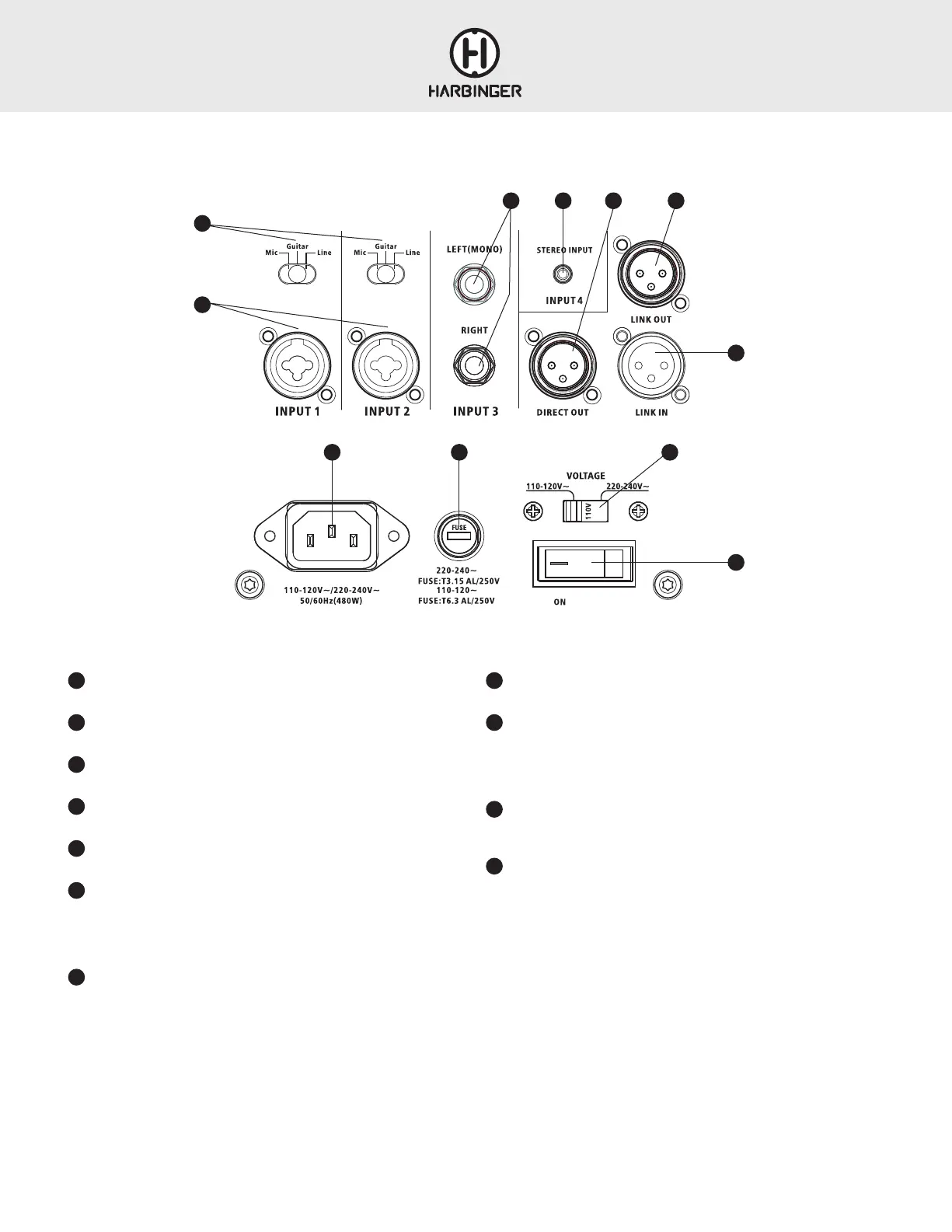
BACK PANEL
1
MIC/GUITAR/LINE SWITCHES
Set these to match the type of source connected to the input below them.
2
INPUT 1 AND INPUT 2 JACKS
Connect XLR or ¼” cables.
3
BALANCED LINE INPUTS
Balanced or unbalanced line level sources can be connected here.
4
STEREO INPUT (INPUT 4)
This input accepts a stereo or mono unbalanced audio input.
5
DIRECT OUT
A mono output for passing the MLS1000 sound to other sound systems.
6
LINK OUT
• When ROUTING is set to Stereo Master, this jack outputs right only audio
to feed a second (right) MLS1000.
• When ROUTING is set to Normal (Mono), this jack outputs mono audio to
feed a second unit.
7
LINK IN
• Activated only when Routing is set to Link In
• Routes directly to the power amplifiers/speakers, bypassing all other inputs,
controls, and settings.
8
POWER INLET
Connect power cable here.
9
FUSE
If the unit will not power on and you suspect its fuse may have blown, turn off
the power switch, and open the fuse compartment using a small flat blade
screwdriver. If metal strip in fuse is broken, replace with T3.15 AL/250V fuse
(for 100-120 volt use), or T6.3 AL/250V fuse (for 220-240 volt use).
10
VOLTAGE SELECTOR
Configures unit for your territory’s voltage. 100-120V is the standard
in the USA
11
POWER SWITCH
Switches the power on and off.
1
2
8 9 10
11
BACK PANEL
3 4 5 6
7









 To Next Page