17
Lowes.com/harborbreeze
FINAL INSTALLATION
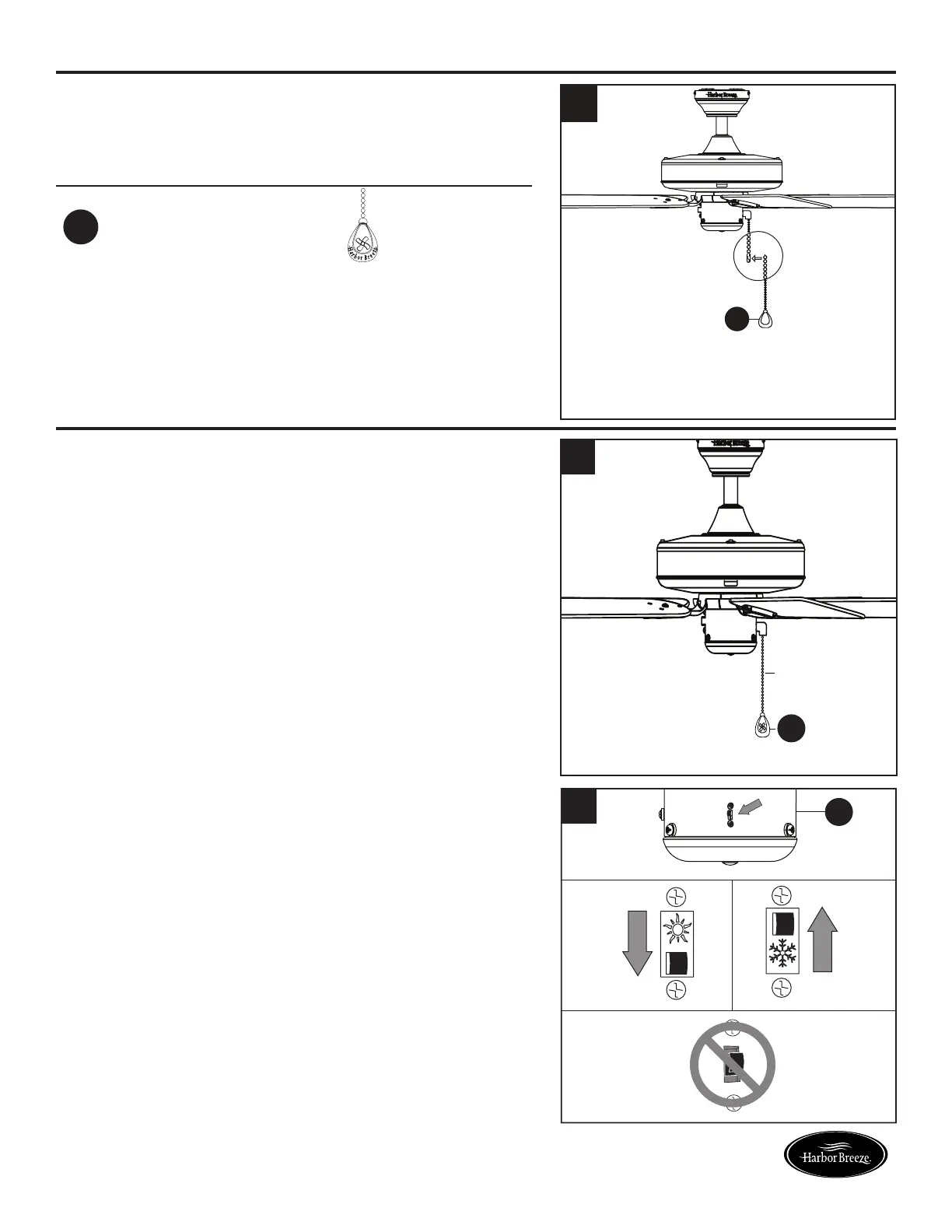
7. Attach the pull chain extension (CC) or custom pull
chain extension (not included) to the fan pull chain.
Hardware Used
CC
Pull Chain
Extension
x 1
H
a
r
b
o
r
B
r
e
e
z
e
CC
7
OPERATING INSTRUCTIONS
1. The pull chain labeled FAN has four positions to
control fan speed. One pull is HIGH, two is MEDIUM,
three is LOW and four turns the fan OFF.
2. Use the fan reverse switch, located on the switch
housing (F) to optimize your fan for seasonal
performance.
A ceiling fan will allow you to raise your thermostat
setting in summer and lower your thermostat setting
in winter without feeling a difference in your comfort.
Note: Wait for the fan to stop before moving the
reverse switch.
2A. In warmer weather, push the reverse switch down
to display a Sun icon, which will result in downward
airowcreatingawindchilleffect.
2B. In cooler weather, push the reverse switch up to
displayaSnowakeicon,whichwillresultinupward
airowthatcanhelpmovestagnant,hotairoffthe
ceiling area.
Important: The reverse switch must be set either
completely up or down in order for the fan
to function correctly. If the reverse switch
is set in the middle position, the fan will
not operate (Fig. 2C).
1
CC
Fig. 2A Fig. 2B
Fig. 2C
F
2
Fan Pull
Chain


 To Next Page