8
It is necessary to set the date and time for the unit every time batteries are
initially installed or replaced.
Setting the Date and Time
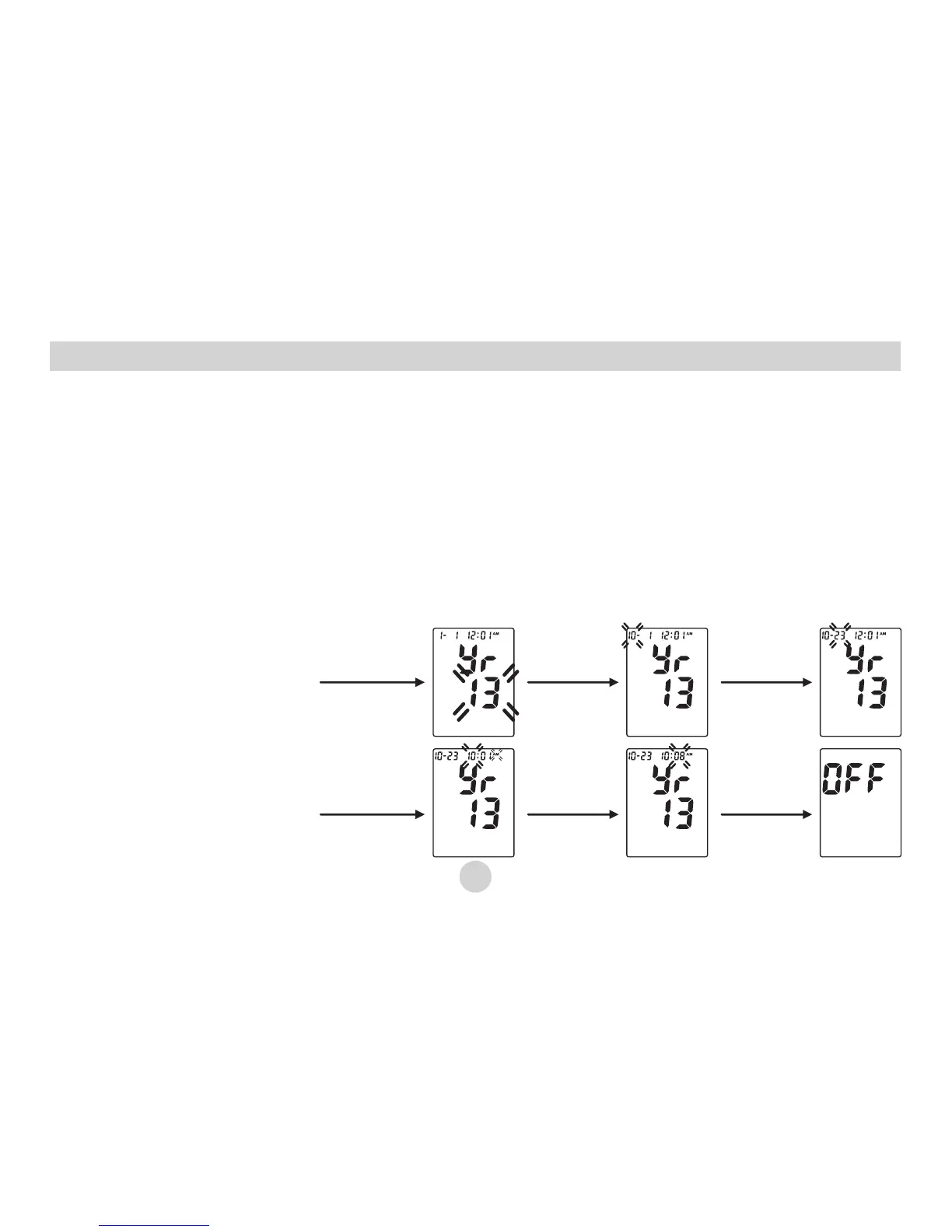
1. After replacing batteries, the “Year” will begin to flash on the display.
2. Press the “MEMORY” button to advance the display to the desired “Year”, press
“POWER” button to confirm the “Year”.
3. Next, the “Month” will blink. Repeat steps 1 and 2 to set the “Month” and “Date”,
then “hour”, then “Minute”.
Year
Install the
batteries
Month
Press the
“POWER”
button
Date
Press the
“POWER”
button
Hour
Press the
“POWER”
button
Minute
Press the
“POWER”
button
Press the
“POWER”
button
4. After setting the
minute, the unit will
automatically exit
out of the date/time
setting mode and
briefly show the
word OFF before
shutting down.


 To Next Page