6
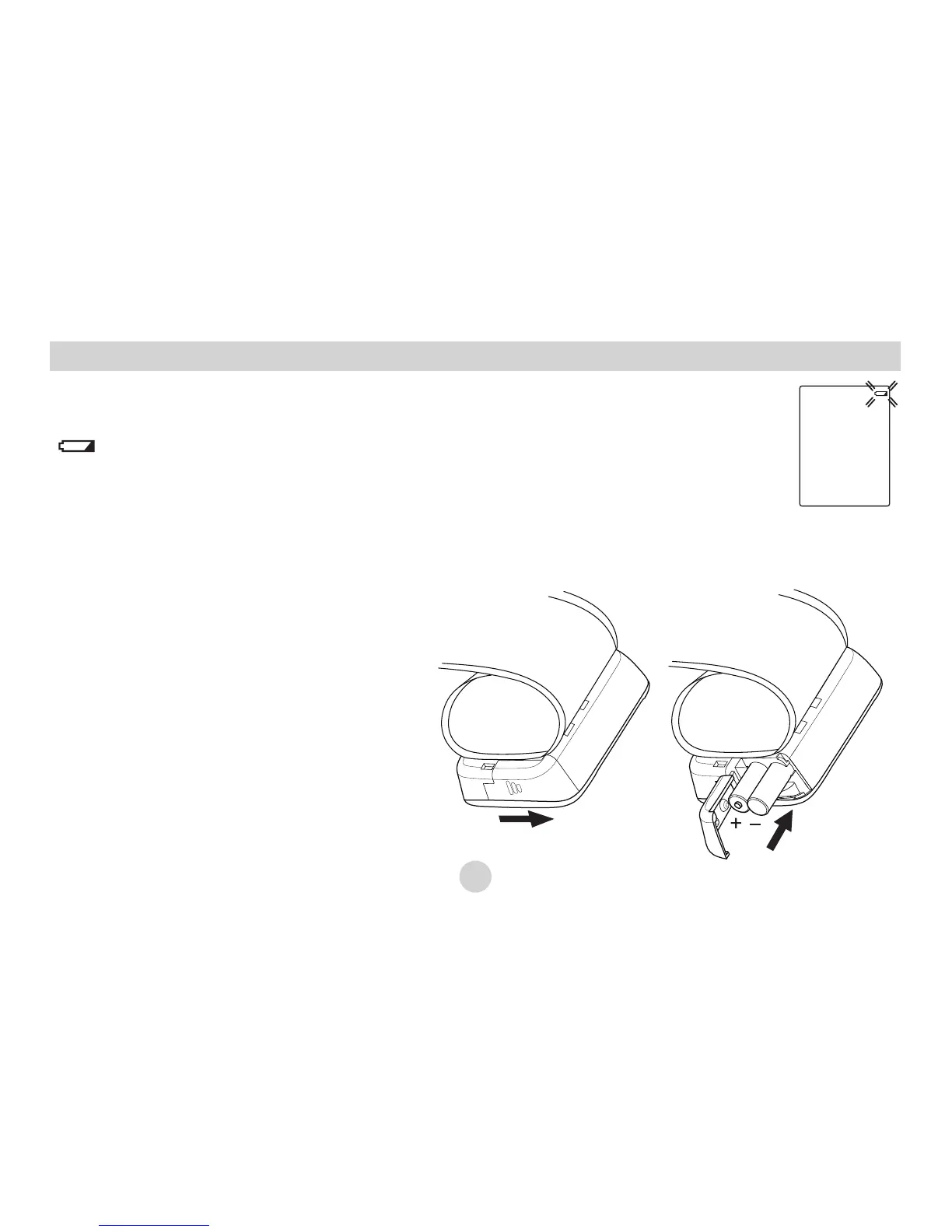
Low battery warning:
It is necessary to replace the batteries when the Low Battery symbol
“ ” appears on the display, or when the display does not turn on
after the POWER button is pressed.
Battery Installation
Replacing the Battery:
1. Slide the battery cover on the bottom of the monitor.
2. Insert or replace 2 x 1.5 V AAA alkaline batteries into the battery compartment,
ensuring to match the indicated polarity symbols. Always use new batteries.
3. Replace the battery cover.


 To Next Page