Page 8 For technical questions, please call 1-888-866-5797. 59100
Setup - Before Use:
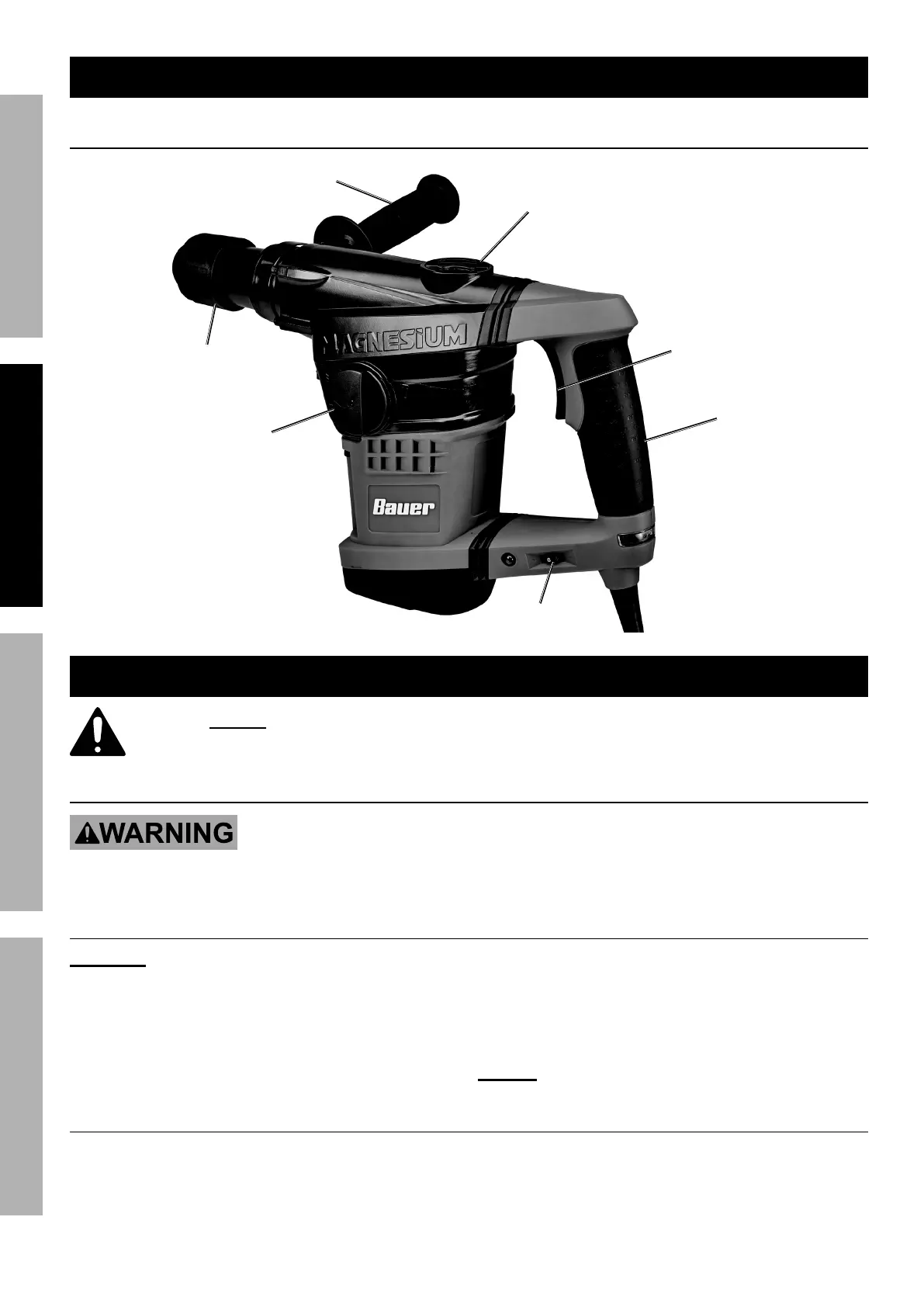
Functions
Mode
Selector
Grease
Port
Handle
Trigger
Auxiliary
Handle
Speed Control
Dial
Chuck
Sleeve
Operating Instructions
Read the ENTIRE IMPORTANT SAFETY INFORMATION section at the beginning of this
manual including all text under subheadings therein before set up or use of this product.
Tool Changing
TO PREVENT SERIOUS INJURY FROM ACCIDENTAL OPERATION:
Release the Trigger and unplug the tool from its electrical outlet
before adjusting the tool or installing accessories.
Changing Bits
CAUTION! Wear heavy‑duty work gloves to
provide protection when inserting and removing
drill bits. Drill bits become very hot during
use. Do not remove drill bits until the bit has
cooled. Do not strike stuck bits with a hammer.
1. Grease the drill bit shank before installing.
2. Pull back on the Chuck Sleeve and insert the drill
bit. Make sure it slides all the way into the opening.
3. Release the Chuck Sleeve.
4. Check that the drill bit is secured in place. It
should not be able to be pulled out of the Chuck.
NOTICE : Use sharp bits. Dull, bent, or damaged
bits will cause stress on the drill and/or break.
Adjusting Auxiliary Handle
The Auxiliary Handle can be adjusted
for an efficient working angle.
1. Turn Auxiliary Handle counterclockwise
to loosen Band.
2. Rotate Auxiliary Handle to desired position, then
turn Auxiliary Handle clockwise to secure in place.
SAFETY OPERATION MAINTENANCESETUP


 To Next Page
 Loading...