Page 9For technical questions, please call 1-888-866-5797.59100
Adjusting Modes
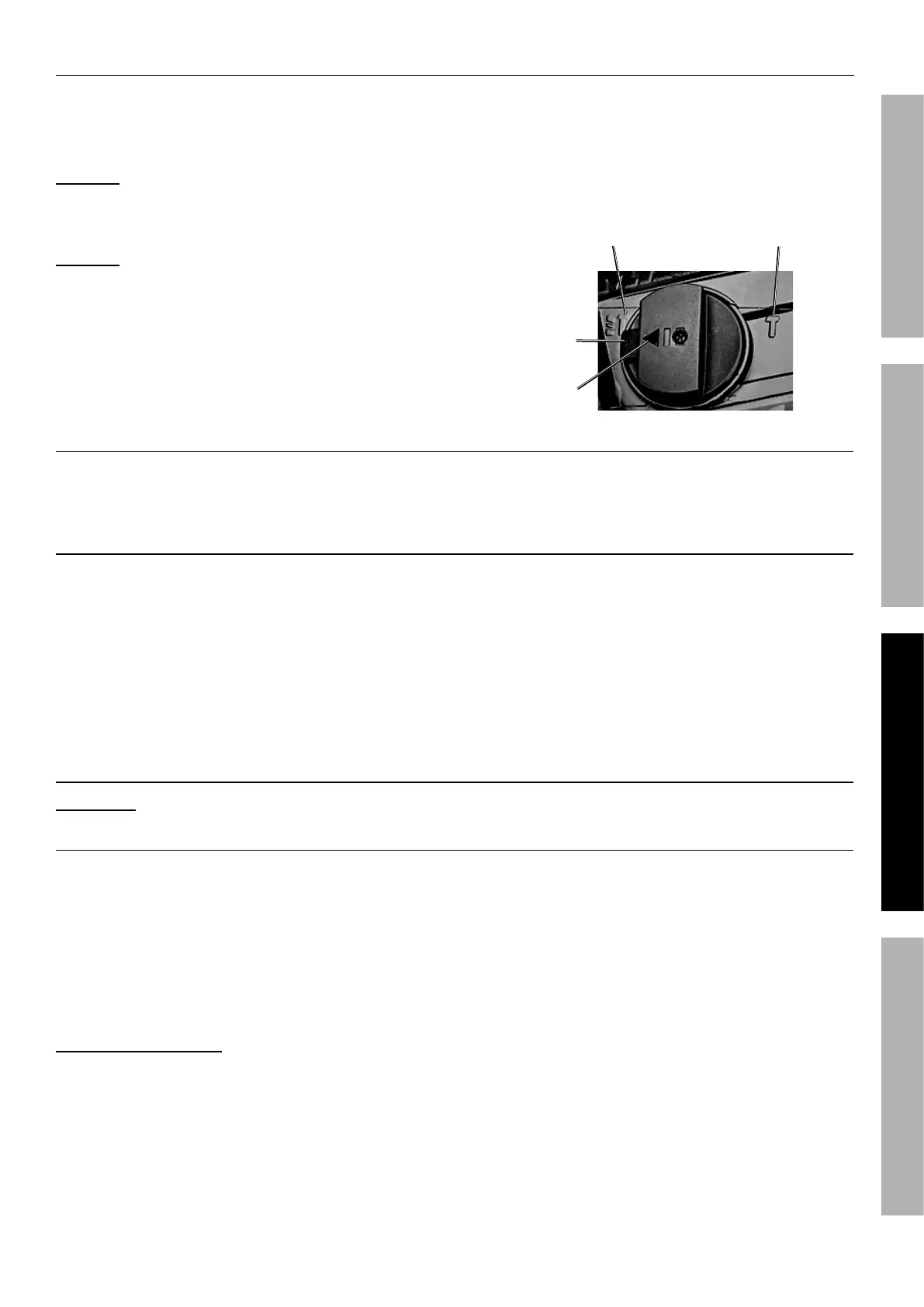
Adjust Mode Selector to desired function before
using the Rotary Hammer. Press Release Button
and rotate Mode Selector until it clicks in place with
the Indicator pointing to the desired function.
NOTICE: Move Mode Selector only when Motor
is stopped. Moving Mode Selector while the
Motor is engaged will result in abrupt bit rotation
and can cause tool and property damage.
NOTICE: When moving the Mode Selector,
confirm it clicks in desired position. If not
locked in place, the Mode Selector could slip
out of position resulting in tool damage.
To Rotary Hammer: Rotate Mode Selector
to Rotary Hammer Mode setting. The tool
will hammer drill when powered.
To Hammer (Chisel): Rotate Mode Selector to Hammer
Mode setting. The tool will hammer when powered.
Release
Button
Mode
Indicator
Rotary
Hammer
Mode
Hammer
Mode
Adjusting Speed
Turn the Speed Control Dial to the desired speed.
The higher the number the faster the speed.
Work Piece and Work Area Set Up
1. Designate a work area that is clean and well
lit. The work area must not allow access by
children or pets to prevent distraction and injury.
2. Route the power cord along a safe route to reach
the work area without creating a tripping hazard or
exposing the power cord to possible damage. The
power cord must reach the work area with enough
extra length to allow free movement while working.
3. Secure loose work pieces using a vise or clamps
(not included) to prevent movement while working.
4. There must not be objects, such as utility lines,
nearby that will present a hazard while working.
General Instructions for Use
WARNING! TO PREVENT SERIOUS INJURY: The tool will restart automatically if stalled.
Masonry Rotary Hammer Operation
1. Install bit, adjust Auxiliary Handle,
adjust speed and set Mode.
2. Plug in the Power Cord.
3. Hold tool using both hands.
4. Squeeze and hold Trigger to turn on tool. Do not
apply excessive force, allow the tool to do the work
Concrete Drilling Tips:
a. Do not add water to the drill hole.
b. Clean the bit flutes regularly while drilling.
c. Back the bit out of the hole often during
drilling, especially when drilling deep holes.
d. Grease the bit’s shank and bit holder and keep
the shank end of the bit dust and debris free.
e. Use the shortest bit practical.
f. When drilling deep holes, work in stages.
Use a short bit for the beginning of the
hole, then change to a longer bit.
5. When finished, to prevent accidents, release the
Trigger and disconnect its power supply after use.
a. Allow the bit to cool then remove it from the tool.
b. Wipe off the bit’s shank and store
bit separately from tool.
c. Clean the tool, then store the tool
indoors out of children’s reach.
SAFETYOPERATIONMAINTENANCE SETUP


 To Next Page
 Loading...