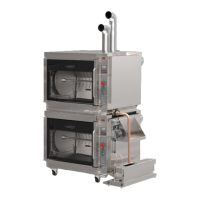
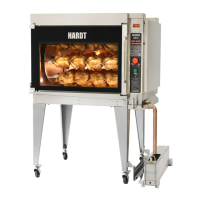
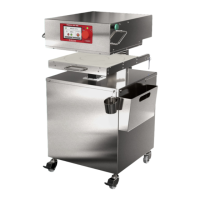
The Hardt Inferno GC is a gas-fired, self-cleaning rotisserie designed for commercial use in Canada, Mexico, and the United States. It is available in both single and double-stacked configurations, offering responsive and reliable solutions for cooking various food items.
Function Description:
The Inferno GC rotisserie is primarily used for cooking poultry, roasts, and other meat products. It features a rotating drive system that ensures even cooking. The appliance is equipped with a control panel that allows users to select pre-programmed cooking cycles, adjust cook times, and monitor the internal temperature of the rotisserie. A preheat function ensures the oven reaches the correct temperature before loading food. The rotisserie also incorporates an auto-clean function, which automates the cleaning process at the end of the day, including prewash, soap wash, and multiple rinse cycles. An optional heated grease collection reservoir facilitates the collection and disposal of grease.
Important Technical Specifications:
While specific numerical technical specifications like power consumption or dimensions are not detailed in the provided manual, several functional and safety-related specifications are highlighted:
- Gas-Fired Operation: The rotisserie uses gas as its primary fuel source for heating.
- Self-Cleaning Capability: Features an automated cleaning cycle to maintain hygiene and operational efficiency.
- Temperature Control: The control panel allows for precise temperature management during cooking and preheating. The display indicates "OVEN READY" when the correct temperature is reached for loading.
- Safety Lockout (SLO): A safety feature that activates if the burner fails to ignite, indicated by a flashing red alarm lamp.
- Electrical Grounding: Equipped with a three-prong grounding plug for shock hazard protection.
- Restraint Cable: An appliance restraint cable is included for safety, which must be reconnected if disconnected for inspection or cleaning.
- Ventilation Requirement: Requires a ventilation system to be turned on during operation to remove combustion by-products and grease-laden air.
- Degreaser System: Utilizes a degreaser bottle (e.g., Ecolab CIP or Hardt Clean 3000) for the auto-clean cycle, with minimum fill levels specified.
- Halogen Light Bulb: The rotisserie cavity is illuminated by a halogen light bulb, which can be replaced by the user.
- Control Panel: Features a display, preheat function, incremental cook time addition, favorite pre-set buttons (1-2, 3-4, 5-6, 7-8 skewers), main ON/OFF switch, manual advance switch, auto clean function, and safety lockout alarm lamp.
- Gas Supply: Requires an open gas supply valve for operation. A gas pressure gauge is visible on the equipment diagram.
- Water Inlet: The system includes a water inlet, essential for the auto-clean function.
- Circuit Breaker: Equipped with a circuit breaker for electrical protection.
Usage Features:
- Morning Startup: Involves ensuring cleanliness, setting the manual drain valve to "Cook," opening the gas valve, cleaning strainers, turning on ventilation hoods, and pulling out the main ON/OFF switch.
- Preheat Cycle: Mandatory before any cooking cycle, activated by pressing the "PREHEAT" button. The display indicates "OVEN READY" when ready.
- Loading and Starting a Cook Cycle: After preheating, skewers are loaded into the rotisserie. Users select a cooking program using pre-set buttons or by scrolling through a list, then press "ENTER." The pre-set buttons (1-2, 3-4, 5-6, 7-8) correspond to the number of skewers being used.
- Loading Skewers: Involves inserting the pointed end of the skewer into a hole, aligning the other end with the socket, sliding the skewer until snug, and checking for secure positioning. The green manual advance switch helps position sockets.
- Unloading Skewers: Requires opening the door, lifting and sliding the skewer to remove it, and placing it on a cart or cooked food table. The green manual advance switch can be used to position skewers for removal.
- End of Cook: Users must measure the internal product temperature. If insufficient, additional cook time can be added in 5-minute increments (up to 15 minutes). The program is ended by pressing and holding the "STOP" button for 3 seconds.
- Buzzers and Alarms: Buzzers sound at the end of preheat and cooking cycles. A red alarm lamp flashes if the rotisserie temperature drops too low or if a Safety Lockout occurs.
- Programming Favorites: Users can assign cooking programs to favorite buttons by holding "EDIT" and a favorite button simultaneously, then selecting a program from memory.
- Accessories: Hardt offers "V" skewers (designed to support chicken without piercing the skin), hanging baskets (for small roasts, chicken parts, etc., that should not rotate), and grease reservoirs (available in different sizes for single and double-stacked models).
Maintenance Features:
- Daily Cleaning:
- Beginning of the Day: Ensure the rotisserie is clean and sanitized from the previous day. If not, an Auto Clean cycle must be run.
- Throughout the Day: Clean the inner glass with a soft, damp cloth after each cooking cycle. Monitor and empty the heated grease collection reservoir as needed.
- End of the Day (Auto Clean Operation): Recommended to run the Auto Clean cycle. This involves an OVEN COOLDOWN period, PREWASH, SOAP WASH, FIRST RINSE, POWER RINSE, and FINAL RINSE.
- Manual Cleaning: Before running Auto Clean, users must open the door, scrape and discard debris from the bottom pan, and clean the front channel, exterior panel, and inside door glass pane with a wet towel. The manual drain valve handle must be rotated to "Clean" position.
- Auto Clean Effectiveness Evaluation: Users are instructed to verify the cleanliness of the rotisserie cavity after the Auto Clean cycle. Images are provided to distinguish between insufficient cleaning, residual flakes requiring manual removal, and a sufficiently clean cavity. Cooking in an oven with residue buildup can cause a fire.
- Weekly Inspection: Thoroughly inspect venting components, electrical cord, water, and gas lines for damage.
- Material Cleaning Guidelines:
- Glass Surfaces: Wipe residues with a soft cloth or paper towel. Use wooden or plastic scrapers for baked-on residues. Clean with mild soap and water or glass cleaning spray. Avoid abrasive scouring powder, abrasive cleansers, metallic scouring pads, metal scrapers, and cold water on hot glass.
- Metal Surfaces: Wipe spills with a cloth or paper towel. Use wooden or plastic scrapers for baked-on residues on interior surfaces; avoid metal scrapers on exterior surfaces. Clean with mild soap and water or spray-on degreaser (following product label instructions). Stainless steel polishing creams can be used. For stubborn buildup on interior stainless steel surfaces, bristle brushes or mild scouring pads can be used. Avoid abrasive scouring powder, abrasive cleansers, metallic scouring pads, metal scrapers on exterior surfaces, and corrosive cleaning agents.
- Halogen Light Bulb Replacement: Involves turning off the rotisserie, disconnecting power, allowing it to cool, removing the access panel, removing wing nuts on the support bracket, and gently pulling out the old bulb. A new bulb should be installed while wearing gloves, and its function verified before reassembling.
- Temperature Display Mode: Switching between Fahrenheit and Celsius requires contacting an authorized service partner.

 Need help?
 General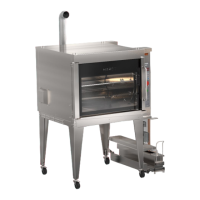

 To Next Page