8.8BATTERY TRAY AND BATTERY CABLES
BATTERY TRAY
Removal
1. Remove battery.
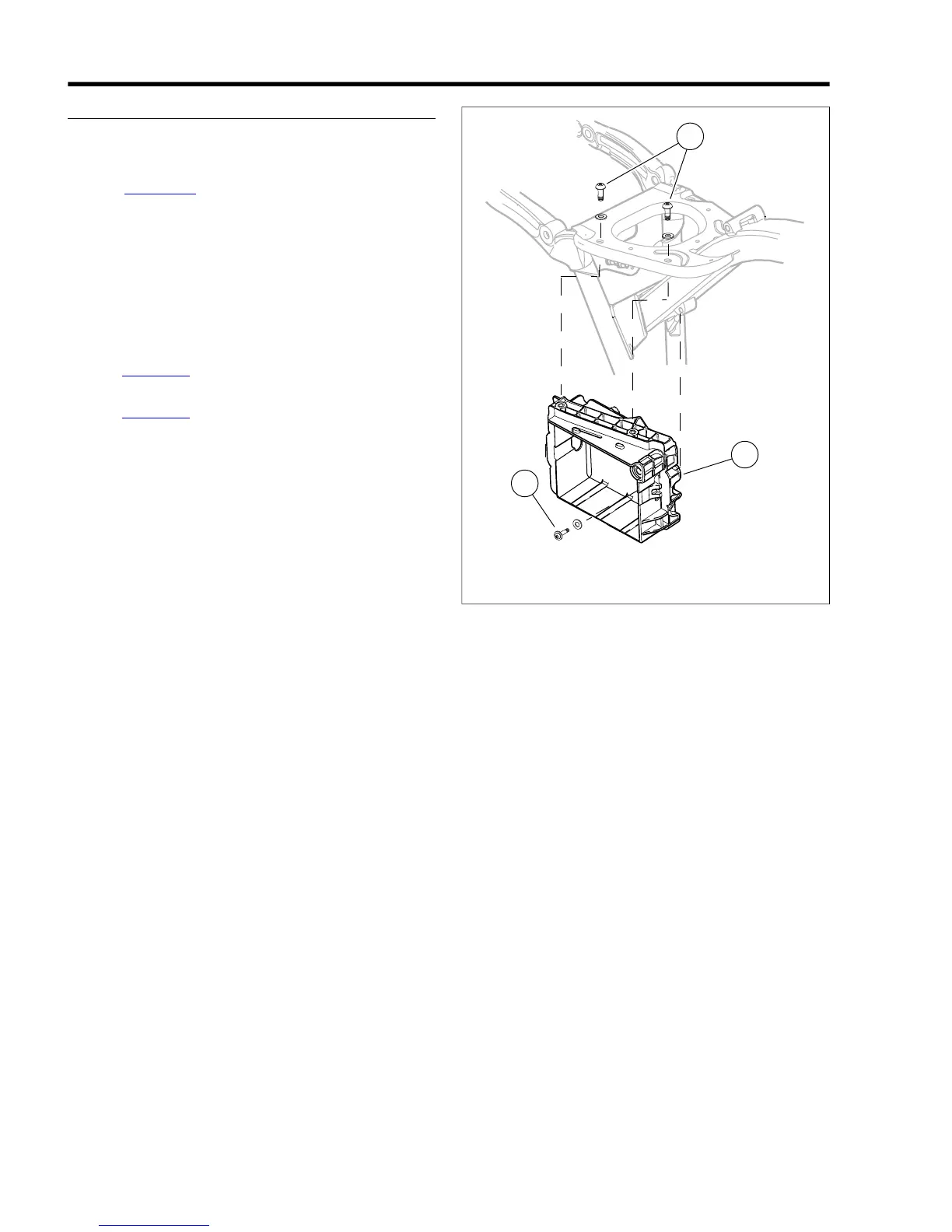
2. See Figure 8-17. Remove two top screws and washers
(1).
3. Remove screw and washer (2).
4. Guide battery cables out through holes in rear of battery
tray (3) and remove tray.
Installation
1. Guide battery cables through holes in rear of battery tray
(3) and place tray in position.
2. See Figure 8-18. Place battery cables in recesses at upper
corners of battery tray.
3. See Figure 8-17. Install screws and washers (1, 2).Tighten
screws to 96-120 in-lbs (10.8-13.6 Nm).
1. Screws and washers (2)
2. Screw and washer
3. Battery tray
Figure 8-17. Battery Tray
8-12 2008 Dyna Service: Electrical



 To Next Page