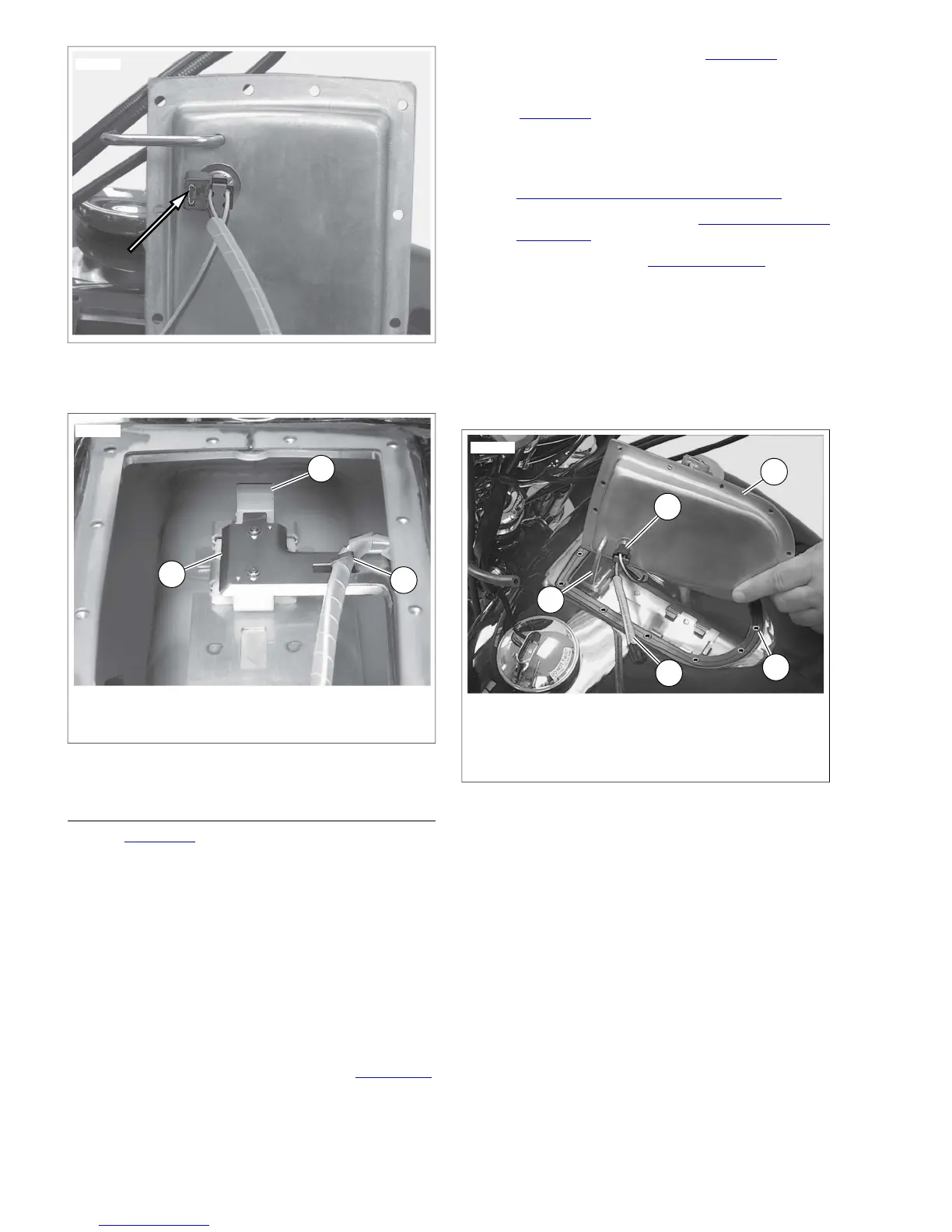
1. Fuel gauge sender
2. Removal tab
3. Wiring clip
Figure 8-46. Fuel Gauge Sender
INSTALLATION
1. See Figure 8-47. Place new gasket (2) under top plate.
Align gasket with screw holes.
NOTES
• Do not apply any type of sealant to gasket.
• Fuel gauge sender sits in right side of fuel tank.
2. Install fuel pump/sender wire connector (4) on top plate
(3).
3. On FXDC, FXDL, FXDB, FXDWG and FXDF models, hold
top plate at 90° angle. Making sure that vent tube is
installed inside of tank, rotate top plate into position.
4. Loosely install new sealing screws in top plate.
5. For FXDWG/FXDC/FXDF models, see Figure 8-49.
Tighten sealing fasteners using pattern shown to 20 in-
lbs (2.26 Nm).
6. For FXD/FXDB/FXDL models, see Figure 8-50. Tighten
sealing fasteners using pattern shown to 20 in-lbs (2.26
Nm).
7. See Figure 8-48. Connect fuel pump/sending unit con-
nector [141].
8. Install instrument console.
a. For FXDWG, FXDC, FXDF models, see
8.17 INSTRUMENTS: FXDWG/FXDC/FXDF.
b. For FXDL, FXDB models, see 8.18 INSTRUMENTS:
FXDL/FXDB
c. For FXD models, see 8.15 FUEL GAUGE.
NOTE
In next step, be sure crimped end of clamp faces toward front
of vehicle.
9. Connect fuel tank crossover hose with new clamps.
10. Connect negative battery cable.
11. Fill tank with gasoline and check for leaks.


 To Next Page
 Loading...