8.17INSTRUMENTS: FXDWG/FXDC/FXDF
REMOVAL
Speedometer
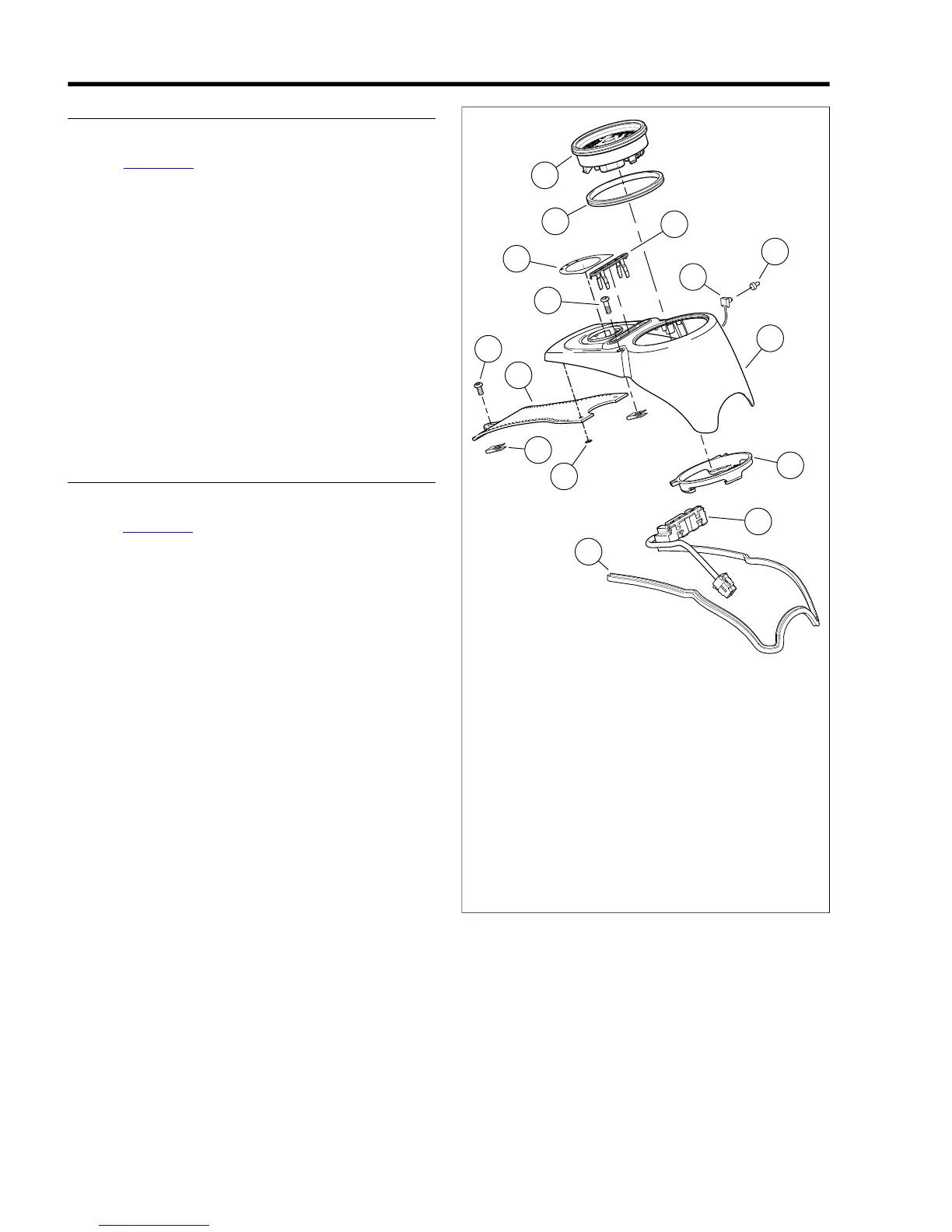
1. See Figure 8-51. Remove screw (4) securing trim to fuel
tank. Remove screws (5) securing console to top plate.
2. Position clean towel on fuel tank and flip console over to
expose underside.
3. Depress connector tab and disconnect 12-place harness
connector [39] from speedometer (8) under console.
4. Unscrew the rubber boot (11) from the odometer reset
switch (10) on the left side of the console.
5. Remove the odometer reset switch from hole in console.
6. Pry between three tabs and speedometer with a screw-
driver to raise and release back clamp (13) from speedo-
meter. Remove back clamp from speedometer.
7. Remove speedometer from console (12).
8. Remove gasket (7) from speedometer.
INSTALLATION
Speedometer
1. See Figure 8-51. Install gasket (7) to speedometer (8).
2. Position speedometer in console (12).
3. Press on back clamp (13) until three tabs engage on back
of speedometer.
4. Insert odometer reset switch (10) through hole in console
and install rubber boot (11).
5. Connect 12-place connector [39] to speedometer under
console.
6. Install console to fuel tank with screws (5). Tighten to
18-24 in-lbs (2.0-2.7 Nm).
7. Install screw (4) securing fuel tank trim (3) to fuel tank.
Tighten to 18-24 in-lbs (2.03-2.71 Nm).
8. Test speedometer for proper operation.



 To Next Page