EasyManua.ls Logo

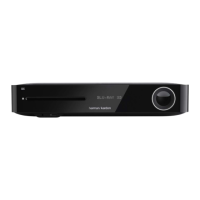
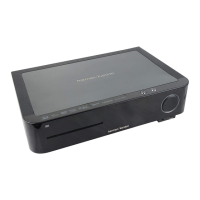
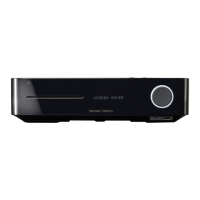
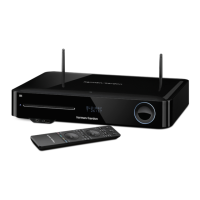
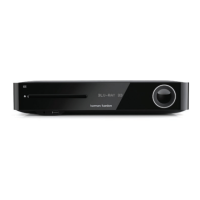
Harman Kardon BDS 280 - User Manual

Harman Kardon BDS 280
32 pages
Print Icon
To Next Page IconTo Next Page
Loading...
BDS 280/580
3D Blu-ray
TM
Disc System
Applicable to all BDS x80 models Owners Manual

Other manuals for Harman Kardon BDS 280

Questions and Answers

  • J
    Jennifer CaseyAug 15, 2025
    What to do if Harman Kardon BDS 280 doesn't respond to commands?
    • D
      Donna WatsonAug 15, 2025
      If your Harman Kardon Blu-ray Player system isn't responding to commands or acting strangely, unplug the power cord from the AC outlet, wait 30 seconds, and then plug it back in.
  • H
    Heather SmithAug 18, 2025
    How to fix Harman Kardon BDS 280 when it doesn't power up?
    • J
      John ButlerAug 18, 2025
      If your Harman Kardon Blu-ray Player system doesn't power up, check that the Power cord is properly plugged into the system’s AC Power connector and a working AC outlet. If the outlet is controlled by a switch, ensure it’s ON. Also, verify that the system’s main power switch on the rear panel is in the ON position.
  • R
    Robin JordanAug 22, 2025
    Why is my Harman Kardon BDS 280 Blu-ray Player remote not working?
    • C
      Carla VargasAug 22, 2025
      If your Harman Kardon Blu-ray Player remote isn't responding, try replacing all three batteries with fresh ones, ensuring correct polarity. Also, try holding the remote closer to the system and make sure there are no obstructions blocking the remote sensor on the system.
  • C
    Chad ReedAug 25, 2025
    Why is there no sound from my Harman Kardon BDS 280 Blu-ray Player subwoofer?
    • J
      Jessica LeeAug 26, 2025
      If there is no sound coming from just the subwoofer of your Harman Kardon Blu-ray Player, verify that the subwoofer’s power cord is plugged into a working AC outlet and that its power switch is in the ON position. Also, check that the Subwoofer Level control is not turned all the way down and that the audio connection between the system and the subwoofer is properly made. Finally, ensure that the subwoofer volume in the system’s Configuration menu is not set to -10dB.
  • M
    margaretmartinAug 27, 2025
    What to do if Harman Kardon Blu-ray Player disc does not play?
    • N
      nataliegonzalezAug 27, 2025
      If your Harman Kardon Blu-ray Player isn't playing a disc, first, make sure the disc is inserted correctly with the label side up. Then, check that the disc type is compatible (BD Video, DVD-Video, DVD+R/+RW, DVD-R/-RW, CDDA, CD-R/RW). Finally, ensure the disc surface is clean and free of scratches.
  • O
    obarrettAug 30, 2025
    Why doesn't my Harman Kardon Blu-ray Player remote control other components?
    • D
      danielsjoshuaAug 31, 2025
      If your Harman Kardon Blu-ray Player remote does not control programmed components, ensure that you have pressed the remote’s Aux button before attempting to operate the component. If that doesn't work, try re-programming or re-teaching the component’s commands into the remote.
  • J
    James PhillipsSep 2, 2025
    Why is there no picture on my Harman Kardon BDS 280?
    • K
      Kenneth LaneSep 2, 2025
      If you're getting sound through the speakers but no picture on your TV with your Harman Kardon Blu-ray Player, first, check the HDMI connection between the system and the TV. Next, verify the HDMI or Component Video connection between your source device and the BDS system. Also, make sure your TV is on and set to the correct input source. Finally, try unplugging the HDMI cable from the TV and plugging it back in.
  • S
    sweberSep 5, 2025
    How to eliminate hum in Harman Kardon BDS 280 Blu-ray Player sound?
    • B
      Brianna GonzalesSep 5, 2025
      If you are experiencing a constant hum in the sound from your Harman Kardon Blu-ray Player, ensure all input cables are fully plugged into their connectors. Also, check that all cables are at least 10 ft (3.3m) from fluorescent lights and that all cable connectors are clean. If the hum persists, set the subwoofer’s power switch to OFF to check for a ground loop, and try plugging the subwoofer into the same AC outlet as the system.
  • T
    thomasveronicaSep 8, 2025
    How to fix Harman Kardon BDS 280 Blu-ray Player when it cannot tune in radio stations?
    • C
      christina50Sep 9, 2025
      If your Harman Kardon Blu-ray Player is not tuning in radio stations, check that the FM antenna is correctly connected. Also, adjust the antenna’s position or, if necessary, use a powered FM antenna or an outdoor FM antenna.
  • T
    Taylor KingSep 12, 2025
    What does the 'O' symbol on Harman Kardon BDS 280 Blu-ray Player mean?
    • R
      Ryan RodriguezSep 12, 2025
      The "O" symbol appearing on the screen of your Harman Kardon Blu-ray Player when you press a remote-control button means that the selected function is not permitted at the time the button is pressed.

Summary

Installation Location

Installation Location Guidelines

Provides guidelines for safely placing the BDS system, considering ventilation, surface, and environmental factors.

System Handling and Front Panel

BDS Front Panel Controls and Connections

Details the functions of various buttons and connectors on the front panel of the BDS system.

Rear Panel Connections

BDS Rear Panel Controls and Connections

Explains the purpose and function of each connection terminal on the rear panel of the BDS system.

Remote Control Operation

Remote Control Operation (continued)

Button Operations

Explains the functions of various buttons on the remote control for playback, display, and source selection.

System Connections

System Connections (continued)

Remote Control Preparation

Installing and Using the Remote Control

Instructions for installing batteries and using the remote control effectively.

Programming the Remote Control

How to program the remote to control auxiliary components and learn codes.

Remote Control Programming Methods

Programming Individual Buttons and Auto Search

Details methods for programming individual buttons and using auto search for remote control setup.

System Setup

Initial System Setup

Step-by-step guide to setting up the BDS system using the on-screen menus for language and resolution.

Using the BDS System

Using the BDS System (continued)

Listening to Audio and Video Sources

Media Playback and Configuration

Troubleshooting

Common Troubleshooting Issues

Provides solutions for common problems like no power, no picture, or no sound from the subwoofer.

Troubleshooting (continued)

Advanced Troubleshooting Issues

Offers solutions for issues like discs not playing, audio/picture sync problems, and remote control unresponsiveness.

Harman Kardon BDS 280 Specifications

General IconGeneral
3D SupportYes
Wi-FiYes
HDMI Outputs1
USB Ports1
DLNAYes
Disc Capacity1
Video Output Resolution1080p
Ethernet PortYes
Disc TypesDVD, CD
Wireless ConnectivityWi-Fi

Related product manuals