EasyManua.ls Logo

Harman Kardon BDS 580 - User Manual

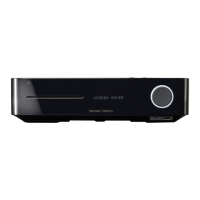
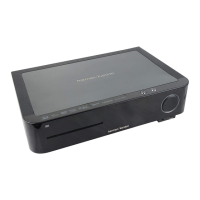
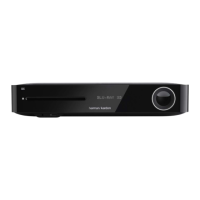
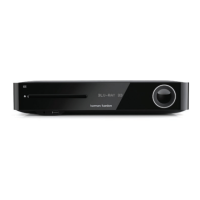
Harman Kardon BDS 580
32 pages
Print Icon
To Next Page IconTo Next Page
Loading...
BDS 280/580
3D Blu-ray
TM
Disc System
Applicable to all BDS x80 models Owners Manual

Other manuals for Harman Kardon BDS 580

Questions and Answers

  • K
    kaylaaustinAug 15, 2025
    What to do if Harman Kardon BDS 580 doesn't respond to commands?
    • M
      Mrs. Cheryl Williams DDSAug 15, 2025
      If your Harman Kardon Blu-ray Player system isn't responding to commands or acting strangely, unplug the power cord from the AC outlet, wait 30 seconds, and then plug it back in.
  • T
    tonymoraAug 18, 2025
    How to fix Harman Kardon BDS 580 when it doesn't power up?
    • M
      Michelle PowellAug 19, 2025
      If your Harman Kardon Blu-ray Player system doesn't power up, check that the Power cord is properly plugged into the system’s AC Power connector and a working AC outlet. If the outlet is controlled by a switch, ensure it’s ON. Also, verify that the system’s main power switch on the rear panel is in the ON position.
  • M
    Melissa TorresAug 21, 2025
    Why is my Harman Kardon BDS 580 remote not working?
    • S
      Samantha SingletonAug 21, 2025
      If your Harman Kardon Blu-ray Player remote isn't responding, try replacing all three batteries with fresh ones, ensuring correct polarity. Also, try holding the remote closer to the system and make sure there are no obstructions blocking the remote sensor on the system.
  • H
    Helen MahoneyAug 25, 2025
    Why is there no sound from my Harman Kardon Blu-ray Player subwoofer?
    • K
      Kevin TerrellAug 25, 2025
      If there is no sound coming from just the subwoofer of your Harman Kardon Blu-ray Player, verify that the subwoofer’s power cord is plugged into a working AC outlet and that its power switch is in the ON position. Also, check that the Subwoofer Level control is not turned all the way down and that the audio connection between the system and the subwoofer is properly made. Finally, ensure that the subwoofer volume in the system’s Configuration menu is not set to -10dB.
  • J
    jmossAug 27, 2025
    What to do if Harman Kardon BDS 580 Blu-ray Player disc does not play?
    • W
      William GonzalezAug 27, 2025
      If your Harman Kardon Blu-ray Player isn't playing a disc, first, make sure the disc is inserted correctly with the label side up. Then, check that the disc type is compatible (BD Video, DVD-Video, DVD+R/+RW, DVD-R/-RW, CDDA, CD-R/RW). Finally, ensure the disc surface is clean and free of scratches.
  • J
    Jesus WrightAug 30, 2025
    Why doesn't my Harman Kardon Blu-ray Player remote control other components?
    • K
      Kenneth AlvaradoAug 31, 2025
      If your Harman Kardon Blu-ray Player remote does not control programmed components, ensure that you have pressed the remote’s Aux button before attempting to operate the component. If that doesn't work, try re-programming or re-teaching the component’s commands into the remote.
  • R
    Rebecca CollinsSep 2, 2025
    Why is there no picture on my Harman Kardon Blu-ray Player?
    • C
      Christopher HallSep 3, 2025
      If you're getting sound through the speakers but no picture on your TV with your Harman Kardon Blu-ray Player, first, check the HDMI connection between the system and the TV. Next, verify the HDMI or Component Video connection between your source device and the BDS system. Also, make sure your TV is on and set to the correct input source. Finally, try unplugging the HDMI cable from the TV and plugging it back in.
  • S
    Samantha EvansSep 5, 2025
    How to eliminate hum in Harman Kardon BDS 580 Blu-ray Player sound?
    • Y
      Yesenia McleanSep 5, 2025
      If you are experiencing a constant hum in the sound from your Harman Kardon Blu-ray Player, ensure all input cables are fully plugged into their connectors. Also, check that all cables are at least 10 ft (3.3m) from fluorescent lights and that all cable connectors are clean. If the hum persists, set the subwoofer’s power switch to OFF to check for a ground loop, and try plugging the subwoofer into the same AC outlet as the system.
  • T
    Thomas RossSep 8, 2025
    How to fix Harman Kardon BDS 580 Blu-ray Player when it cannot tune in radio stations?
    • P
      pcarpenterSep 9, 2025
      If your Harman Kardon Blu-ray Player is not tuning in radio stations, check that the FM antenna is correctly connected. Also, adjust the antenna’s position or, if necessary, use a powered FM antenna or an outdoor FM antenna.
  • J
    John MackSep 12, 2025
    What does the 'O' symbol on Harman Kardon Blu-ray Player mean?
    • K
      Kathy GonzalesSep 12, 2025
      The "O" symbol appearing on the screen of your Harman Kardon Blu-ray Player when you press a remote-control button means that the selected function is not permitted at the time the button is pressed.

Summary

Installation Location and Safety

Placement Guidelines

Advises on proper placement for safety, ventilation, and optimal performance, avoiding heat and moisture.

Line Voltage Verification

Instructs users to verify voltage requirements before connecting the power cord to prevent hazards and damage.

Rear Panel Connections

Remote Control Functions

Power and Basic Operation

Explains the power modes and basic functions of the power button.

Connecting External Devices

Network and Trigger Connections

Explains connecting to a network via Ethernet and to a subwoofer via trigger output.

Wireless and Power Setup

Wi-Fi Network Setup

Guides on connecting the unit to the internet wirelessly via Wi-Fi.

Remote Control Programming

Programming Auxiliary Components

Explains how to program the remote to control other audio/video components.

Using the BDS System

Disc Player Operation and Care

Details how to load, play, and handle discs, including handling and cleaning precautions.

DLNA and Media Streaming

DLNA Functionality and Playback

Explains DLNA support for streaming media from network servers.

USB and Data Disc Playback

Guides on playing audio, video, and photo files from USB devices and data discs.

Audio and Video Playback

Listening to Audio Sources

How to select and listen to various audio inputs via the Aux button.

Apple Device Integration

Guides on connecting and playing music from iPod, iPhone, or iPad via USB.

Wireless Media and Speaker Configuration

EzSet;EQ Speaker Setup

Guides the automatic speaker calibration process using the included microphone.

Troubleshooting Common Issues

Troubleshooting Advanced Issues

System Specifications

Harman Kardon BDS 580 Specifications

General IconGeneral
Disc loading typeSlot
Disc types supportedBD, BD-R, BD-R DL, CD, CD-R, CD-RW, DVD, DVD+R, DVD+RW, DVD-R, DVD-RW
Optical disc player typeBlu-Ray player
DisplayLCD
Battery typeAAA
Built-in HDDNo
MP3 playbackYes
Frequency range20 - 20000
Image formats supportedJPG
Apple docking compatibilityNot supported
Number of batteries supported2
Video formats supported-
Analog signal format systemNTSC, PAL
MP3 bit rates32 - 320 Kbit/s
Audio decodersDolby Digital, Dolby Digital Plus, Dolby TrueHD, DTS
RMS rated power- W
Audio output channels5.1 channels
Audio formats supportedCBR, MP3, PCM, WMA
Signal-to-Noise Ratio (SNR)90 dB
Total Harmonic Distortion (THD)1 %
FM band range87.5 - 108 MHz
Supported radio bandsFM
Product colorBlack
Power source typeAC
Number of HDMI outputs0
Cables includedAC, HDMI
HDMI in3
USB version2.0
Ethernet LAN (RJ-45) ports1
AC input voltage100-240 V
AC input frequency50 - 60 Hz
Power consumption (standby)1 W
Weight and Dimensions IconWeight and Dimensions
Main unit weight3720 g
Main unit dimensions (WxDxH)400.2 x 283.8 x 78.5 mm

Related product manuals