EasyManua.ls Logo

Harman Kardon BDS 335 - User Manual

Harman Kardon BDS 335
23 pages
Print Icon
To Next Page IconTo Next Page
Loading...
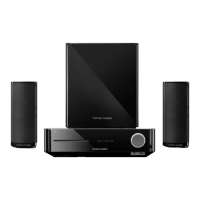
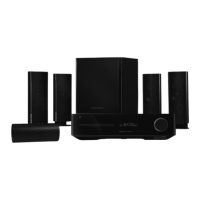
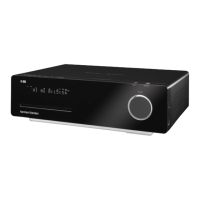
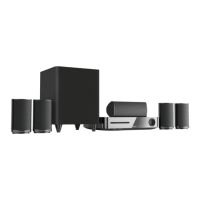
BDS 335/635 System
4K 3D Blu-Ray™ Disc System with Wifi® and Bluetooth®
Owners Manual

Questions and Answers

  • D
    daniel11Aug 17, 2025
    What to do if my Harman Kardon Home Theater System does not power up?
    • T
      Thomas BakerAug 17, 2025
      First, ensure the power cord is securely plugged into the system's AC power connector and a working AC outlet. If the outlet is switch-controlled, verify the switch is ON. Also, check that the main power switch on the rear panel of the Harman Kardon Home Theater System is in the ON position.
  • J
    Joel MedinaAug 20, 2025
    What to do if my Harman Kardon Home Theater System remote does not respond to commands?
    • A
      Adriana TuckerAug 20, 2025
      Try replacing all the remote-control batteries with fresh ones, ensuring they're installed with the correct polarity. Also, try holding the remote closer to the Harman Kardon Home Theater System and make sure there's a clear line of sight between the remote and the system's remote sensor.
  • D
    Denise RamirezAug 23, 2025
    What to do if the Harman Kardon Home Theater System disc does not play?
    • D
      Denise NicholsAug 23, 2025
      Verify that the disc is inserted correctly, with the label side up. Confirm that the disc is a compatible type: BD Video, DVD-Video, DVD+R/+RW, DVD-R/-RW, CDDA, or CD-R/RW. Other disc types are not supported. Finally, check the disc surface to ensure it is clean and free of scratches.
  • G
    grodriguezAug 26, 2025
    What to do if the Harman Kardon Home Theater System remote does not control programmed components?
    • N
      Natalie NewmanAug 26, 2025
      Ensure that you have pressed the remote's Aux button before attempting to operate the component. If that doesn't work, try re-programming or re-teaching the component's commands to the remote.
  • D
    donaldcraneAug 28, 2025
    What to do if there is no TV picture but sound plays through the Harman Kardon Home Theater System speakers?
    • S
      Stephanie HudsonAug 28, 2025
      Check the HDMI connection between the Harman Kardon Home Theater System and the TV. Also, verify the HDMI or Component Video connection between the source device and the system. Ensure the TV is on and set to the correct input source. Try unplugging the HDMI cable from the TV and plugging it back in.
  • D
    Dillon DavisAug 30, 2025
    Why is my Harman Kardon Home Theater System not tuning in radio stations?
    • F
      frobinsonAug 31, 2025
      Make sure the FM antenna is correctly connected to your Harman Kardon Home Theater System. Try adjusting the antenna's position. If needed, consider using a powered FM antenna or an outdoor FM antenna.
  • S
    Stephen WilliamsSep 2, 2025
    How to fix the constant hum in the sound from my Harman Kardon Home Theater System?
    • D
      Danielle LewisSep 2, 2025
      Ensure that all input cables are fully plugged into their respective connectors on your Harman Kardon Home Theater System. Keep all cables at least 10 ft (3.3m) away from fluorescent lights. Check that all cable connectors are clean; if necessary, wipe them with a cloth slightly moistened with alcohol.
  • A
    Amanda EllisonSep 5, 2025
    What to do if there is noise or interference in the picture while playing a Blu-ray Disc recording or DVD on my Harman Kardon Home Theater System?
    • S
      Sara FletcherSep 5, 2025
      Check that the disc surface is clean and not scratched. This is often the cause of picture interference when playing Blu-ray Discs or DVDs on your Harman Kardon Home Theater System.
  • R
    Robert HernandezSep 8, 2025
    What does it mean when a symbol appears on the screen when I press a remote-control button on my Harman Kardon Home Theater System?
    • J
      James FernandezSep 8, 2025
      The selected function is not permitted at the time the button is pressed. This indicates that the Harman Kardon Home Theater System cannot execute that command at that specific moment.
  • A
    Adam LutzSep 12, 2025
    What to do if the sound and picture are out of sync when playing to an Aux source on my Harman Kardon Home Theater System?
    • M
      Mrs. Jasmine Mason DDSSep 12, 2025
      Press the Options button on your Harman Kardon Home Theater System and perform the Lip Sync adjustment to bring the sound and picture into synchronization.

Summary

Installation Location

Installation Location Guidelines

Guidelines for placing the unit safely and ensuring proper ventilation.

Verify Line Voltage

Important information regarding voltage requirements and potential electrical hazards.

BDS Rear Panel Controls and Connections

HDMI Output (ARC)

Connects to TV HDMI input, supports ARC for audio return.

AC Power Input

Connects the supplied AC power cord to the unit.

Remote Control Functions

Power and Source Controls

Explains power modes, TV power, eject, and source selection buttons.

Speaker Placement and Mounting

Speaker Placement Guidelines

Guidelines for positioning front, center, and surround speakers for optimal sound.

Center Speaker Placement

Proper placement of the center speaker relative to front speakers.

System Connections

Speaker Terminal Connections

Caution and explanation of speaker terminal color-coding for proper connection.

Connecting External Devices

TV and Video Display Connection

Connects the BDS system's HDMI output to a TV or video display.

HDMI Source Connections

Connects HDMI source devices for best video and audio quality.

Network and Power Connections

Local Area Network (LAN) Connection

Connects the system to a network via an Ethernet cable.

Wi-Fi Network Setup

Instructions for connecting the unit to the internet wirelessly.

AC Power Connection

How to connect the detachable AC power cord to the unit and outlet.

System Setup and Configuration

Language Selection

Choose the desired language for the on-screen display.

Network Settings Configuration

Configure network settings, including Wi-Fi password.

Using the BDS System

Disc Player Operation

Information and precautions for using the built-in disc player.

Advanced Media Viewing

Troubleshooting Guide

System Power Issues

Solutions for the system not powering on or indicator lights being off.

No TV Picture with Sound

Solutions for issues where sound plays but no TV picture is displayed.

Audio Hum Problems

Solutions for persistent hum noise or interference in the audio.

Advanced Troubleshooting

Disc Playback Problems

Solutions for discs not playing, including type and surface issues.

Picture Interference

Solutions for noise or interference in the picture during Blu-ray or DVD playback.

Sound and Picture Synchronization

Solutions for lip-sync issues when playing audio from Aux sources.

Remote Control Responsiveness

Solutions for the system not responding to remote commands or erratic behavior.

Remote Functionality with Components

Solutions for remote control issues with programmed TV or video components.

System Specifications

Harman Kardon BDS 335 Specifications

General IconGeneral
BrandHarman Kardon
ModelBDS 335
CategoryHome Theater System
LanguageEnglish

Related product manuals