EasyManua.ls Logo

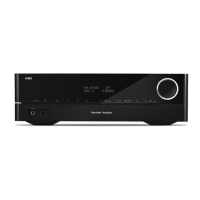
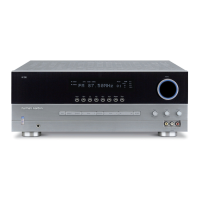
Harman Kardon HK 3770 - User Manual

Harman Kardon HK 3770
20 pages
Print Icon
To Next Page IconTo Next Page
Loading...
HK 3700/3770
Stereo Receiver
Owner’s Manual

Other manuals for Harman Kardon HK 3770

Questions and Answers

  • K
    kara41Jul 26, 2025
    What to do if there is no sound from Harman Kardon HK 3770 Stereo Receiver?
    • D
      Dr. Ryan GarrettJul 26, 2025
      If your Harman Kardon Stereo Receiver isn't producing any sound, ensure that all input and speaker connections are securely connected. Check if the Mute button is activated. Increase the volume. Select the correct source. Activate Speaker 1 or Speaker 2. Finally, ensure headphones are unplugged.
  • M
    Mr. Charles BatesAug 1, 2025
    What to do if there is no sound from any speaker connected to Harman Kardon HK 3770 Stereo Receiver?
    • W
      William ButlerAug 1, 2025
      If there's no sound coming from any speaker connected to your Harman Kardon Stereo Receiver, check the speaker wire connections for any shorts at both the receiver and speaker ends. If the issue persists, it is recommended to contact your local Harman Kardon service center.
  • M
    Ms. Shelley Anderson DDSAug 7, 2025
    Why Harman Kardon HK 3770 Stereo Receiver does not respond to remote commands?
    • T
      Teresa ColemanAug 7, 2025
      If your Harman Kardon Stereo Receiver unit isn't responding to the remote commands, try replacing the remote batteries. Also, make sure that the front-panel sensor on the receiver is unobstructed and visible to the remote. If necessary, connect an optional remote sensor.
  • L
    Lisa WestAug 13, 2025
    How to fix Harman Kardon HK 3770 Stereo Receiver that does not turn on?
    • R
      Robert RubioAug 13, 2025
      If your Harman Kardon Stereo Receiver unit does not function when the main power switch is turned on, first ensure the AC power cord is properly plugged into a working electrical outlet. Also, verify that the outlet isn't controlled by a switch.
  • B
    Beth DurhamAug 19, 2025
    How to stop intermittent buzzing in Harman Kardon HK 3770 Stereo Receiver tuner?
    • J
      Julia SmithAug 20, 2025
      If you are experiencing intermittent buzzing in the tuner of your Harman Kardon Stereo Receiver, try moving the unit or its antenna away from potential sources of interference, such as computers, fluorescent lights, motors, or other electrical appliances.

Summary

Important Safety Information

AC Power Cord and Cabinet Safety

Guidelines for safe handling of the AC power cord and precautions against opening the cabinet.

Antenna Grounding Requirements

Information on proper grounding for CATV or antenna systems to protect against surges.

Receiver Placement and Ventilation

Recommendations for placing the receiver to ensure proper ventilation and avoid heat buildup.

Voltage Verification and Extension Cords

Instructions on verifying line voltage and avoiding the use of extension cords.

HK 3700;3770 Front Panel Controls

HK 3700;3770 Rear Panel Connections

Remote Control Functions

Placing Your Speakers

Left and Right Speaker Placement

Guidance on positioning left and right speakers for optimal stereo imaging.

Subwoofer Placement Guidance

Tips for optimal subwoofer placement to achieve the best bass performance.

Making Audio Connections

Connecting Loudspeakers

Instructions on connecting speaker cables, ensuring correct polarity.

Connecting the Subwoofer

Procedure for connecting a subwoofer to the receiver's Pre-Out.

Setting up the Network

Receiver Operations

Software Update Procedure

Troubleshooting Common Issues

Power and Unit Functionality Problems

Solutions for when the unit does not power on or function correctly.

No Sound or Poor Audio Quality

Troubleshooting steps for lack of sound or distorted audio sources.

Remote Control and Tuner Issues

Resolving problems with remote command response and tuner buzzing.

System Specifications Summary

Detailed Technical Specifications

Harman Kardon HK 3770 Specifications

General IconGeneral
Receiver typestereo
Frequency range10 - 130000 Hz
Audio output channels2.0 channels
Signal-to-Noise Ratio (SNR)100 dB
Power output per channel (20-20KHz@8 Ohm)120 W
HDMI in0
AC (power) inYes
Audio (L/R) in5
Digital audio coaxial in1
Digital audio optical in2
Connectivity technologyWired
Speakers connectivity typeBanana connector
Wi-FiNo
Supported radio bandsAM, FM
Display-
Product colorBlack
AC input voltage220-240 V
AC input frequency50 - 60 Hz
Power consumption (standby)0.5 W
Power consumption (typical)480 W
Weight and Dimensions IconWeight and Dimensions
Depth300 mm
Width440 mm
Height121 mm
Weight6000 g

Related product manuals