EasyManua.ls Logo

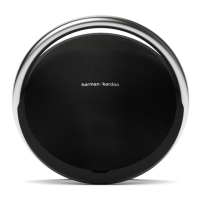
Harman Kardon ONYX - User Manual

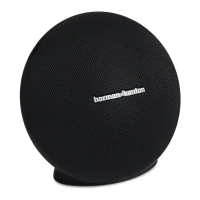
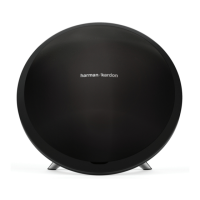
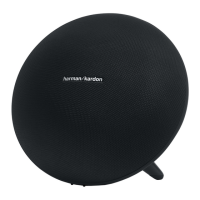
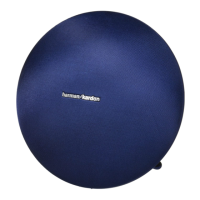
Harman Kardon ONYX
10 pages
Print Icon
To Next Page IconTo Next Page
Loading...
Onyx
Wireless Speaker System with Rechargeable Battery
Owners Manual

Other manuals for Harman Kardon ONYX

Questions and Answers

  • T
    thomasbrewerJul 26, 2025
    Why is there distortion (static, crackling or hissing sounds) coming from my Harman Kardon ONYX Speakers?
    • B
      Brandon LeonJul 26, 2025
      Distortion, such as static, crackling, or hissing sounds, from your Harman Kardon Speakers can stem from a couple of issues. First, the audio source or the source material itself could be the problem; try testing your HK Onyx with an alternative source to see if the issue persists. Secondly, the volume level from your auxiliary device's output might be excessively high. In this case, check the volume of the source and reduce it if necessary.
  • Z
    zpageAug 2, 2025
    What to do if my Harman Kardon Onyx unit is not charging?
    • V
      Vanessa CaseyAug 2, 2025
      If your HK Onyx unit isn't charging, the issue might be related to power supply. First, verify that the wall outlet or power strip you're using has power. Also, make sure that all the relevant switches (for the outlet/power strip and the unit itself) are turned ON.
  • A
    Angela MurilloAug 10, 2025
    What to do if my Harman Kardon Onyx Speakers have no sound?
    • M
      michael36Aug 11, 2025
      If there is no sound coming from your HK Onyx Speakers, it may be due to a lack of power. Ensure that the wall outlet or power strip is receiving power and that all related switches are turned ON, including those for the outlet/power strip and the unit itself. If you're running on battery, ensure that the battery is adequately charged by plugging it into an AC source.
  • G
    Guy LewisAug 17, 2025
    Why does my Harman Kardon Onyx speaker emit a loud hum or buzzing noise?
    • M
      Marcus HooverAug 17, 2025
      A loud hum or buzzing noise from your HK Onyx speaker can be caused by several factors. Start by checking the input cable connection to ensure it's properly plugged in. If the cable itself might be faulty, try replacing it. Also, this issue might happen due to ground loop (an unsuitable connection), so try turning the HK Onyx OFF and connecting it to another wall outlet.

Summary

Introduction

Description and Features

Details on design, performance, wireless connectivity, and included accessories for the Harman Kardon Onyx.

Controls and Connections

Onyx Top Panel Controls

Identifies and explains the controls located on the top panel of the Harman Kardon Onyx speaker.

Onyx Rear Panel Controls and Connections

Details the connections and controls located on the rear panel of the Harman Kardon Onyx speaker.

Speaker Placement

Connections

Power Connections

Instructions for connecting the AC adapter to charge the HK Onyx speaker.

Source Options

Lists the available audio input options for the Harman Kardon Onyx.

Wi-Fi Connection

Methods for connecting the HK Onyx to a Wi-Fi network.

Bluetooth Connection

Steps to pair the Harman Kardon Onyx with Bluetooth-compatible devices.

WPS Connection

iOS Wi-Fi Sharing with Cable

iOS Wireless Wi-Fi Sharing

Operation

Switching ON and OFF

Explains how to turn the Harman Kardon Onyx speaker on, off, or into sleep mode.

Adjusting Volume

Instructions on how to increase or decrease the volume using the touch-sensitive buttons.

Playing Music through Bluetooth

Step-by-step guide to connect and play music from a Bluetooth-enabled device.

Playing Music through Wi-Fi

Playing Music through AirPlay

Playing Music through an Auxiliary Device

Connecting through DLNA

LED Indications

Troubleshooting

Specifications

Harman Kardon ONYX Specifications

General IconGeneral
BrandHarman Kardon
ModelONYX
TypePortable Bluetooth Speaker
Battery Charge Time5 hours
Water ResistanceNo
Aux InputYes
Battery TypeLithium-ion
Bluetooth ProfilesA2DP, AVRCP

Related product manuals