The dbx DDP (Digital Dynamics Processor) is a professional audio device designed for comprehensive dynamics processing. It integrates multiple processing elements into a "building-block" architecture, allowing users to create custom signal chains for various applications.
Function Description
The DDP is a versatile digital dynamics processor that offers a wide range of audio processing capabilities. Its core functionality revolves around a modular software architecture where processing elements (such as EQ, Gate, Compressor, De-Esser, and Limiter) can be arranged into custom "chains." This allows for flexible signal flow and tailored dynamics control.
The device supports both linked stereo and dual mono configurations, providing flexibility for different audio setups. In a linked stereo setup, parameters for both channels are controlled simultaneously, ensuring consistent processing. In dual mono, each channel can be configured independently, allowing for distinct processing on separate audio signals.
Key processing elements include:
- Gate: A fast expander/gate with adjustable threshold, attack, hold, and release times. It features a "Transient Capture Mode" (TCM) for precise control over transients, preventing unwanted clicks or artifacts.
- Compressor: A multi-band compressor with adjustable threshold, ratio, attack, hold, and release times. It includes "OverEasy" functionality for smooth compression and "VariKnee" curves for customizable compression characteristics. The compressor also offers a "True RMS Power Summing" feature for accurate detection.
- De-Esser: A wide-frequency control de-esser designed to reduce sibilance. It operates between 800Hz and 8kHz and offers adjustable frequency and amount parameters.
- Limiter: A brick-wall limiter with adjustable threshold and attack/release times, designed to prevent clipping and protect downstream equipment.
- Sidechain EQ and In-Line EQ: A 3-band parametric EQ that can be used either in-line with the audio path or in the sidechain for frequency-dependent dynamics control. It offers adjustable frequency, Q, and gain for each band. The sidechain EQ is particularly useful for frequency-conscious gating or compression.
The DDP also features comprehensive MIDI functionality, allowing for external control of parameters, program changes, and system exclusive (SysEx) data. This enables seamless integration into larger studio or live sound setups.
Important Technical Specifications
Inputs:
- Connectors: Female XLR and 1/4" TRS (Pin 2 and tip hot)
- Type: Electronically balanced/unbalanced, RF filtered
- Impedance: Balanced >12 kΩ, unbalanced >13 kΩ
- Max Input Level: >+21 dBu balanced or unbalanced
- CMRR: >40 dB, typically >55 dB at 1 kHz
- Input Gain Range: -∞ to +16 dB
- MIDI: 5-Pin DIN MIDI Input Jack
Outputs:
- Connectors: Male XLR and 1/4" TRS (Pin 2 and tip hot)
- Type: Servo-balanced/unbalanced, RF filtered
- Impedance: Balanced 120 Ω, unbalanced 60 Ω
- Max Output Level: >+21 dBu balanced/unbalanced (into 2kΩ) or greater; >+20 dBu balanced/unbalanced (into 600Ω)
- Output Gain Range: -∞ to +16 dB
- MIDI: 5-Pin DIN MIDI Out/Thru Jack
A-D System Performance:
- A-D Conversion: 24-bit, dbx Type IV™ Conversion System
- Convertor Dynamic Range: 109 dB typical, A-weighted, 22 kHz bandwidth; 107 dB typical, unweighted, 22 kHz bandwidth
- Type IV™ Dynamic Range: Up to 120 dB with transient material, A-weighted, 22 kHz bandwidth; Up to 120 dB with transient material, unweighted, 22 kHz bandwidth; Typically 114 dB with program material, A-weighted, 22 kHz bandwidth; Typically 112 dB with program material, unweighted, 22 kHz bandwidth
- THD+Noise: 0.002% typical at +4 dBu, 1 kHz, input gain at 0 dB
- Frequency Response: 20 Hz to 20 kHz, +0/-0.5 dB
- Interchannel Crosstalk: <-85 dB at 1 kHz, output gain at 0 dB
D-A System Performance:
- D-A Conversion: 24-bit
- Dynamic Range: 105 dB typical, A-weighted, 22 kHz bandwidth; 102 dB typical, unweighted, 22 kHz bandwidth
- THD+Noise: 0.002% typical at +4 dBu, 1 kHz, output gain at 0 dB
- Frequency Response: 20 Hz to 20 kHz, +0/-0.5 dB
- Interchannel Crosstalk: <-85 dB at 1 kHz, output gain at 0 dB
General:
- Stereo Coupling: True RMS Power Summing™
- Sampling Frequencies: 44.1 or 48 kHz
- Analog Indicators: 8-segment lightpipe bar graph at -24, -18, -12, -6, 0, +6, +12, and +18 dBu. Green lightpipe switch for each channel indicates input level is selected.
- Digital I/O Card (Optional): AES/EBU (XLR) and S/PDIF (RCA) in and out, software selectable format.
- Power Supply: 100 VAC 50/60 Hz, 120 VAC 60 Hz, 230 VAC 50/60 Hz.
- Power Consumption: 22 Watts.
- Mains Connection: IEC 320 receptacle.
- Backup Battery Type: 3 Volt Lithium, Eveready Style ER2032 or equivalent.
- Operating Temperature: 0°C to 40°C (32°F to 104°F).
- Dimensions: 1.75" H x 19" W x 9" D.
- Weight: 6.5 lbs. (3.0 kg).
- Shipping Weight: 8.0 lbs. (3.6 kg).
Usage Features
The DDP is designed for intuitive operation with a large LCD display that shows program, curve, digital meters, parameters, and modules. The front panel includes:
- Meter Select Switches: Toggle between analog input and output monitoring for the Level Meters.
- Level Meters: Monitor either analog input or output, depending on the Meter Select Buttons.
- Data Wheel: Used to select parameters, programs, and modules.
- Function Buttons: Activate programs, modules, utilities, and parameters.
- Power Switch: Turns the DDP on and off.
Program Management: The DDP stores up to 50 factory programs and 50 user programs. Programs can be linked or dual mono, offering flexibility in configuration. The "Program Mode" allows users to browse and select programs, while the "Setup Mode" is used for editing and saving custom setups.
Editing Parameters: Parameters for each processing element (Gate, Compressor, De-Esser, Limiter, EQ) can be adjusted using the Data Wheel and Function Buttons. The LCD provides visual feedback, including compression curves, gain reduction meters, and frequency displays.
The Curve Window: This graphical display shows the relationship between input and output levels for compressors, gates, and limiters. It helps visualize the effect of parameter changes on the dynamics processing.
MIDI Implementation: The DDP supports MIDI Program Change messages (0-127) for recalling programs. It also offers extensive MIDI Continuous Controller (CC) implementation for real-time control of various parameters. SysEx messages allow for dumping and loading setups, as well as remote control of all parameters.
Digital I/O (Optional): An optional digital I/O card provides AES/EBU or S/PDIF formats at 24-bit word lengths, allowing for digital integration into a studio environment.
Quickstart Guide:
- Ensure AC power is not connected to the DDP. Turn off power to console, recorder, and other devices.
- Connect audio inputs and outputs to a patch bay or directly to the console.
- Press the LightPipe METER SELECT switch to select the INPUT meters for analog signal. Apply power to the DDP and other devices.
- Select a program and adjust parameters as needed.
Maintenance Features
Unpacking and Inspection: Upon receiving the DDP, users should unpack it carefully and inspect for any shipping damage. The package should include the DDP unit, operator's manual, power cord, and warranty registration card. All packaging materials should be retained for future shipping or servicing.
Firmware Updates: The DDP's software can be updated via MIDI SysEx messages, allowing for future enhancements and bug fixes.
Warranty and Service: The DDP comes with a warranty registration card that should be mailed within 30 days of purchase. For technical support or service, users should contact dbx Customer Service. Before returning a product for service, a Return Authorization Number must be obtained.
Troubleshooting:
- Hard Reset: If the DDP encounters an error, a hard reset can be performed by turning off the DDP, holding down the Bypass and Store buttons, and then turning the DDP back on.
- Change Default Startup Program: The DDP allows users to set a custom program as the default startup program.
- Front Panel Lockout: The front panel controls can be locked to prevent accidental changes.
- Reset Device (21h): A SysEx command can be used to reboot the software, which will revert to the last saved program.
Safety Instructions:
- Earthing: The DDP must be earthed. The mains lead cores are color-coded (Green and Yellow - Earth, Blue - Neutral, Brown - Live).
- Fuse Replacement: Only replace fuses with the specified type and rating (13 AMPS and MUST be ASTA approved to BS1362).
- Water and Moisture: Avoid using the DDP near water or in wet environments.
- Power Sources: The DDP should be connected to a power supply only of the type described in the operating instructions.
- Ventilation: Ensure adequate ventilation to prevent overheating.
- Servicing: Do not attempt to service the unit yourself. Refer all servicing to qualified personnel.
The DDP is a robust and flexible tool for professional audio applications, offering extensive control over dynamics and signal flow.

 Need help?
 General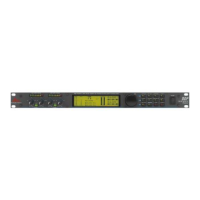

 To Next Page
