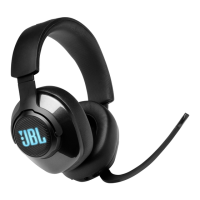
The JBL Quantum 400 is a gaming headset designed to provide an immersive audio experience for PC, Mac, PS4, mobile, and gaming console users. This owner's manual outlines the headset's features, setup procedures, and troubleshooting tips to ensure optimal performance.
Function Description
The JBL Quantum 400 headset serves as a comprehensive audio solution for gamers, offering high-quality sound output and clear voice communication. It is equipped with dynamic drivers that deliver a wide frequency response, ensuring that users can hear both subtle in-game cues and powerful explosions with clarity. The headset's primary function is to enhance the gaming experience through superior audio fidelity and precise sound localization, particularly when used with the JBL QuantumENGINE software on PC.
A key feature of the Quantum 400 is its voice focus boom microphone. This microphone is designed to pick up the user's voice clearly while minimizing background noise, facilitating effective communication with teammates during multiplayer sessions. The microphone can be easily muted or unmuted, providing quick control over voice transmission.
The headset supports both USB and 3.5mm audio connections, making it versatile across various gaming platforms. The USB connection, especially when paired with the JBL QuantumENGINE software on PC, unlocks advanced features such as JBL QuantumSURROUND and DTS Headphone:X V2.0, which create an immersive 3D audio environment. These technologies allow gamers to pinpoint the direction of sounds in their virtual surroundings, offering a competitive edge.
The JBL Quantum 400 also incorporates an RGB-lit JBL logo on the earcups, adding a customizable aesthetic element to the headset. This lighting can be controlled and personalized through the JBL QuantumENGINE software, allowing users to match the headset's appearance with their gaming setup or personal preferences.
Usage Features
The JBL Quantum 400 is designed for ease of use and comfort during extended gaming sessions.
Getting Started:
- Wearing the Headset: The headset is marked with 'L' for the left ear and 'R' for the right ear to ensure correct orientation. Users should adjust the earpads and headband to achieve a comfortable and secure fit. The boom microphone can be adjusted as needed for optimal voice pickup.
- First-Time Setup (for PC only): For PC users, downloading the JBL QuantumENGINE software from jblquantum.com/engine is crucial to access the full suite of features. This software enables headset calibration, 3D audio adjustment, customized RGB lighting effects, and control over the boom microphone's side-tone.
- Software Requirements: The JBL QuantumENGINE requires Windows 7 or Windows 10 (64-bit) and 500MB of free hard drive space.
- Sound Settings Configuration: After connecting the headset via USB, users need to configure their PC's sound settings. This involves setting "JBL QUANTUM400 GAME" as the default playback device and "JBL QUANTUM400 CHAT" as the default communication device under both playback and recording settings. On-screen instructions guide users through personalizing their sound settings.
Connecting the Headset:
- With USB Connection:
- Connect the orange USB-A connector of the USB cable to a USB-A port on a PC, Mac, or PS4.
- Connect the black USB-C connector to the USB-C port on the headset.
- Controls: The headset features a volume dial to adjust master volume. A dedicated dial balances chat volume relative to game audio, allowing users to prioritize either game sounds or voice communication. The mute button allows for quick microphone muting/unmuting, and holding it for more than 5 seconds toggles the RGB light on or off.
- Note: While a USB-C to USB-C cable (not supplied) can be used, USB-C connectivity with all devices is not guaranteed.
- With 3.5mm Audio Connection:
- Connect the black connector of the 3.5mm audio cable to the headset.
- Connect the orange connector to the 3.5mm headphone jack on a PC, Mac, mobile device, or gaming console.
- Controls: In 3.5mm audio connection, only the volume dial functions to adjust master volume. The mic mute/unmute LED, the mute button, and the RGB-lit JBL logo do not operate in this mode.
Controls on Headset:
- Game/Chat Balance Dial: This dial allows users to balance the chat volume in relation to the game audio volume, ensuring that neither sound source overwhelms the other.
- Volume +/- Dial: Adjusts the overall headset volume.
- Detachable Windshield Foam: Can be attached to the boom microphone to reduce plosive sounds and wind noise.
- Mic Mute / Unmute LED: Illuminates when the microphone is muted, providing a visual indicator of the microphone's status.
- RGB-lit JBL Logo: Customizable lighting on the earcups.
- 3.5mm Audio Jack: For analog audio connections.
- Voice Focus Boom Microphone: Flips up to mute the microphone and flips down to unmute it, offering an intuitive way to control voice input.
- Flat-Fold Ear Cup: Allows the earcups to fold flat for easier storage and portability.
- Mute Button: Press to mute or unmute the microphone. Hold for more than 5 seconds to turn the RGB light on or off.
- USB-C Port: For digital audio connection and access to advanced features on PC.
Maintenance Features
The JBL Quantum 400 is designed for durability and user convenience, though specific maintenance instructions are not extensively detailed in the provided manual. General care for gaming headsets typically involves:
- Cleaning: Regularly wipe down the earcups and headband with a soft, dry cloth to remove dust and sweat. For the microphone, ensure any detachable foam is clean and free of debris. Avoid using harsh chemicals or abrasive materials that could damage the headset's finish or components.
- Storage: When not in use, store the headset in a clean, dry place, away from extreme temperatures and direct sunlight. The flat-fold ear cups facilitate compact storage.
- Cable Management: Handle the USB and 3.5mm audio cables with care to prevent kinks, twists, or damage to the connectors. Avoid pulling on the cables to disconnect them; always grasp the connector itself.
- Microphone Care: The voice focus boom microphone is a sensitive component. Avoid excessive bending or rough handling. If the detachable windshield foam becomes worn or dirty, it can typically be replaced.
- Software Updates: For PC users, regularly checking for updates to the JBL QuantumENGINE software is important. These updates can provide performance improvements, bug fixes, and new features, ensuring the headset operates at its best.
- Troubleshooting: The manual includes a troubleshooting section to address common issues such as no sound, poor sound, or microphone problems. Users are advised to check these points before seeking service. For instance, ensuring correct default device selection in sound settings and verifying secure cable connections are basic maintenance steps that can resolve many issues. Enabling sidetone via JBL QuantumENGINE can help users monitor their own voice during communication.
By following these general guidelines and the specific instructions in the manual, users can ensure the longevity and optimal performance of their JBL Quantum 400 gaming headset.

 Need help?
 General



 To Next Page