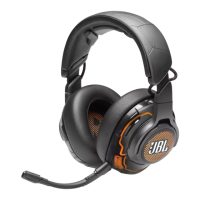
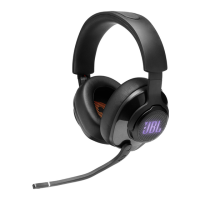
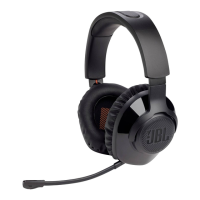
The JBL Quantum 350 Wireless is a gaming headset designed for an immersive audio experience. It features 2.4G wireless connectivity, a detachable boom microphone, and compatibility with various gaming platforms.
Function Description:
The JBL Quantum 350 Wireless headset provides high-quality audio for gaming, allowing users to hear in-game sounds and communicate with teammates. It utilizes 2.4G wireless technology for a stable and low-latency connection. The headset is equipped with a detachable boom microphone for clear voice communication, which can be muted when not in use. The earcups are designed to flat-fold for portability and storage. The headset is primarily intended for use with PCs, Mac, PS4/PS5 consoles, and Nintendo Switch™ consoles. For PC users, the JBL QuantumENGINE software can be downloaded to access Quantum 3D audio technologies, enhancing the spatial audio experience.
Important Technical Specifications:
- Driver size: 40 mm dynamic drivers
- Frequency response: 20 Hz - 20 kHz
- Microphone frequency response: 100 Hz - 10 kHz
- Sensitivity: 115 dB SPL @1 kHz
- Maximum SPL: 93 dB
- Microphone sensitivity: -42 dBV/Pa @1 kHz
- Impedance: 32 ohm
- 2.4G Wireless transmitter power: <10 dBm/MHz & <20 dBm
- 2.4G Wireless modulation: GFSK
- 2.4G Wireless carrier frequency: 2402 MHz - 2480 MHz
- Battery type: Li-ion battery (3.7 V / 500 mAh)
- Power supply: 5 V ⎓ 1 A
- Charging time: Approximately 2 hours
- Music play time: 22 hours
- Microphone pickup pattern: Omni-directional
- Weight: 252 g
- Maximum operation temperature: 45 °C
- Software Requirements (for PC): Windows 7 (64 bit) / Windows 10 (64 bit) only, 500MB of free hard drive space for installation.
Usage Features:
- Controls on Headset:
- Volume +/- dial: Adjusts headset volume.
- Microphone mute button: Press to mute or unmute the microphone.
- Charging LED: Indicates charging and battery status.
- USB-C port: For charging the headset.
- Jack for 2.5 mm boom microphone: To connect the detachable microphone.
- Flat-fold ear cup: Allows for compact storage.
- Status LED (Power / 2.4G): Indicates power and wireless connection status.
- Power slider: Slides upwards to power on, downwards to power off.
- Controls on 2.4G USB Wireless Dongle:
- CONNECT button: Hold for more than 5 seconds to enter 2.4G wireless pairing mode.
- LED: Indicates the status of the 2.4G wireless connection.
- Getting Started:
- Charging: The headset is charged via the supplied USB-A to USB-C cable. A full charge takes approximately 2 hours. It can also be charged with a USB-C to USB-C cable (not supplied).
- Wearing: Attach the detachable boom microphone. Place the earcup marked 'L' on the left ear and 'R' on the right ear. Adjust the earpads, headband, and microphone for a comfortable fit.
- Power On: Slide the power switch upwards to turn on the headset. The status LED will glow solid white.
- First-time Setup (for PC only): Download JBL QuantumENGINE from jblquantum.com/engine for Quantum 3D audio. Connect the headset to the PC via the 2.4G USB wireless dongle. In "Sound Settings" -> "Sound Control Panel," set "JBL QUANTUM350 WIRELESS" as the default device for both "Playback" and "Recording." Follow on-screen instructions for sound personalization.
- Using the Headset:
- Plug the 2.4G USB wireless dongle into a USB-A port on your PC, Mac, PS4/PS5 console, or Nintendo Switch™ console.
- Power on the headset; it will automatically pair and connect with the dongle.
- Manual Pairing:
- Power on the headset.
- On the 2.4G USB wireless dongle, hold the CONNECT button for more than 5 seconds until its LED flashes white quickly.
- Both LEDs on the headset and dongle will turn solid white upon successful connection.
Maintenance Features:
- Automatic Power Off: While not charging, the headset automatically turns off after 10 minutes without a wireless connection, or after 30 minutes with a wireless connection but no audio input. This helps conserve battery life.
- Troubleshooting: The manual provides guidance for common issues such as no power (recharge headset, power on), 2.4G pairing failure (move closer to dongle, re-pair manually), no sound or poor sound (check default device settings, adjust volume, avoid USB 3.0 interference, ensure successful pairing), and microphone issues (check default device settings, ensure microphone is not muted).
- Resetting the Headset: If there is no response or a malfunction, connect the headset to a powered USB-A port with the supplied USB charging cable, then disconnect the cable to reset the headset.

 Need help?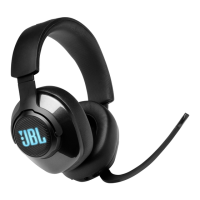



 To Next Page
 General