EasyManua.ls Logo

Harmon/Kardon GO+PLAY Micro - User Manual

Harmon/Kardon GO+PLAY Micro
120 pages
Print Icon
To Next Page IconTo Next Page
Loading...
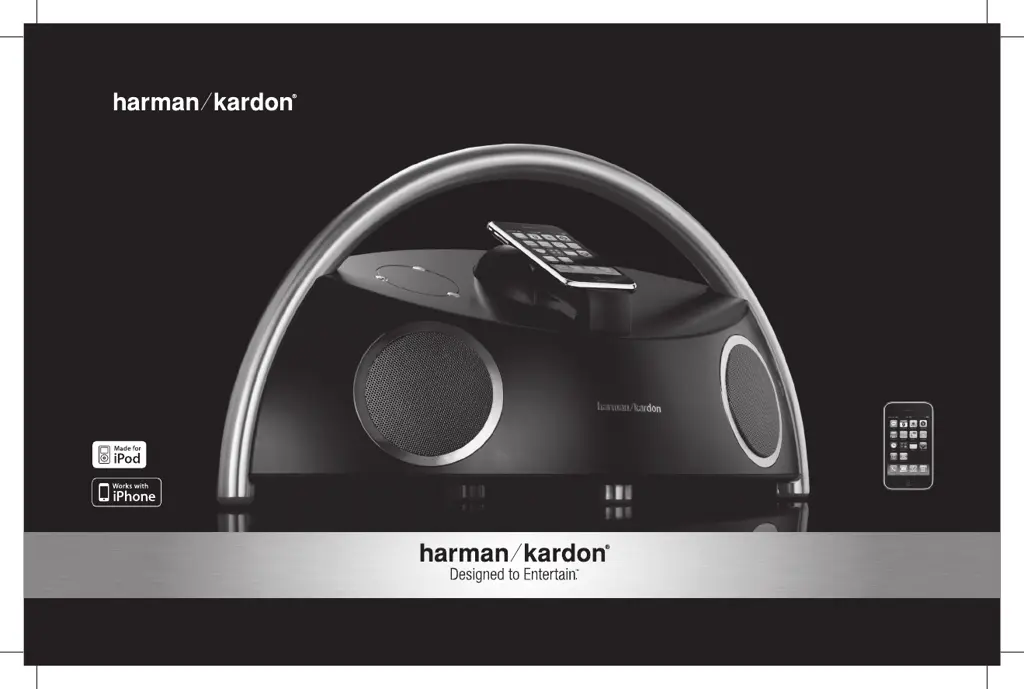
GO+PLAY
MicrO
Portable hi-fi speaker for iPhone/iPod
iPhone not included
English
User Guide
0204CSK - HK Go+Play Micro OM V1.indd 1 24/03/10 9:38:41

Table of Contents

Questions and Answers

Summary

Important Safety Instructions

General Safety Precautions

Follow instructions for safe operation, ventilation, heat, and environmental considerations.

Electrical Safety and Usage

Ensure proper handling of power cords, plugs, and electrical connections.

Usage and Maintenance Safety

Guidelines for accessory use, cart safety, lightning, servicing, and liquid exposure.

Cautionary Symbols and Warnings

Understand symbols for electrical shock risk and important operating instructions.

Regulations

FCC Compliance Statement

Information regarding FCC rules and potential radio frequency interference.

Canadian Compliance Statement

Details on compliance with Canadian ICES-003 standards.

Product Introduction and Overview

Harman Kardon Heritage and Innovation

Overview of Harman Kardon's expertise and product innovation.

Advanced Technology Features

Details on proprietary technologies like COE and OCT for superior sound.

System Compatibility Information

Supported iPhone;iPod Models

Lists of iPhone and iPod models compatible with the docking system.

Auxiliary Audio Connectivity

How to connect other audio devices using the 3.5mm mini jack input.

Remote Control Functionality

Volume and Music Playback Control

Instructions for operating volume and music playback via the remote.

Unpacking and Component Identification

System Component Checklist

Instructions to unpack the system and identify all included parts.

Initial Setup Procedures

Connecting the Power Adapter

Steps to connect the power adapter to the unit and a wall outlet.

Powering On the Device

How to turn the unit on and check the indicator light status.

Remote Control Preparation

Action required before using the remote control for the first time.

Battery Installation and Handling

Battery Compartment Access and Insertion

Procedure to open the battery compartment and correctly insert batteries.

Important Battery Precautions

Warnings against mixing battery types or charged/uncharged batteries.

Battery Disposal Guidelines

Environmentally Responsible Disposal

Guidance on proper disposal of batteries according to regulations.

Audio Playback Methods

Playing Music from iPhone;iPod

Steps to play music from a docked iPhone or iPod.

Playing Music from Auxiliary Devices

How to connect and play music from other analog devices.

Remote Control Usage

Navigating Music and Adjusting Volume

Using the remote for music selection, playback, and volume adjustment.

System Connectivity and Features

USB Synchronization and Charging

Connecting to a computer for iTunes sync and charging iPhone/iPod.

Video and Photo Playback

Viewing videos and photos from iPhone/iPod on a TV or display.

Troubleshooting Common Issues

Resolving No Sound Problems

Troubleshooting steps for when the unit produces no sound.

Fixing Audio Channel Imbalances

Addressing issues with sound only playing on one speaker channel.

Correcting Low Volume Post-Undocking

Troubleshooting low iPhone volume when removed from the dock.

Eliminating Sound Distortion and Noise

Resolving static, hissing, humming, or buzzing audio issues.

Mitigating Radio Interference

Minimizing interference from radio transmissions affecting audio playback.

Troubleshooting Continued

Addressing Device Charging Problems

Diagnosing why the iPhone/iPod is not charging when docked.

Ensuring Proper Docking Contact

Verifying correct physical connection for charging and playback.

Detailed Technical Specifications

Product Identification and Design

Key specifications including model, drivers, power, and dimensions.

Performance and Audio Metrics

Information on frequency response, impedance, and signal-to-noise ratio.

Power Supply Requirements

Details on the external power supply voltage and current ratings.

Harmon/Kardon GO+PLAY Micro Specifications

General IconGeneral
BrandHarman/Kardon
ModelGO+PLAY Micro
CategoryPortable Speakers
ConnectivityBluetooth
Bluetooth Version4.2
Water ResistanceNo
Built-in MicrophoneYes
Charging PortUSB-C
TypeWireless Speaker
Weight1.4 kg
Battery LifeUp to 8 hours (varies by volume level and audio content)